Setting up an organized work structure allows you to focus on active jobs and keep track of what you should currently be working on. Completed tasks serve as important reference items, but to keep things neat and tidy, we recommend keeping them separate from active tasks.
Archive a Task
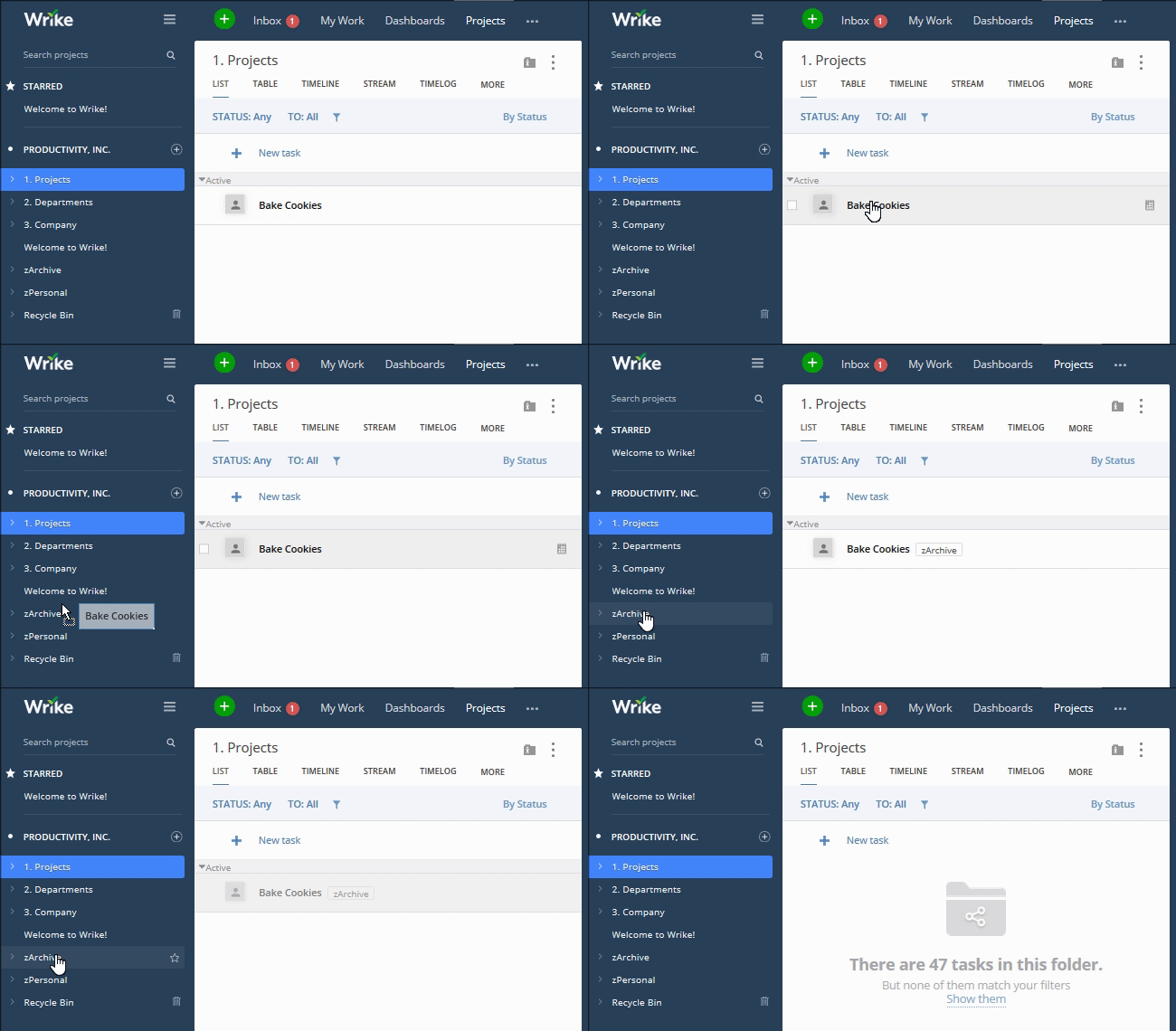
- Create a Folder called “Archive”. Quick Tip: Name it “zArchive” for it to appear at the bottom of the Folder tree.
- Under the”Archive” Folder, create Subfolders to further categorize tasks. Subfolders can be based on time frames, task types, departments, or any other category which makes it easier for you to find tasks in the future.
- Open the location of the task you want to archive, and drag and drop it into the corresponding archive Folder.
Archive a Folder
- Create an “Archive” Folder, and include any relevant Subfolders to organize the archive.
- In the left-hand Navigation panel, drag and drop the Folder you want to archive into the new location.
Did You Know?
Wrike Projects have more attributes than Folders do, and making sure to update them before archiving a Project helps keep things even more organized. Read our post about completing Projects to learn more.


