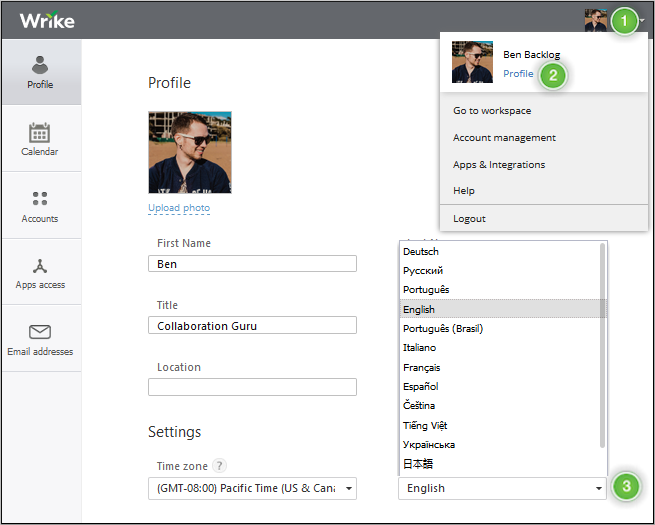
You can change the language of your Wrike Workspace from your Profile page. The Workspace is currently available and officially supported in the following languages: English, French, German, Italian, Japanese, Portuguese (Brazilian), Russian, Spanish.
Change the Language in Wrike
- Click on your profile picture in the Workspace’s top-right corner. 1
- Choose “Profile”. 2
- Scroll down to the “Language” section and choose an available translation from the dropdown. 3
- Click “Save Changes” at the bottom of the page.