Hello Community!
Has your team ever had a challenge working with naming conventions? Is manually adding prefixes or suffixes to new or existing items not an option for you? If so, we have great news… our new action in Wrike Automation has got you covered! 😁
Wrike has launched a new Change name action that allows you to change the item’s title in three ways: automatically categorize your items by adding prefixes, and suffixes or simply renaming them completely. 🤖
When creating a rule, you can find the three new options listed in the Change name action :
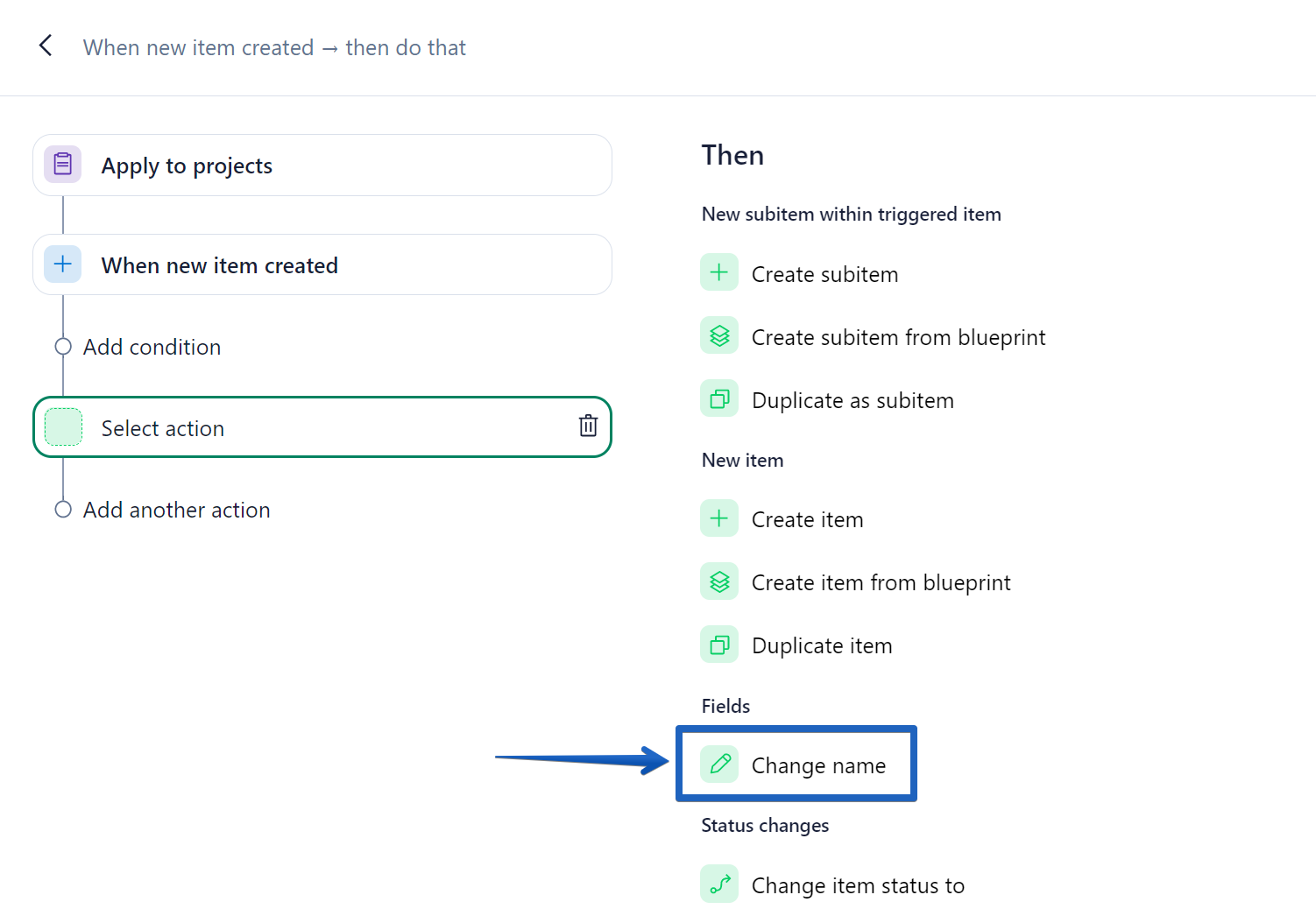
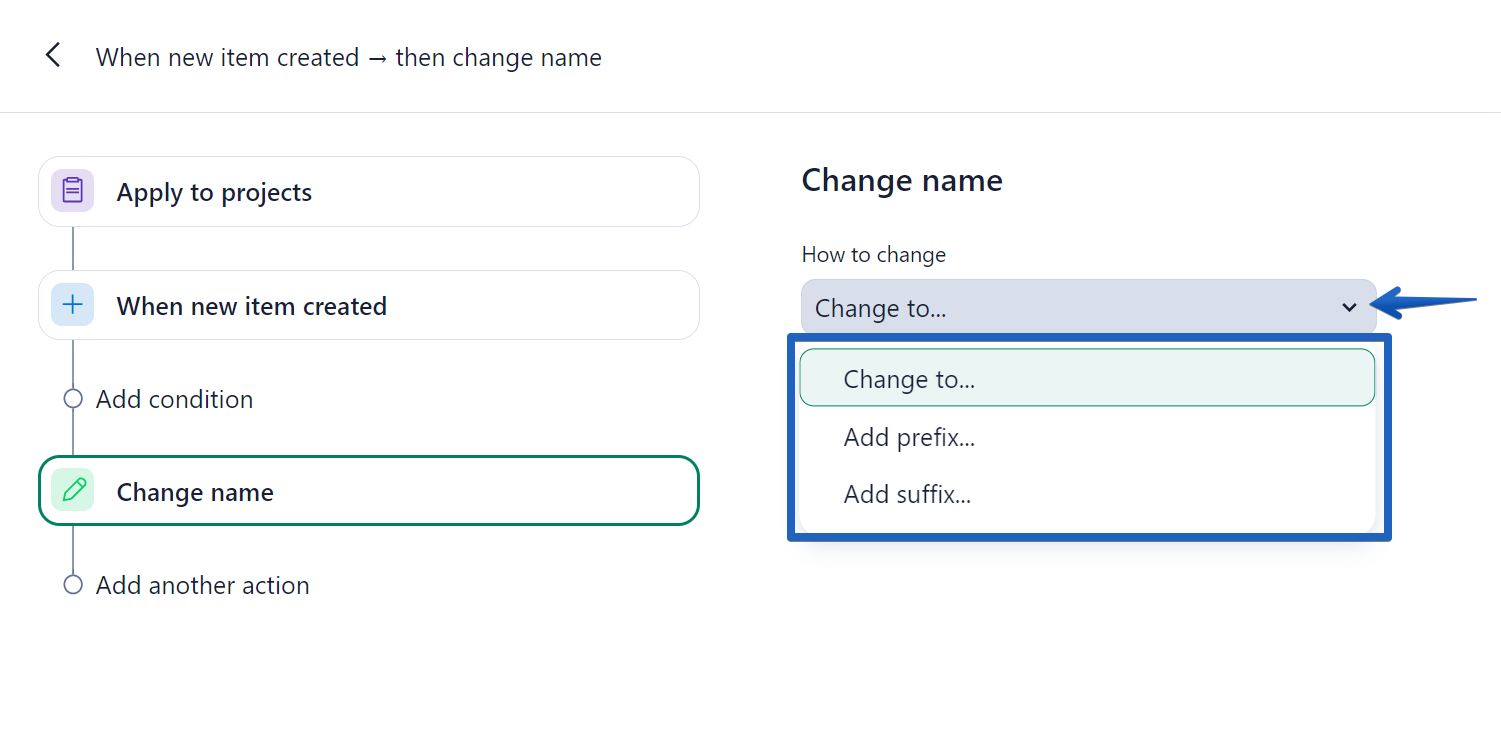
With this powerful enhancement, adding prefixes to new items is as simple as this:
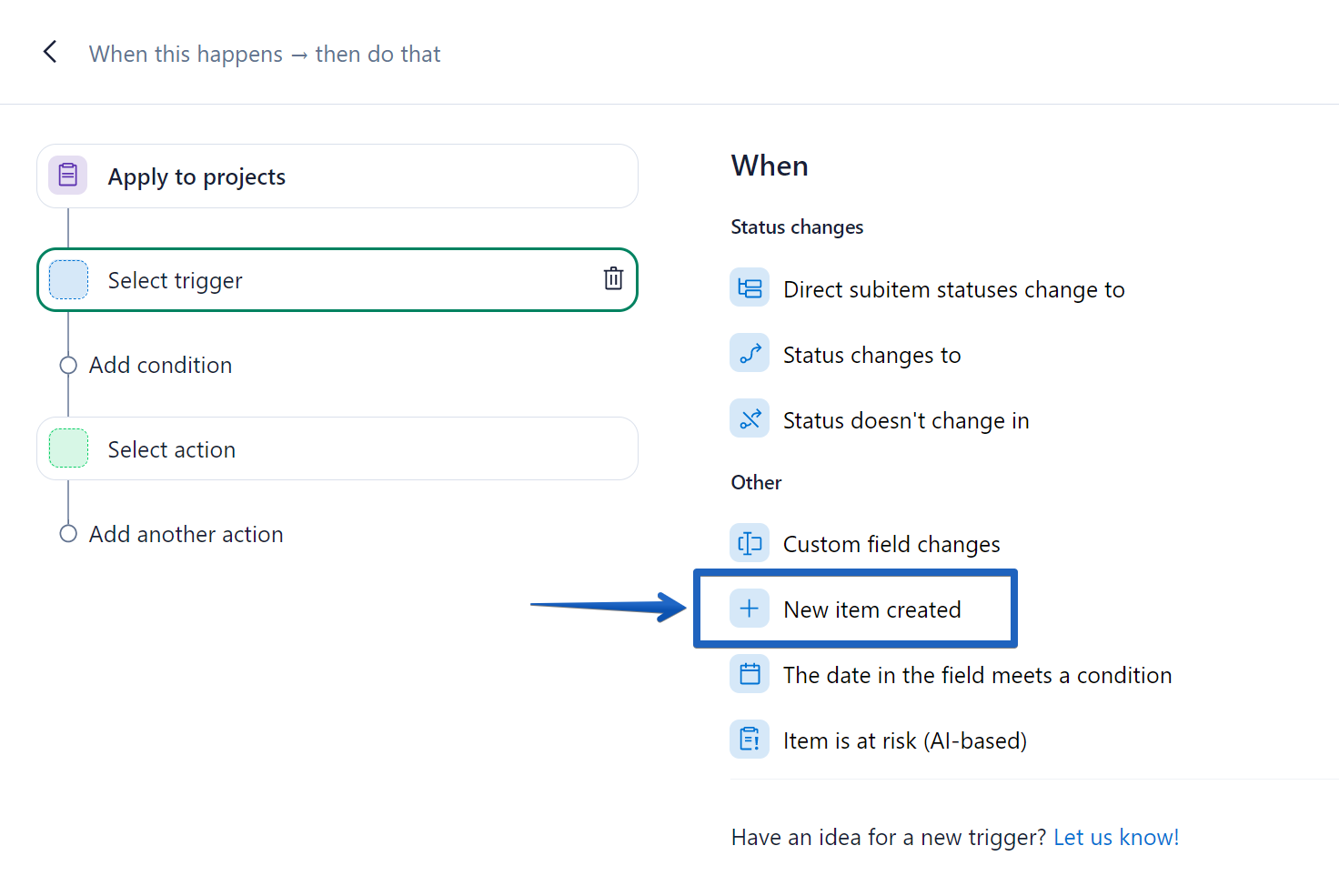
- Select the trigger “New item created”.
- Select the condition “Change name” and choose the option “Add prefix”. Type the prefix you’d need to include in your item’s title.
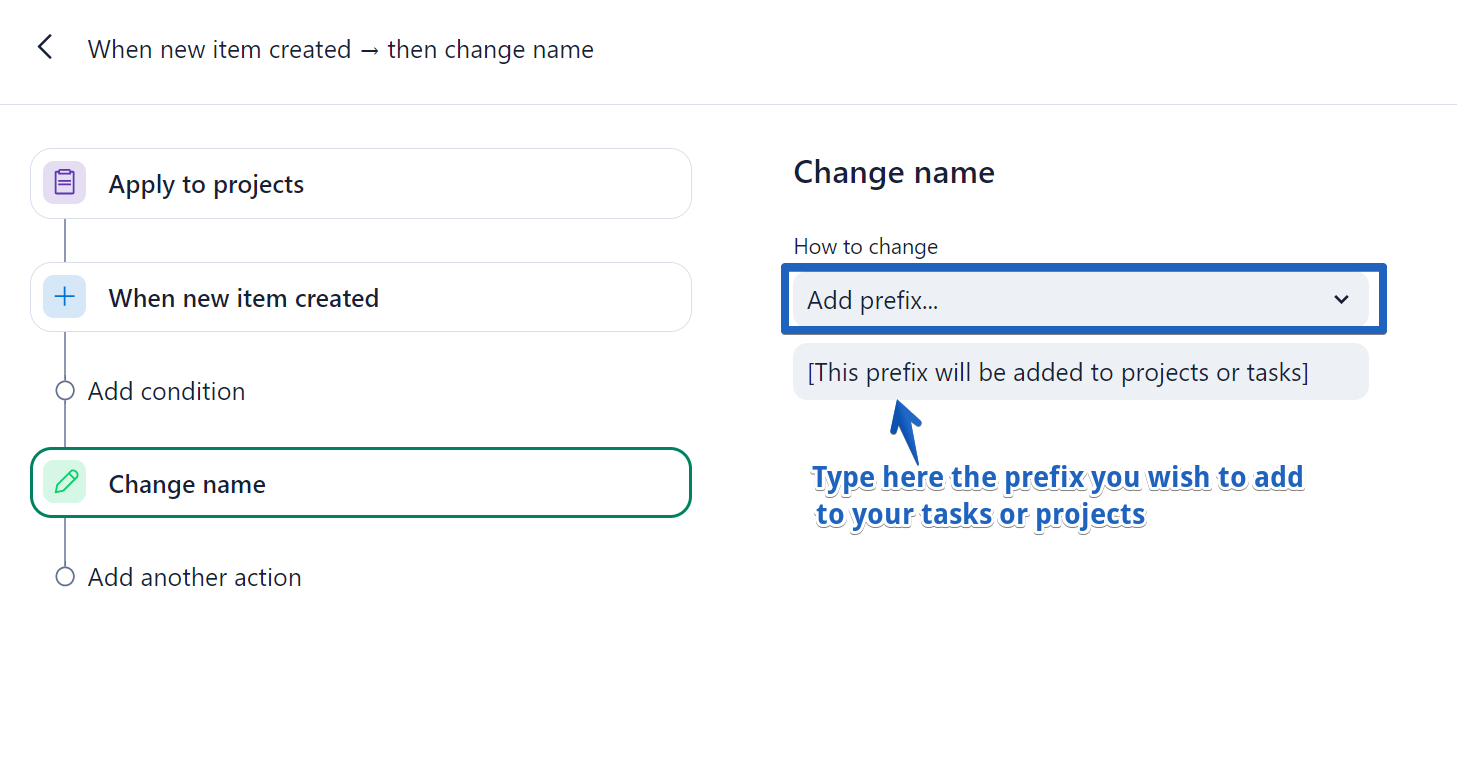
Tip! Don’t forget to select a location where the rule applies to ensure that prefixes are set in the correct folder, like a specific Client folder or your Backlog.
And you’re done!
And what about already existing items? Easy! 😎 You can create an automation rule to automatically add the relevant prefix (or suffix) when a custom field is ticked.
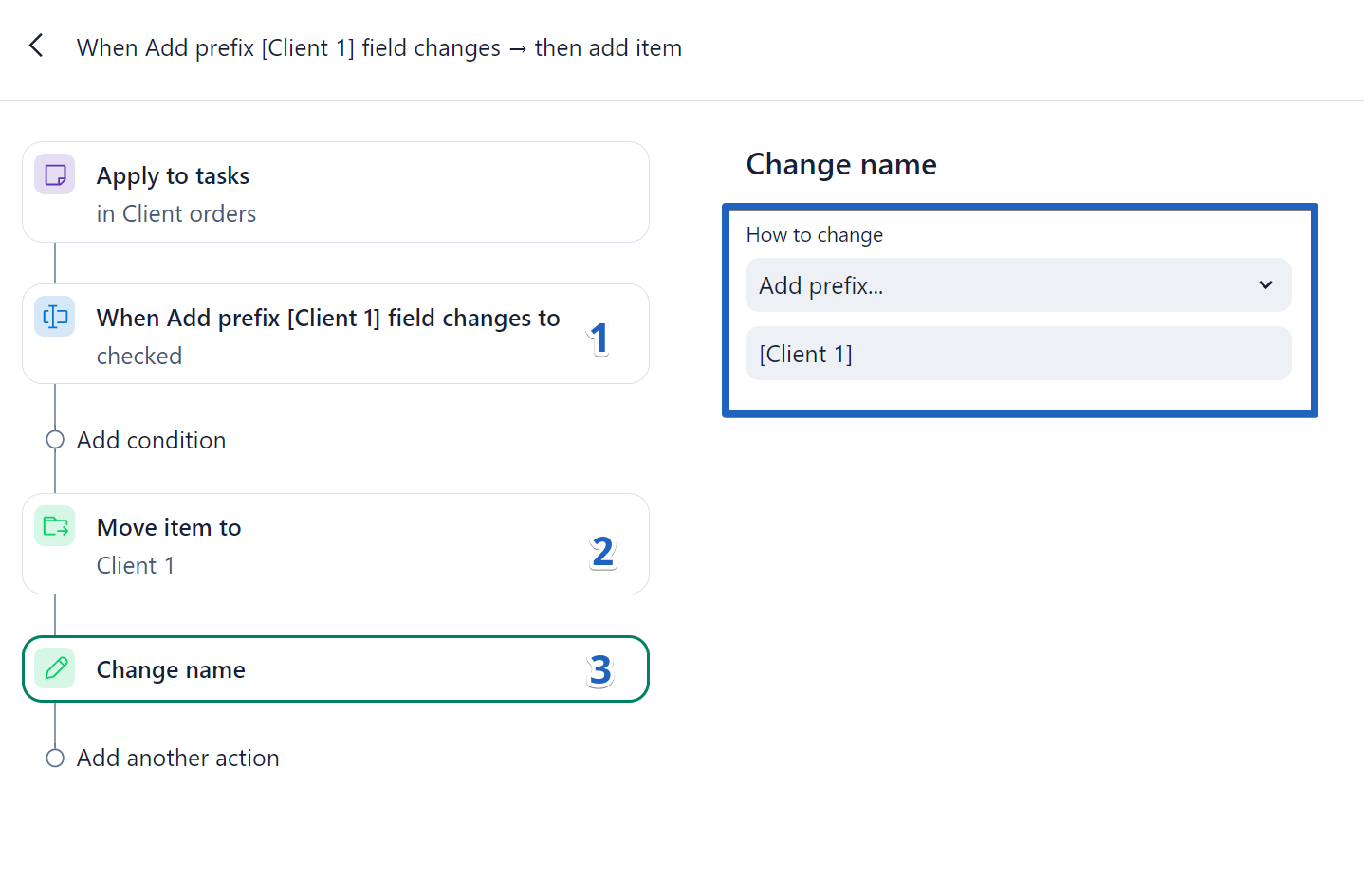
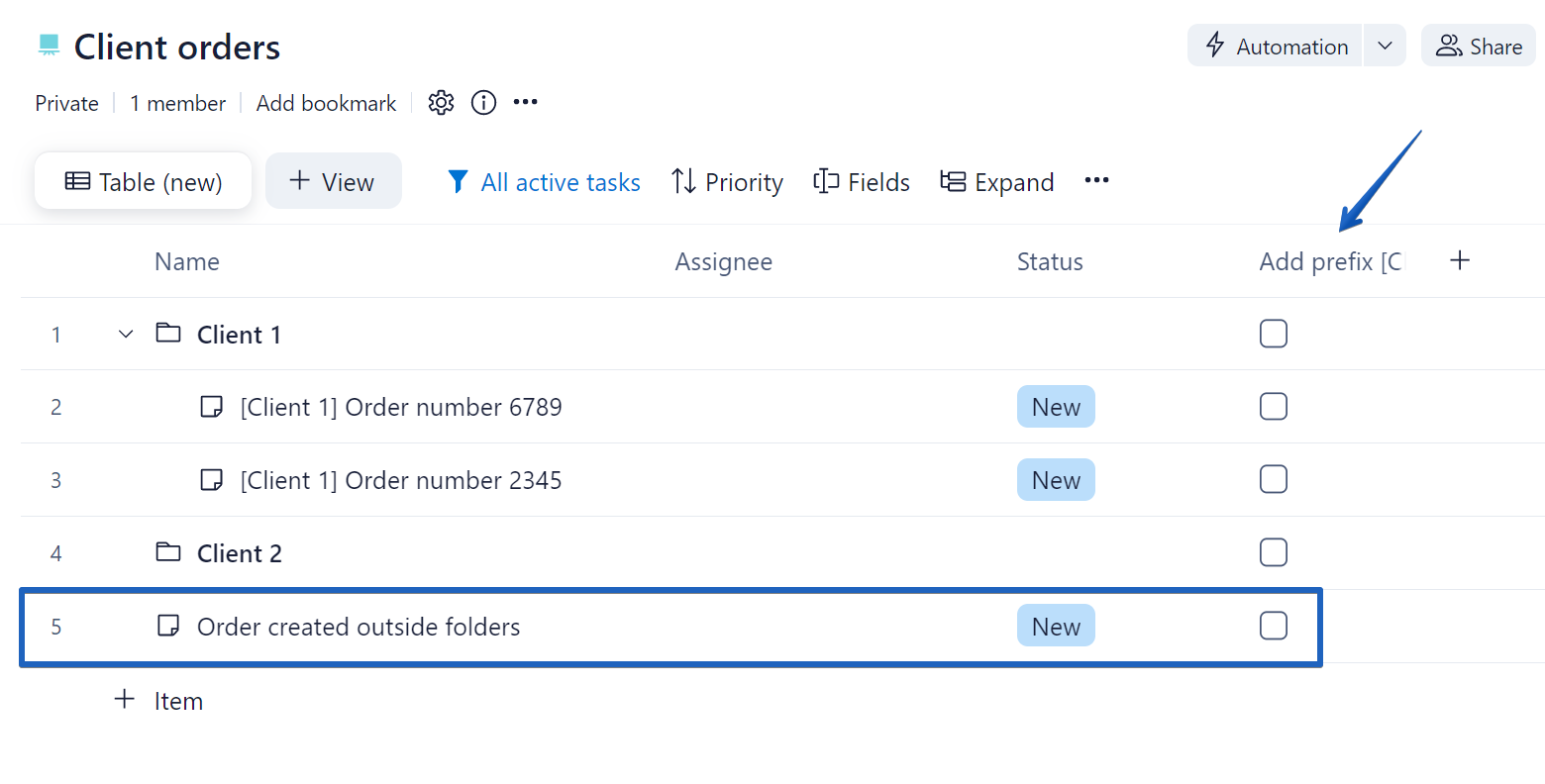
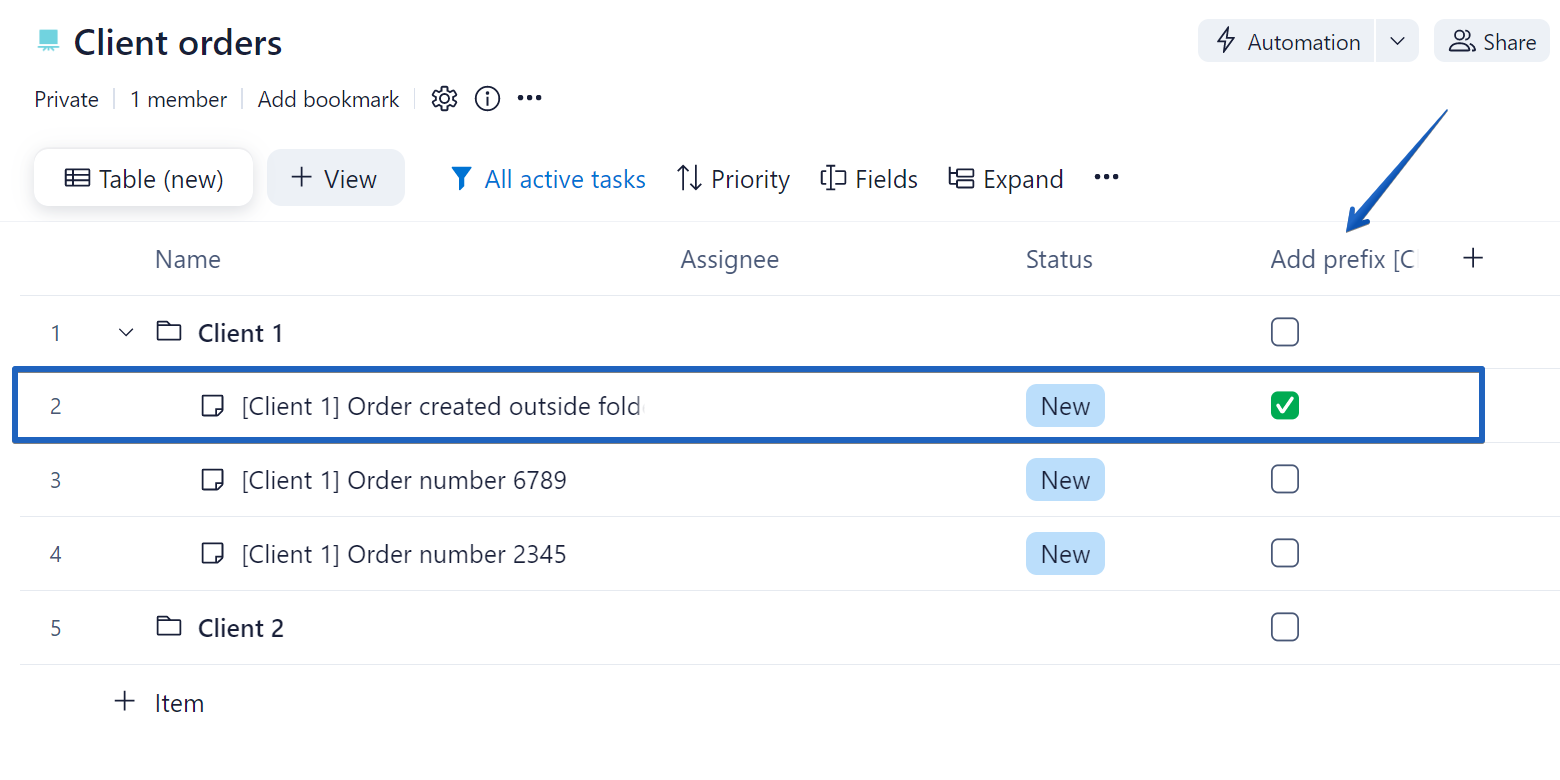
By ticking the custom field, the prefix will be added to the item’s title:
We know that the idea to add prefixes and suffixes automatically has been quite popular among many of you so please show your excitement in the comments! And please feel free to drop any questions you might have about this new addition 🔥