Hi folks! 👋
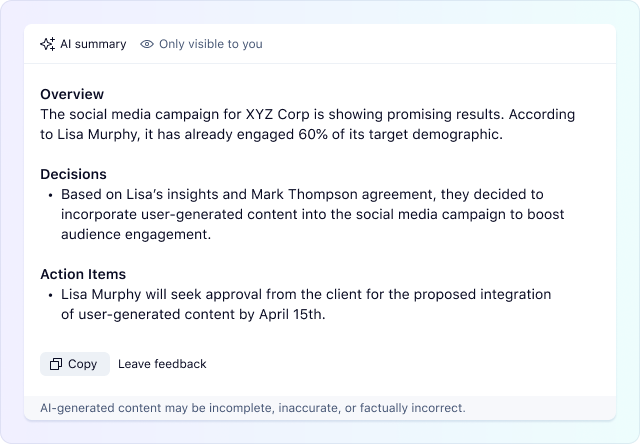
We’re thrilled to announce a new capability added to our Generative AI feature currently available in Wrike Labs: Comment Summarization. This functionality is designed to help you quickly grasp the essential information in long discussions by providing a short overview, listing decisions made, and creating a personalized list of action items 📄
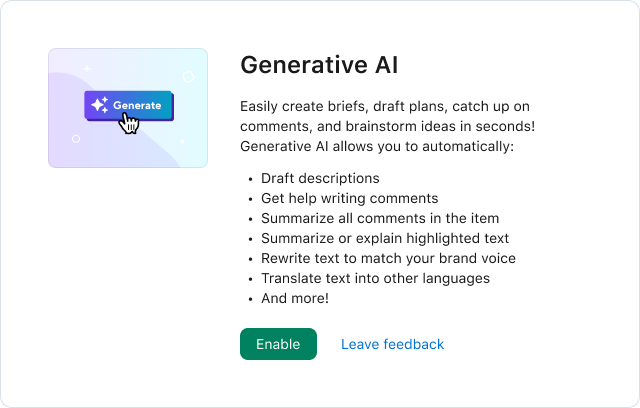
If you already have Generative AI enabled in Wrike Labs, no further action is required; Comment Summary will be available to all users within your account. If Generative AI is not yet enabled, the account owner should first activate the feature. To do this, navigate to Wrike Labs, locate the Generative AI card, and click Enable:
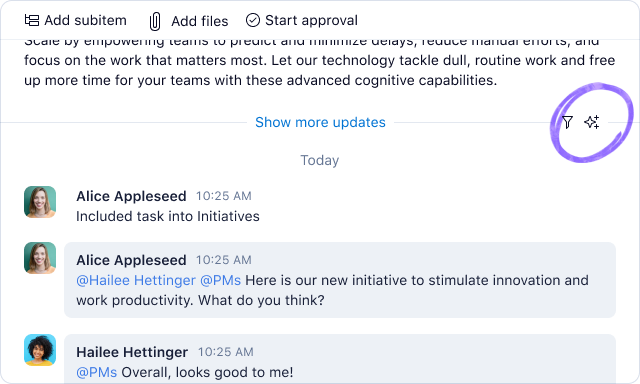
Once the feature is enabled, you will start seeing the AI button in the comment stream header:
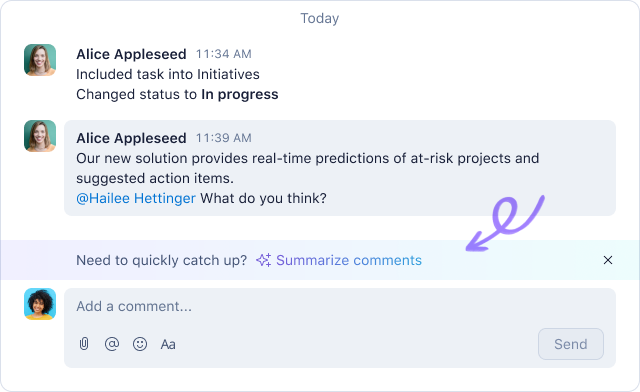
Additionally, in conversations with five or more comments, you’ll also see the ✨Summarize comments banner:
Once you click any of these buttons, AI will provide you with an overview of the conversation, decisions made, and personalized action items for you.
Please note that the feature only summarizes text comments in the stream, including:
- Regular and external messages
- Approvals decision comments (“Added a comment to decision: <text>”)
- Proofing comments (only “Added comments” type)
For now, task lifecycle events such as changing status, dates and assignees, are not processed.
We hope that this new feature will enhance your ability to capture the key points from discussions and keep everyone on the same page. We’re looking forward to hearing your thoughts and feedback on this new capability👇