Hello Wrikers 👋
We have exciting news for you! 💫 Previously, we launched New Filters for Table View in Wrike Labs after taking your feedback into consideration, such as Filter by Search, Negative Filter / Exception Filter, and Add filter on TITLE. Now, we are thrilled to announce the general availability of these enhanced filters!
In the Wrike Labs release, we announced updates to UX Simplification and added the following new filters 👇
- Relative Date Filters - Provides greater flexibility in task filtering by using custom relative dates like "next 2 weeks" or "last 20 days
- Filter by Name - You can quickly locate items by their titles using prefixes or suffixes.
- Negative/Exclusion Filtering - Use "IS NOT" or "Doesn’t contain" to exclude specific values or terms.
- Filter by Files - Filter items based on whether they have attached files or not.
- Parent Filters - Filter items by the properties of their parent tasks or projects.
- Filter by Calculated Custom Fields (Formula) - Create filters based on computations from custom fields for advanced data analysis.
- Enhanced Status Filters - You can easily search for specific statuses, and ability to pick and apply statuses from relevant workflows.
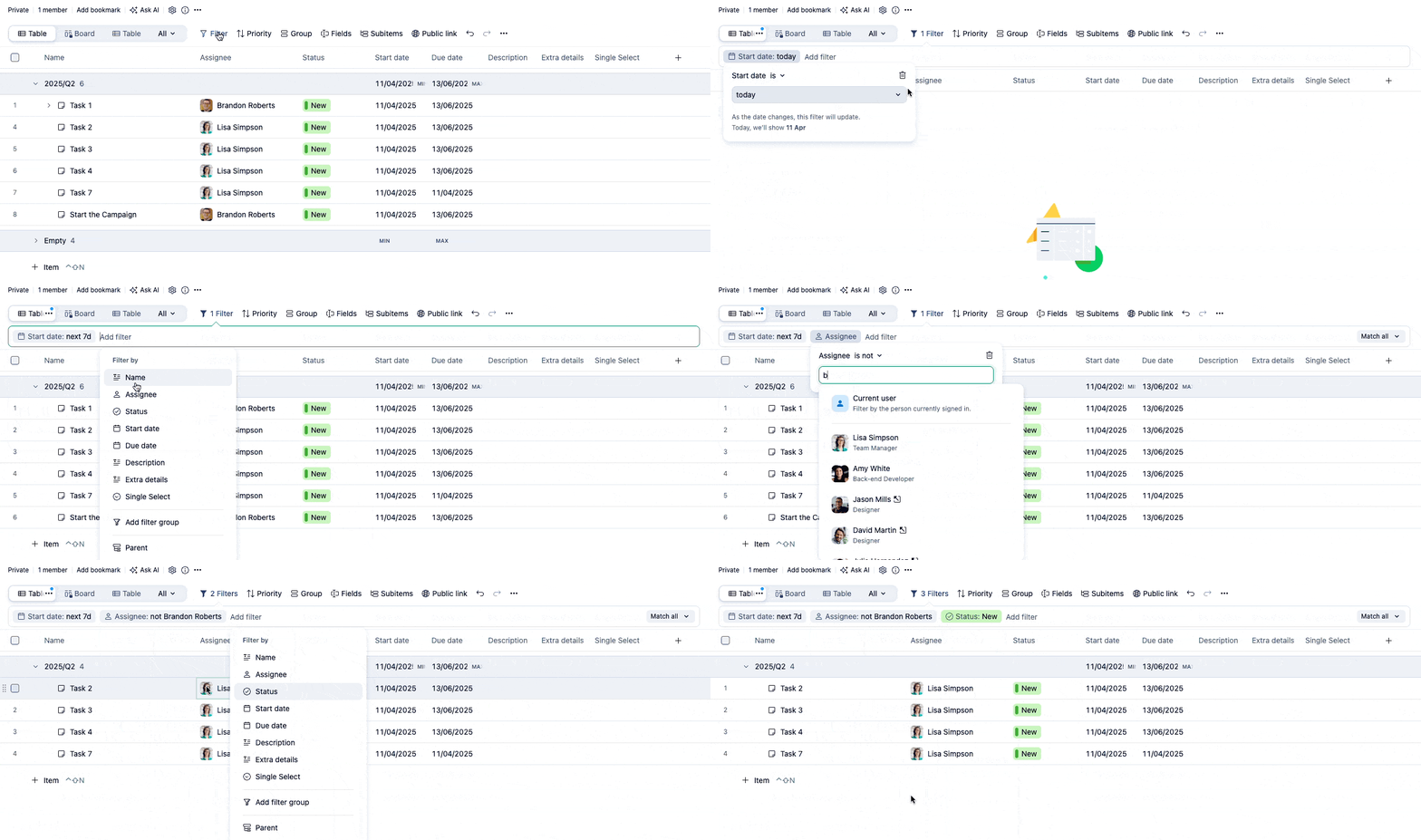
Click here to check out our Community post to know more about the above new filters.
In addition to this, for our general availability release, we have added the following filters to make your Table View experience much smoother and more convenient!
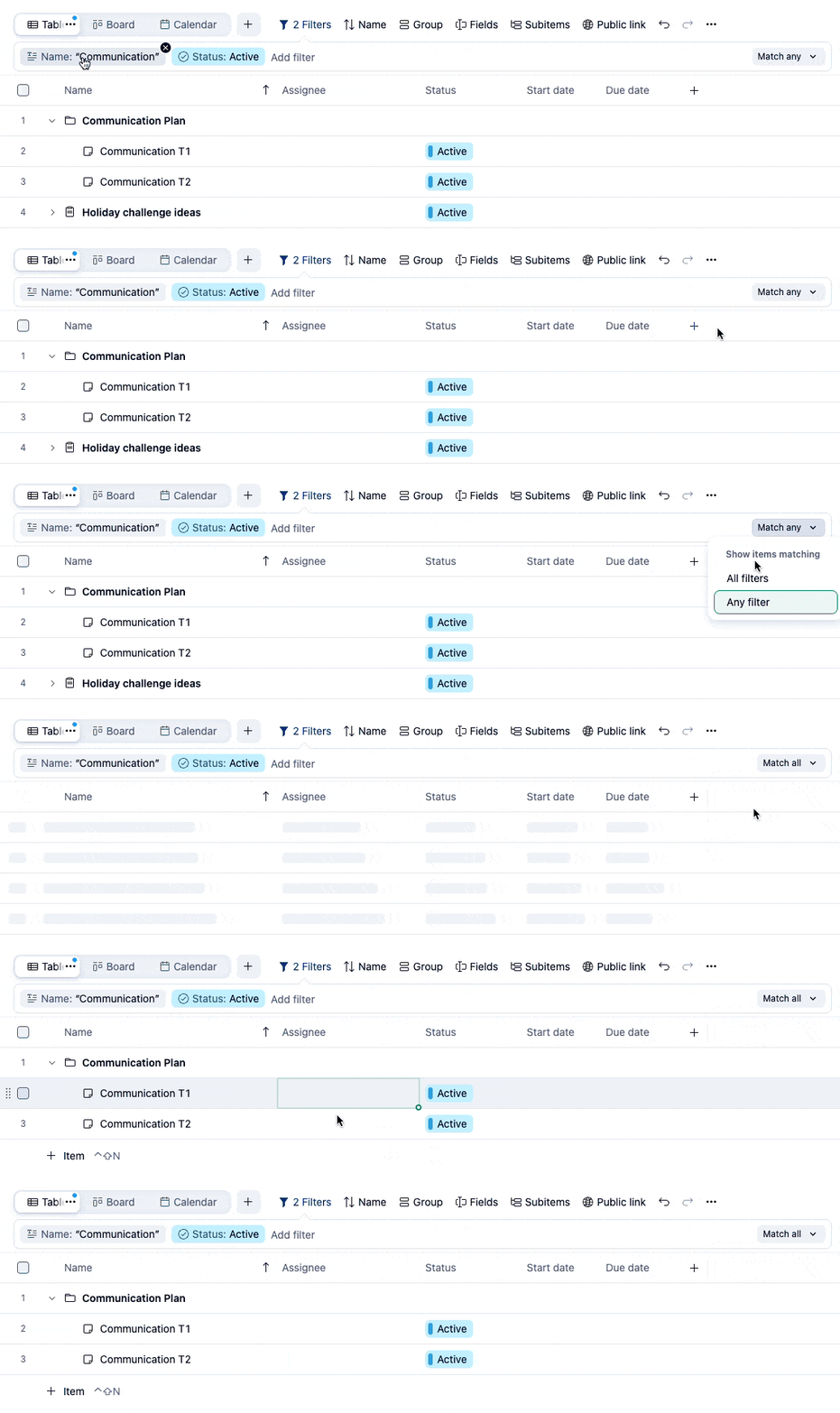
- AND/OR Operator - Apply AND/OR between filters and groups of filters
By default, filters use AND logic. With multiple filters, a "Match all" button appears with "Match all"/"Match any" options. Selecting "Match any" (OR logic) persists even if filters are removed and later added back. Click here to read more about it.
You can save frequently used filter combinations as presets for quick selection, with default options typically including, "All active tasks," and "My active tasks." Also, it's possible to edit existing presets and change the order of your presets.
For more information and availability of these filters, please check out our detailed Help Center article. We are eager for you to test these new filters in the Table View!
Let us know your feedback in the comments below👇




