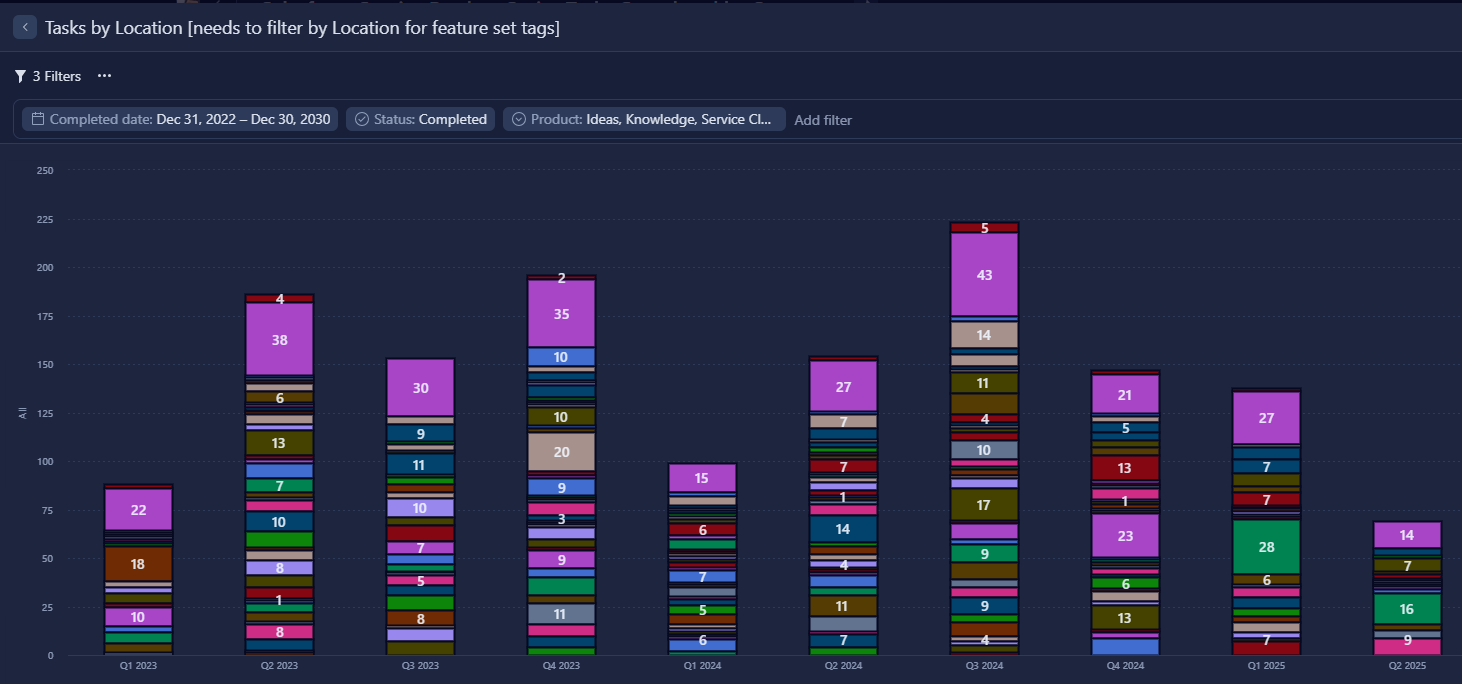
Why? - I'm presenting a dashboard widget that breaks completed tasks by quarter and then by Location. But I only want to include certain Location values I use as multi-select category tags - in this case for feature sets of products.
Suggestion - Add Location to the Filter panel's list of fields with a way of selecting Location values. I realize it's not as simple as a select-all-that-apply list of values as for a picklist custom field. Selecting values would be more like when choosing a location to copy a Table view's column list from, only allow multiple Location values.
Current Workaround - There's no workaround to exclude all the non-tag Location values. I checked in the New Filters experience, too - no Location option so far.
Without this feature, all the Location values show (including a scrolling list at bottom of 30 rows - not shown) instead of the simpler split between about a half-dozen selected tags: