Hey Wrike Community! 🙋♂️
We’re excited to share that our much-awaited Wrike copilot (previously known as ‘Ask AI’ in Wrike Labs) is now out of the Wrike Labs and ready for everyone to use! 🎉
Wrike copilot is your new AI-powered assistant to help you get instant insights, find answers fast, and make your project life way easier—all through plain language questions! No more endless searching for info across spaces, folders, or projects. Copilot’s got your back 🤖💡
How to get started?
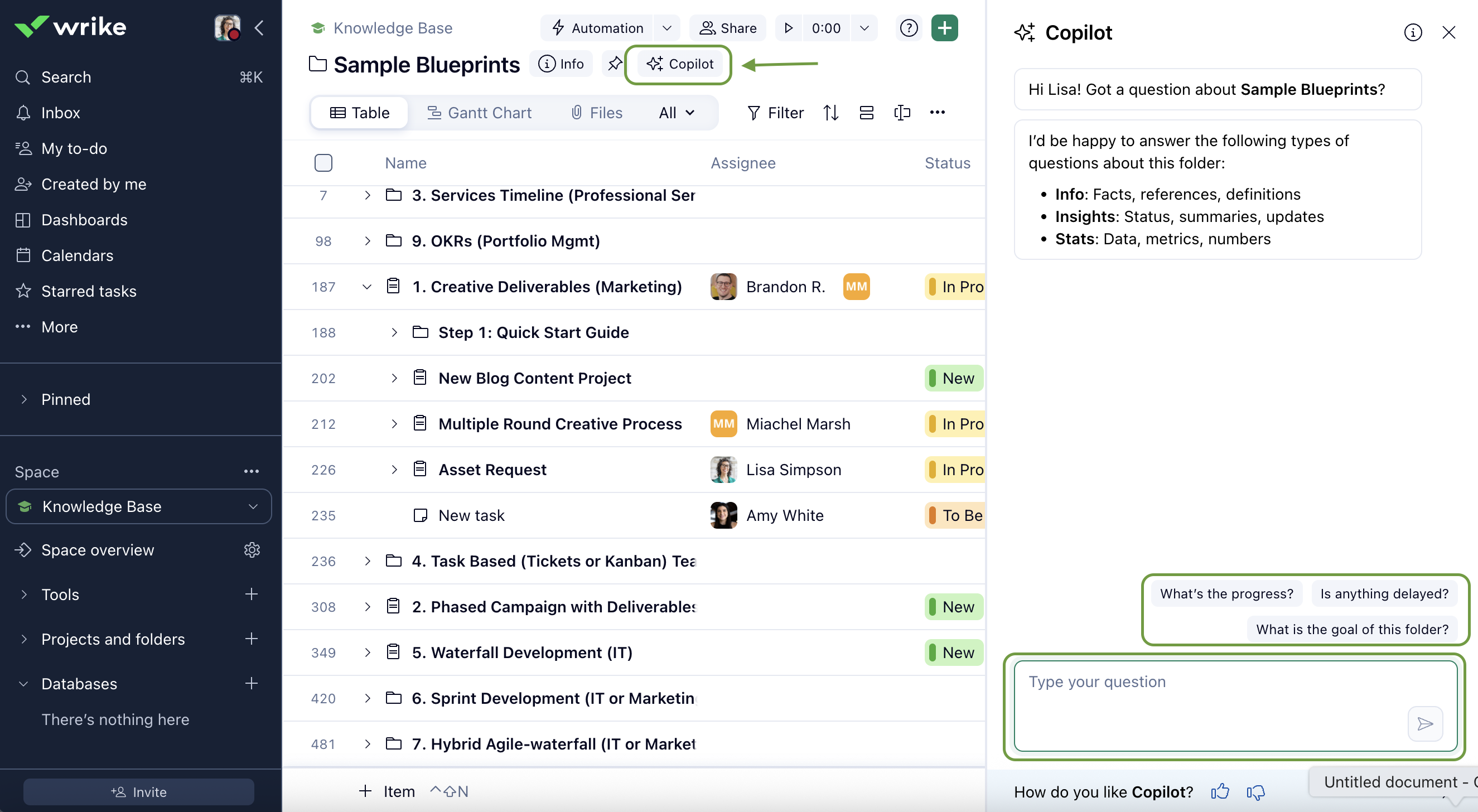
- Navigate to the relevant space, folder, or project where you want Copilot to help.
- Click the Copilot button next to the header.
- The Copilot panel opens on the right side of your workspace.
- You can use a suggested prompt or type your own question in the dialog box.
Press Enter or click the Send button to submit your question.
What are the key features?
- Find Insights about your Wrike Data:
Ask questions in plain English about your spaces, projects, folders, or tasks. Copilot will provide clear answers and direct links to relevant items so you can quickly find what you need.
- Analyze Quantitative Data and Generate Charts:
Just ask Copilot to analyze data or visualize trends in your workspace. You’ll get summaries and charts, all without building new dashboard widgets.
- Query your Knowledge Base:
Need to reference documentation, guidelines, or other internal content stored in Wrike? Copilot will search relevant items and provide accurate answers, along with references to the original sources.
Want to learn more? Check out the Help Center Article, and let us know your thoughts or feedback below! 👇