I'm having an issue with a single automation rule not activating how it should. I have brought this issue to Wrike support several times and either I'm not communicating the issue correctly or I'm not understanding their instructions. So maybe another user can help me and, believe me when i say. I am doing my best to be as clear and precise as possible. So here it goes...
For reference, any listed item types will be in [] brackets. i.e {Folder] [Project] [Task]
Our projects are currently set up (for organizational purposes) with the following Hierarchy,
Client Folder [Folder] -> Project Name [Task CIT] -> Phase Folder [Task CIT] -> Phase Tasks [Task CIT]
The automations that I have written are as follows, from the bottom level Hierarchy to the top
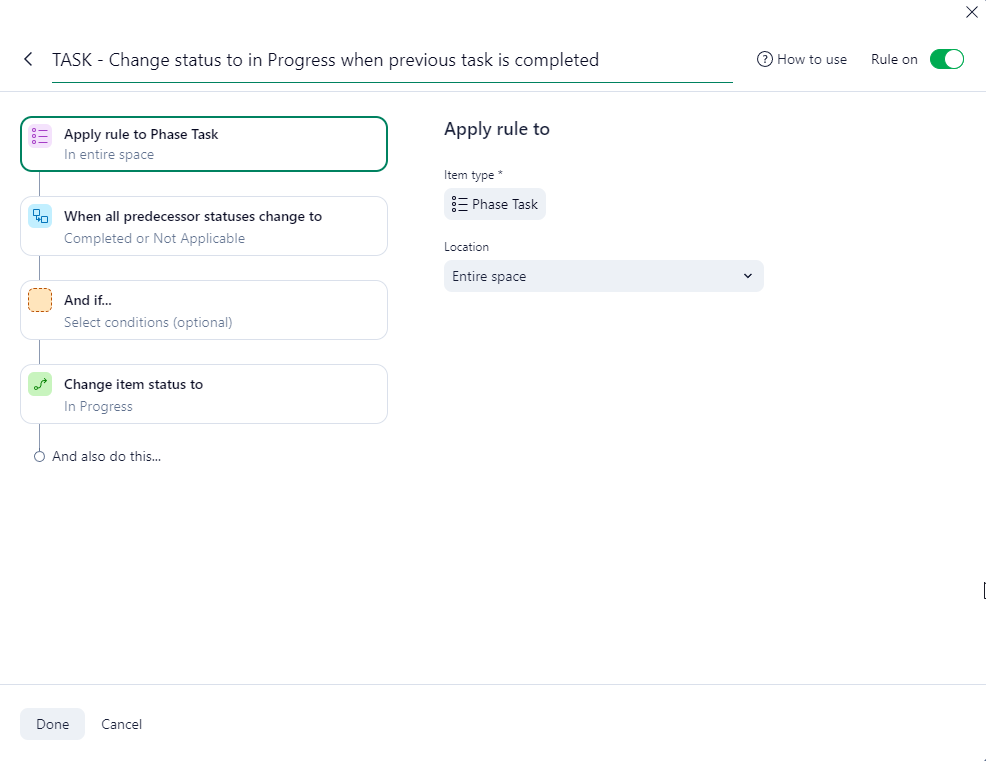
Tasks: [Task]
- When a preceding Task is marked as "complete" > change status to 'In Progress"
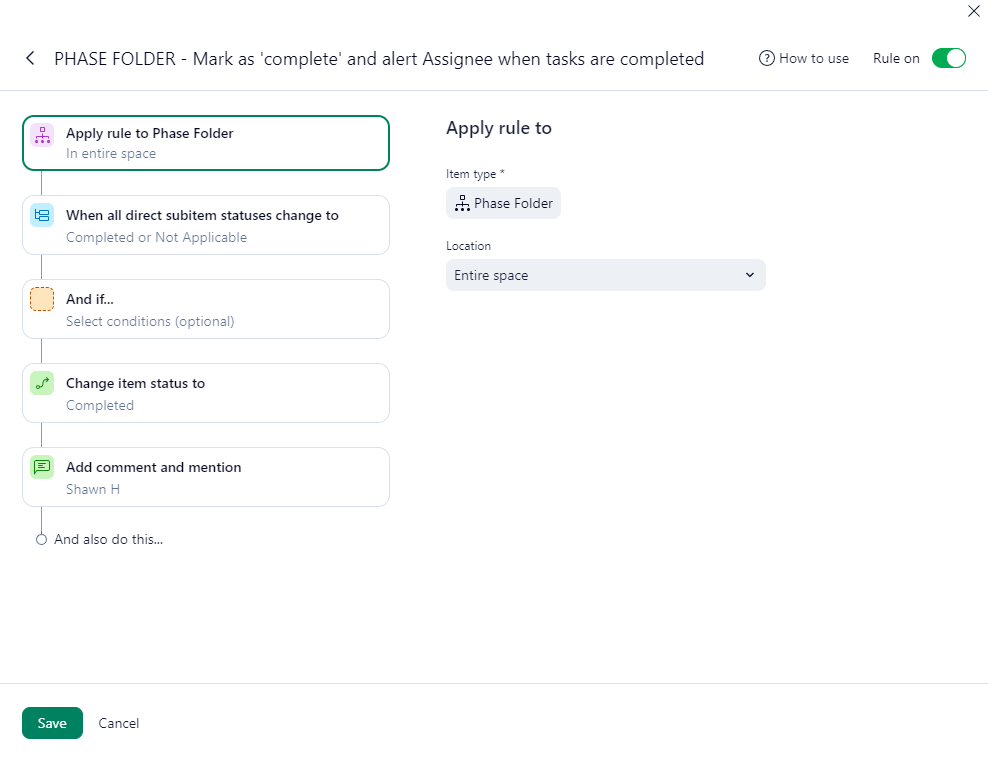
Phase Folders [Task CIT]
- When all direct Subitems statuses change to 'Completed' or 'Not Applicable' > Change status to 'Completed' and 'Add comment and Mention'
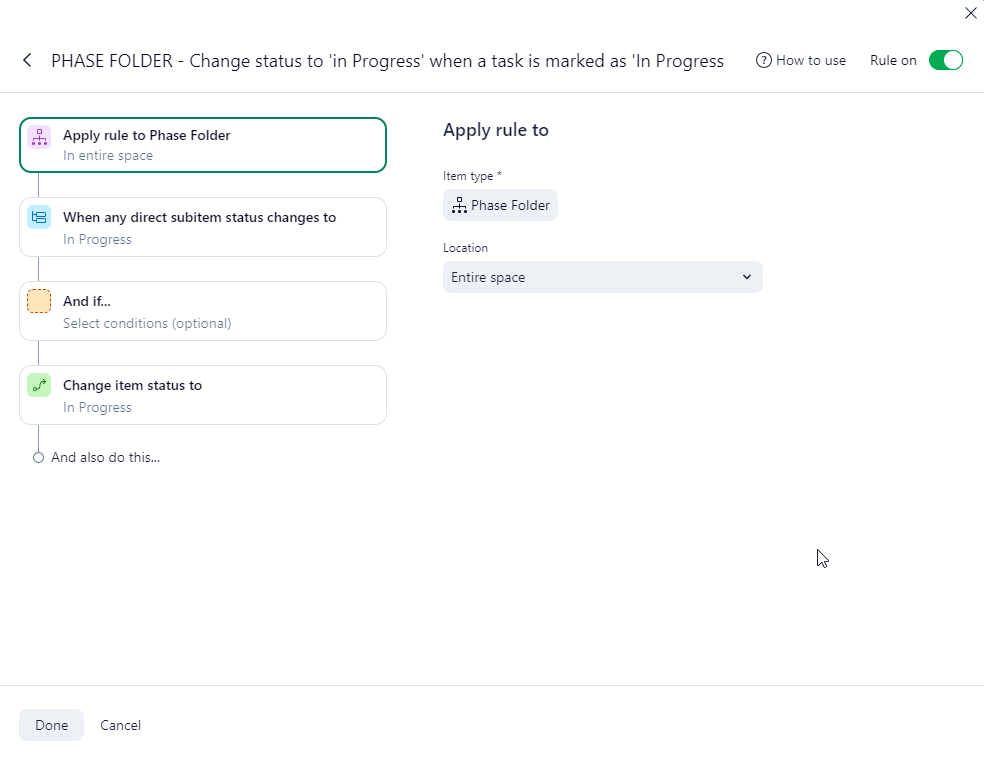
- When ANY direct Subitems statuses change to 'in Progress' > Change status to 'In Progress' This is the rule that does not activate (Note: Updated to correct typo that Jess Cudd pointed out)
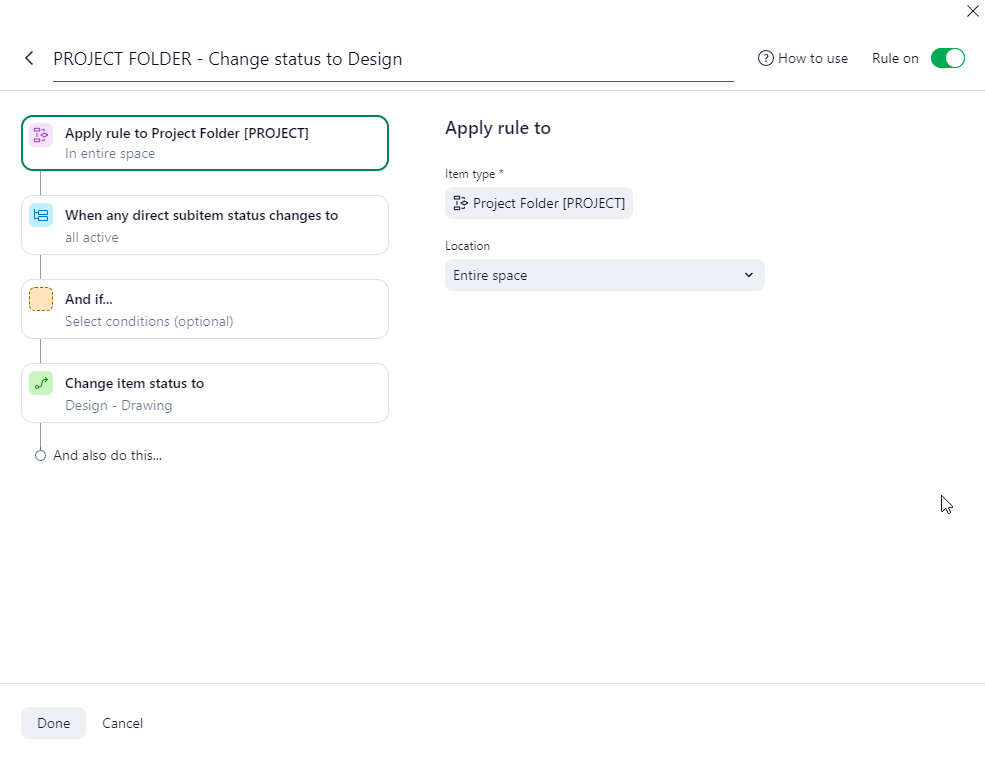
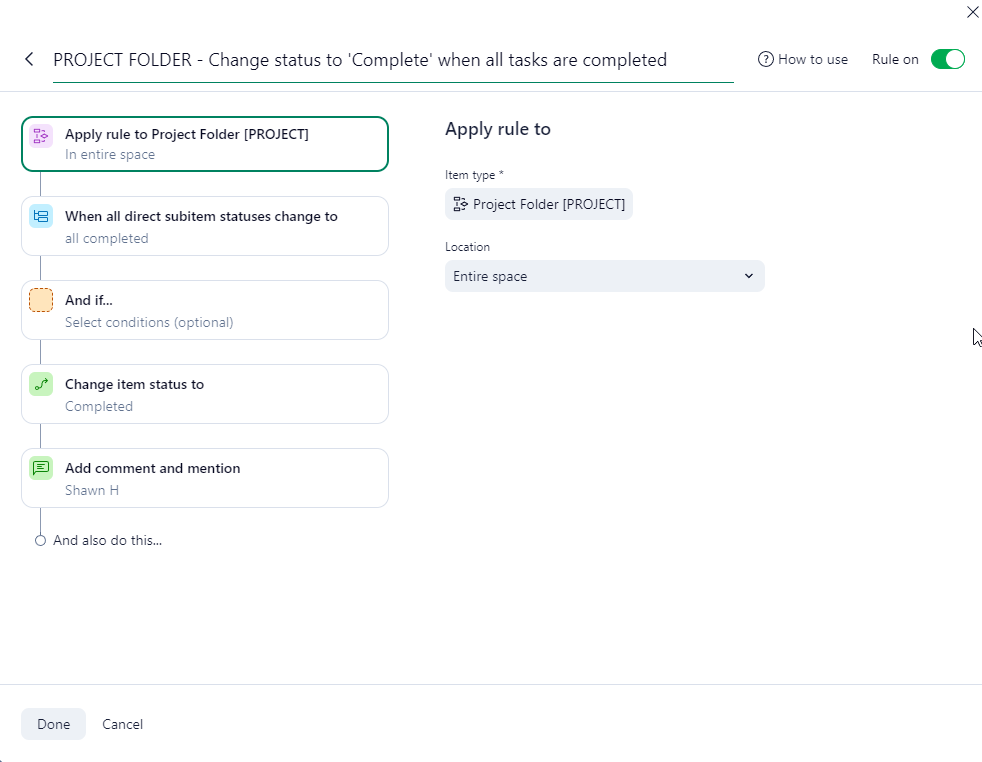
Project Folders [Task CIT]
- When any direct Subitems statuses change to 'All Active' > Change status to 'Design- Drawing'.
- When all direct Subitems statuses change to 'Completed' or 'Not Applicable' > Change status to 'Completed' and 'Add comment and Mention'
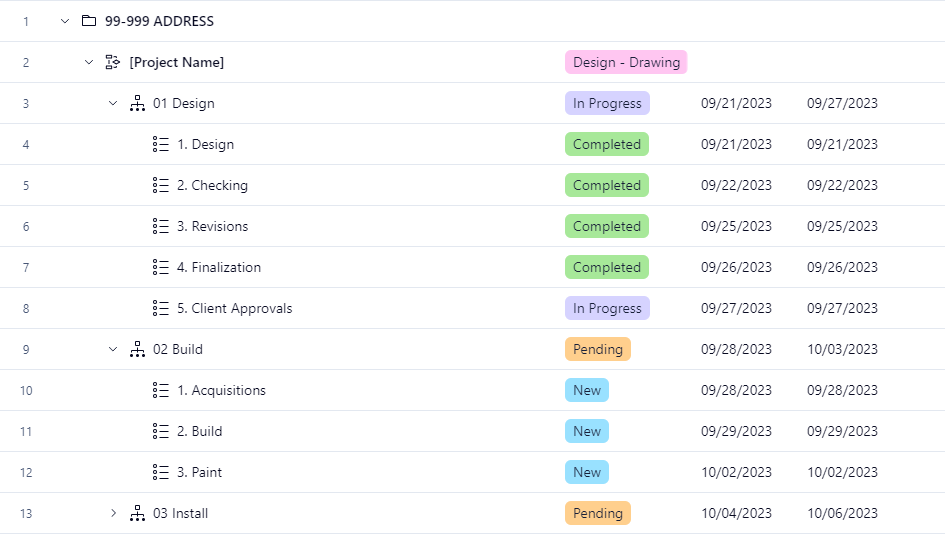
In this example, the Automations have worked up to the point of 5. Client Approvals in the 01 Design Folder [Task CIT].
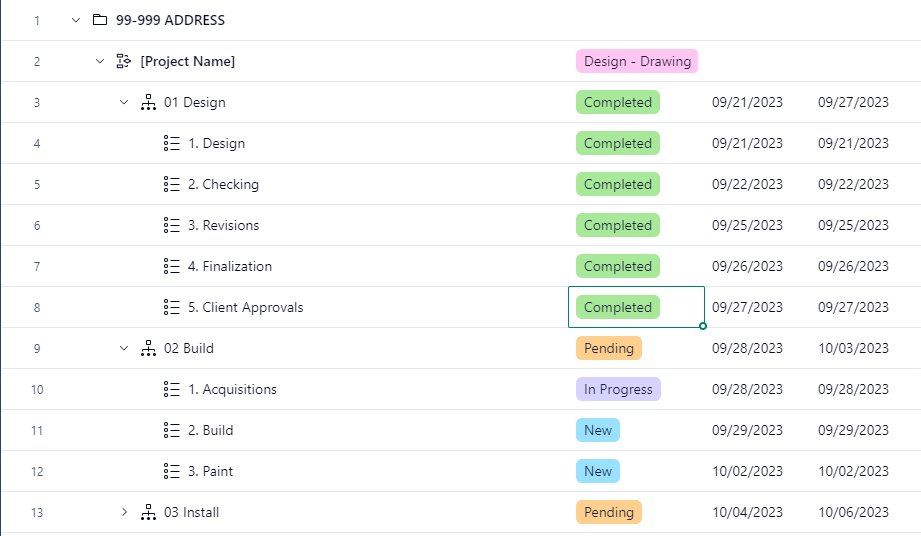
But now, when 5. Client Approvals status becomes 'Completed', 3 things are supposed to happen. (1) by order of the activating automations, 01 Design status changed to 'Completed', (2) 1. Acquisitions status becomes marked as 'In Progress'; and those two things do happen, and (3) 02 Build status becomes marked as 'In progress'; This is where the problem occurs because that does not happen (As shown in the next image), nor does it happen for 03 Install.
I have noticed that the Automation WILL work if i manually change the status for 1. Acquisitions to 'new' then back to 'In Progress', however, this defeats the purpose of the automations, IMO. So hopefully someone out here has some good insight and advice because I have tried these automations every different way I can possible thing of, as well as trying to apply them to every combination of Item Type and Custom Item Type I can think of and nothing works. Am i trying to do something that is straight up not possible or is there a rule that is overriding what i want to happen? I'm super stumped and been working on this for a week straight now (4-5 hours) each day. Help.



