Hello Community! 😊
We are super excited to announce this new release from our Product team - Date Trigger in Automation Engine 🥳
This has been one of the most popular asks from our users and we’ve received feedback on this on various Community threads related to the Automation Engine, like this one. We’re therefore really happy to be able to announce this update today.
How Does the Day Trigger Work?
When account admins check out the Automation tab in the Settings section, they will now see a new trigger there called “The date in the field meets a condition”:
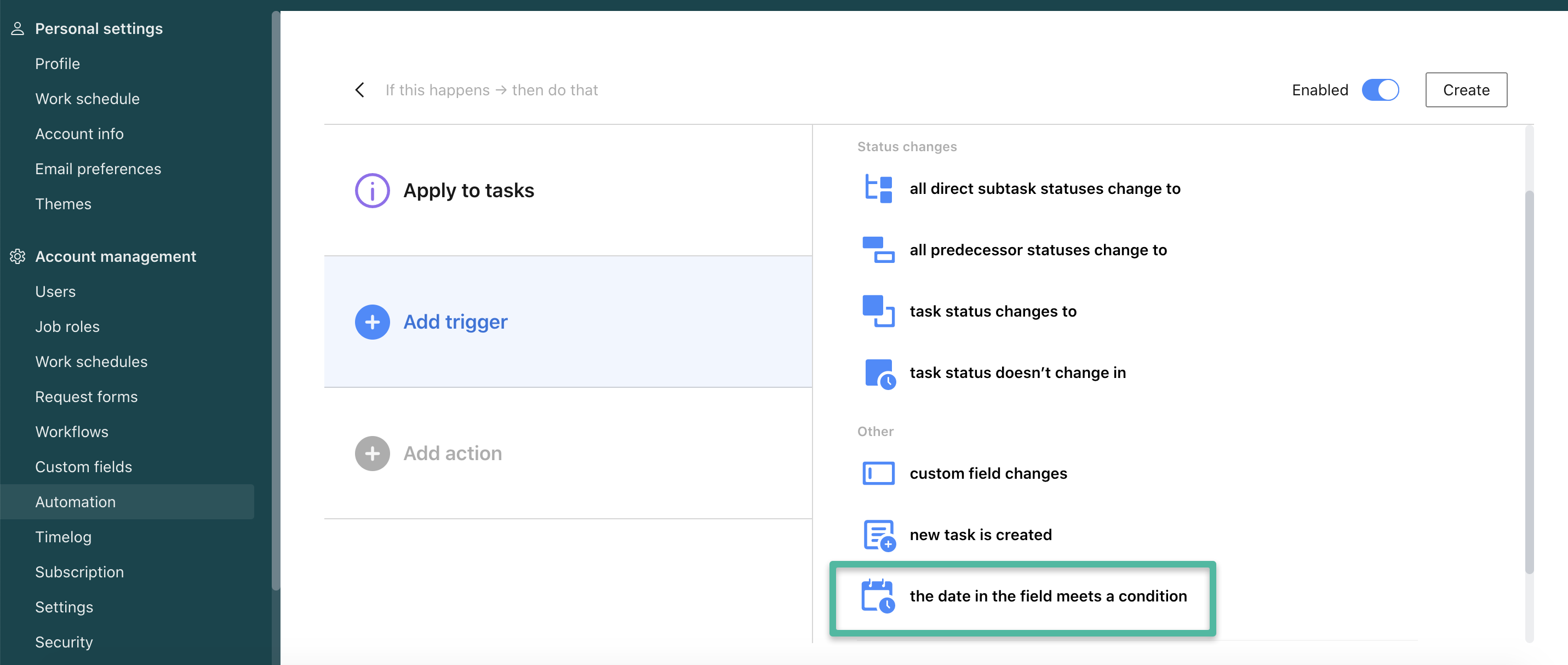
Note: Just like any other automation rule, this rule can be applied to tasks and projects. Also, it will only trigger for active tasks and projects.
Once you choose this trigger, you will be able to apply it to one of the three types of fields:
- Start Date system field
- Due Date system field
- Custom field (“date” type)
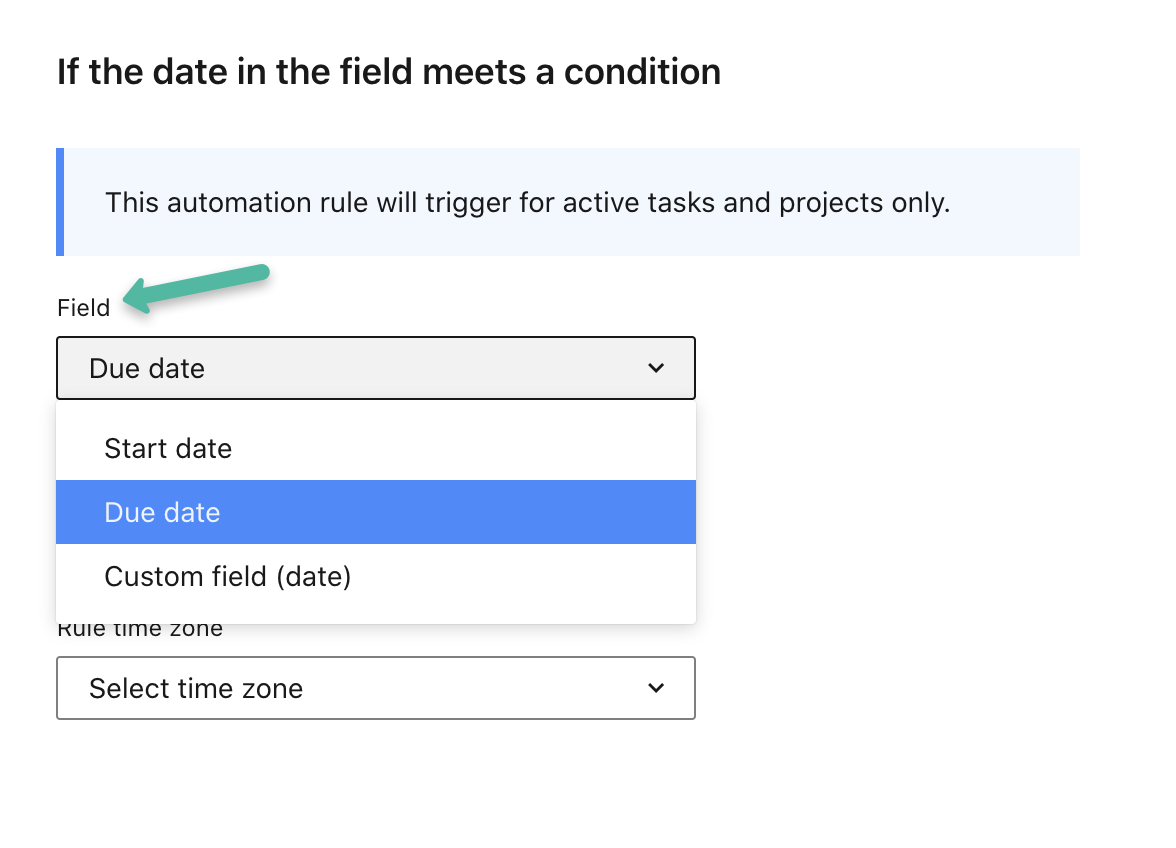
After that, you’ll be able to choose one of the conditions - if the start/due/custom date has passed or is coming within X amount of time.
You will also be able to choose the time zone here.
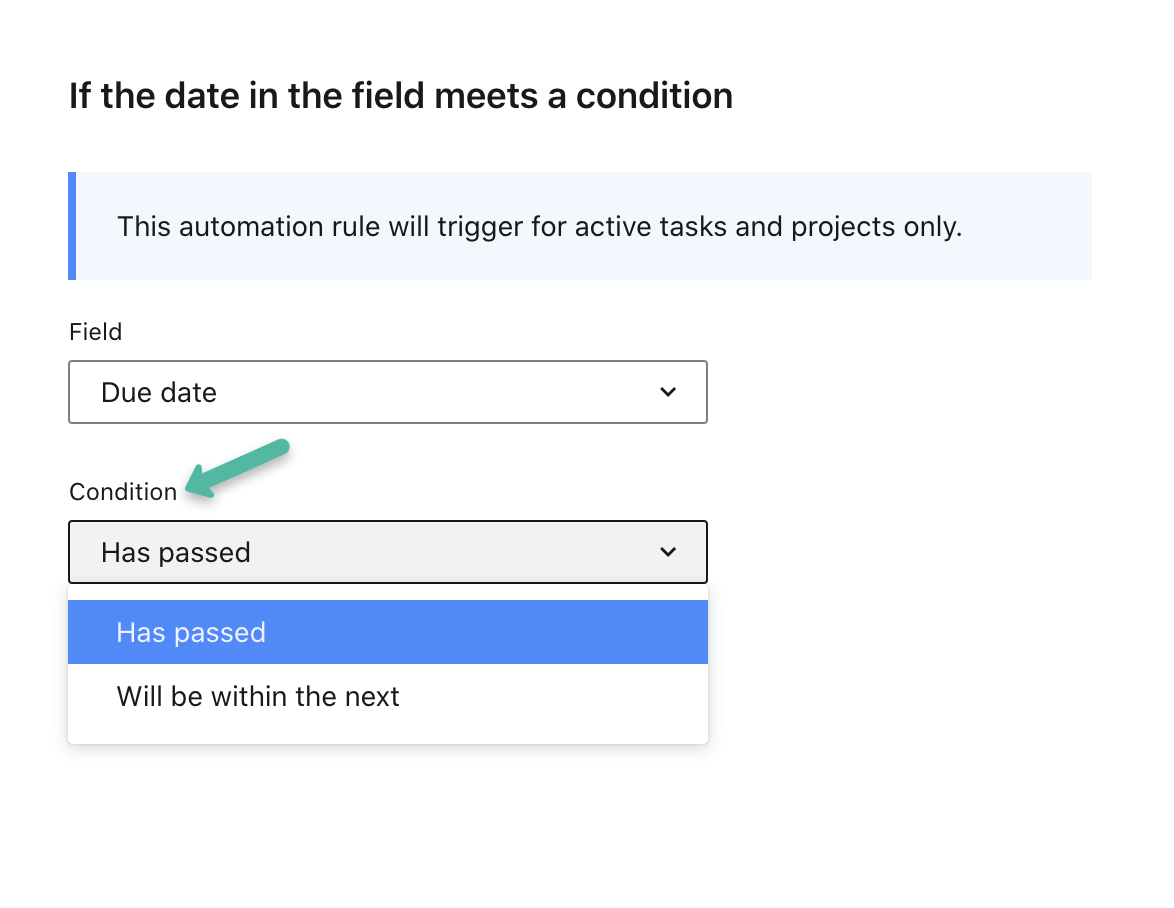
If you chose the second option - “will be within the next…”, you would be able to specify the number of days, hours, and minutes.
After this, you can choose the action for this automation rule:
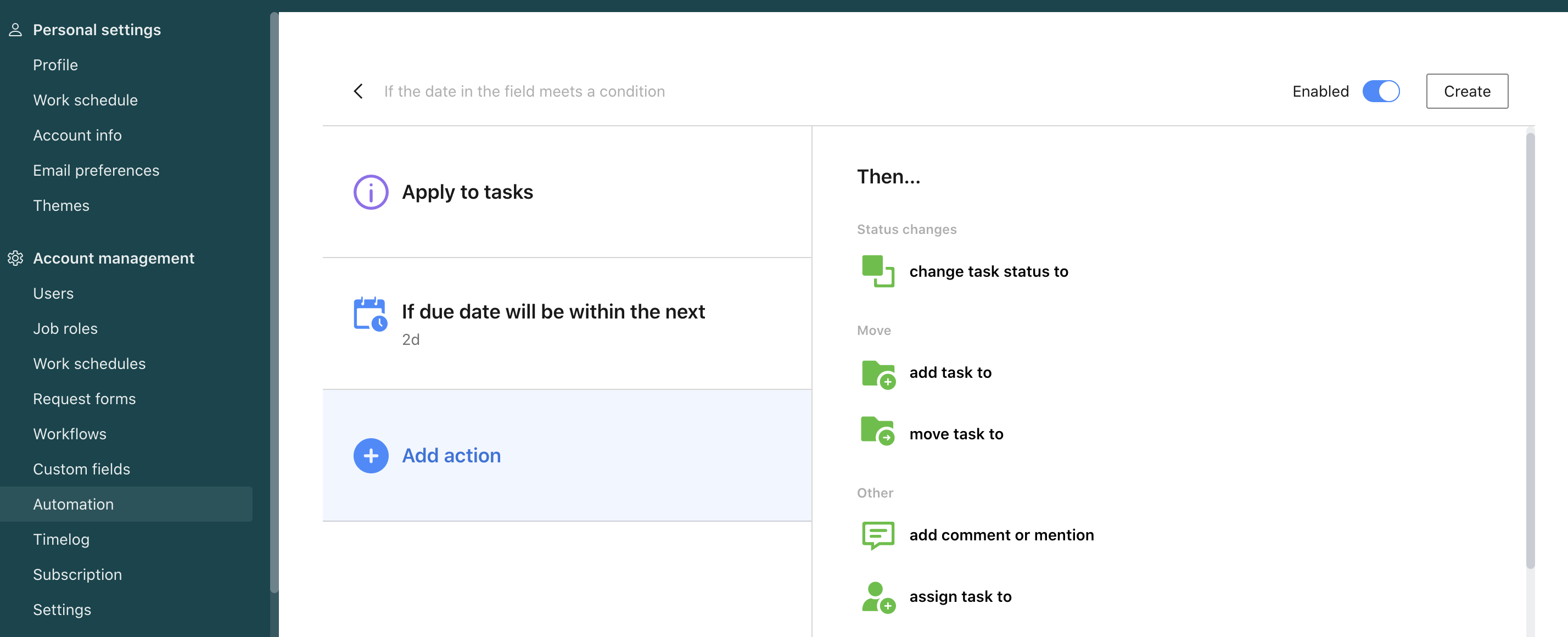
📍The most popular use case here is when you choose to send a comment or mention to remind your team about the upcoming start/due/custom date.
We are hoping that you are as excited about this new trigger as we are! 🤗
Please share your feedback and/or questions below as usual 👇