Hi everyone!
We are happy to announce that you can now convert your existing tasks and projects to Custom item types 🥳
This has been a very prominent piece of feedback that we’ve received from many of you. That’s why we’re so pleased to be able to bring this update to you today 🙂We’d also like to thank everyone who’s been sharing their thoughts on Custom item types and posting ideas, suggestions, and questions. Our Product team continues to monitor your feedback closely and is grateful to you for providing it.
How to
Users who have Full or Editor access roles can convert tasks to task-based Custom item types and projects to project-based ones.
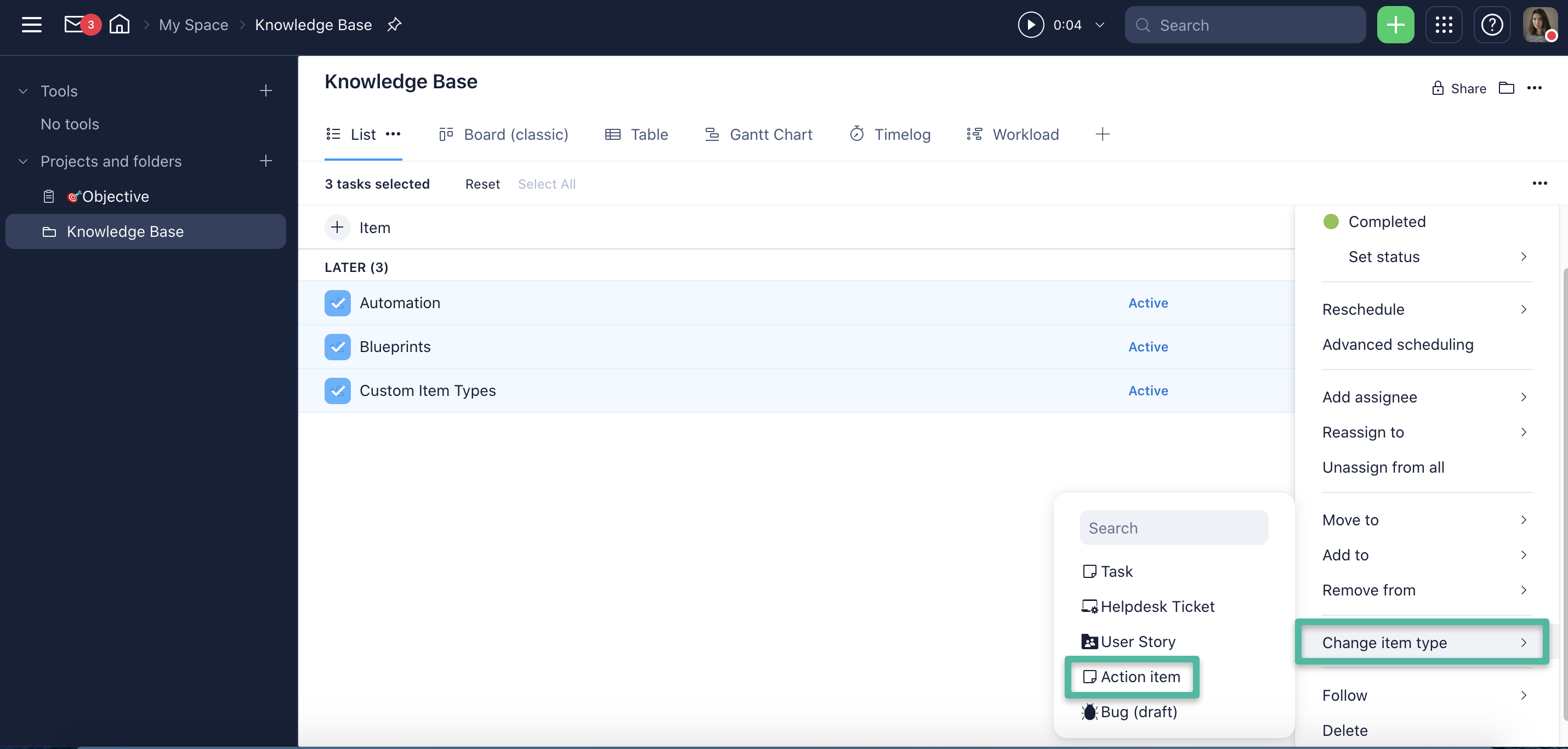
Please note that converting multiple work items is only available for tasks.
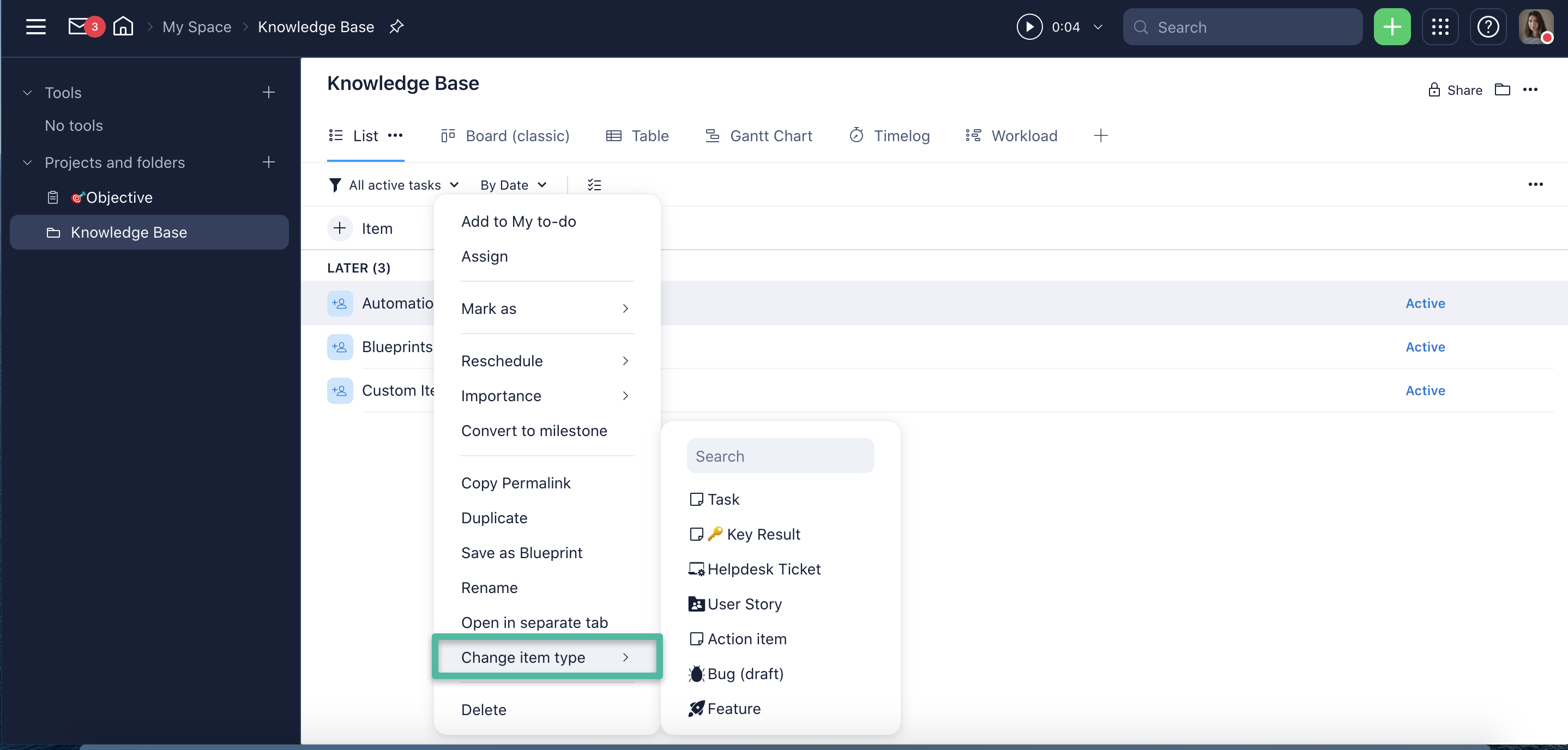
- In List View (by right-clicking on the task or project)
- On the project or task panel
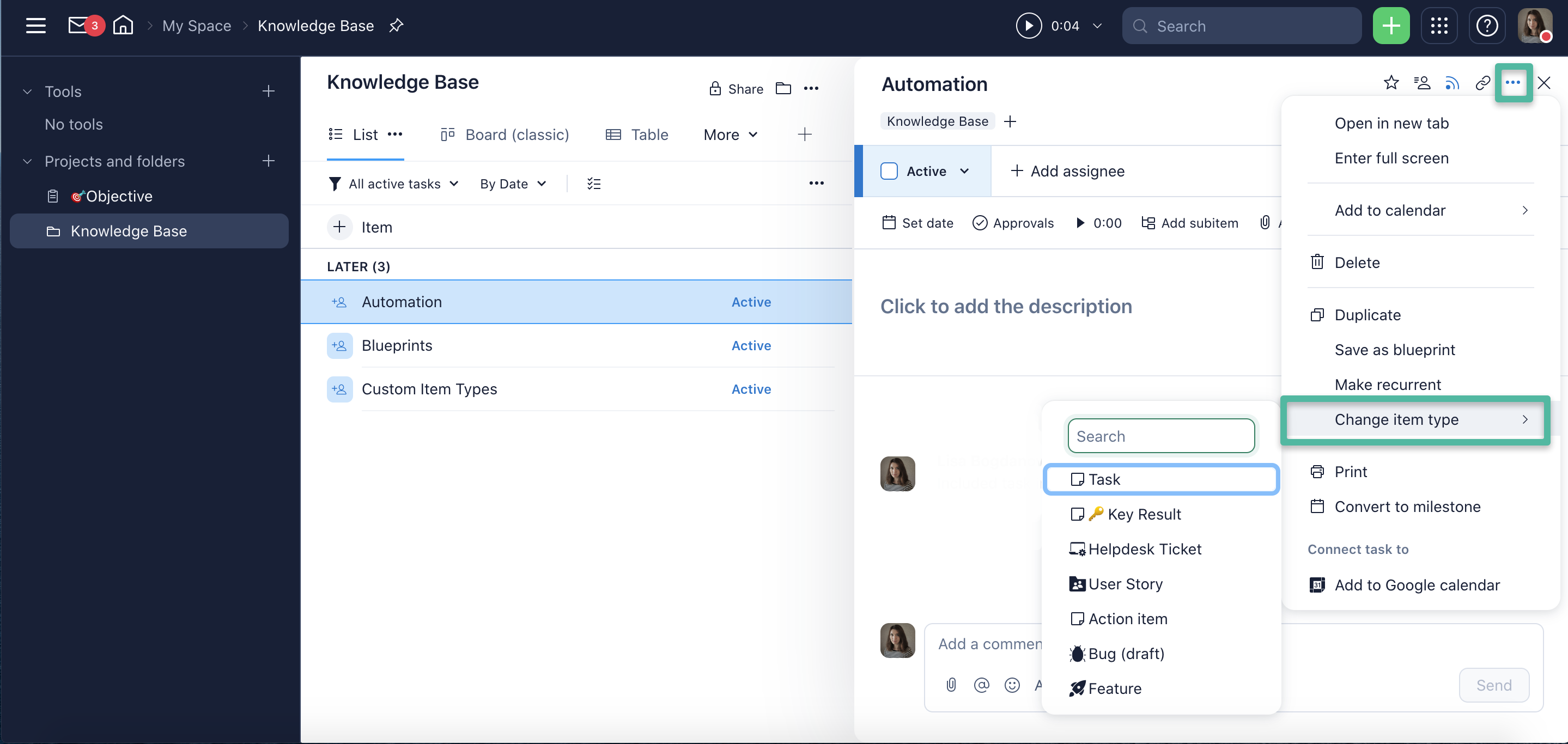
Please note that you can not only convert your tasks and projects into Custom item types but also change them back to regular tasks and projects.
📌We’ve also added a new permission to Access roles related to Custom item types - the ability to convert tasks and projects into Custom Item Types and vice versa.
We hope this newly added functionality will help you to get the most from Custom item types! Please share your feedback and question with us below 👇