Hi Community 👋
Today, we’re beyond thrilled to share two big sets of updates now available in Wrike Automation: Approval Triggers and Assignment Actions 🚀
Approval Triggers 📌
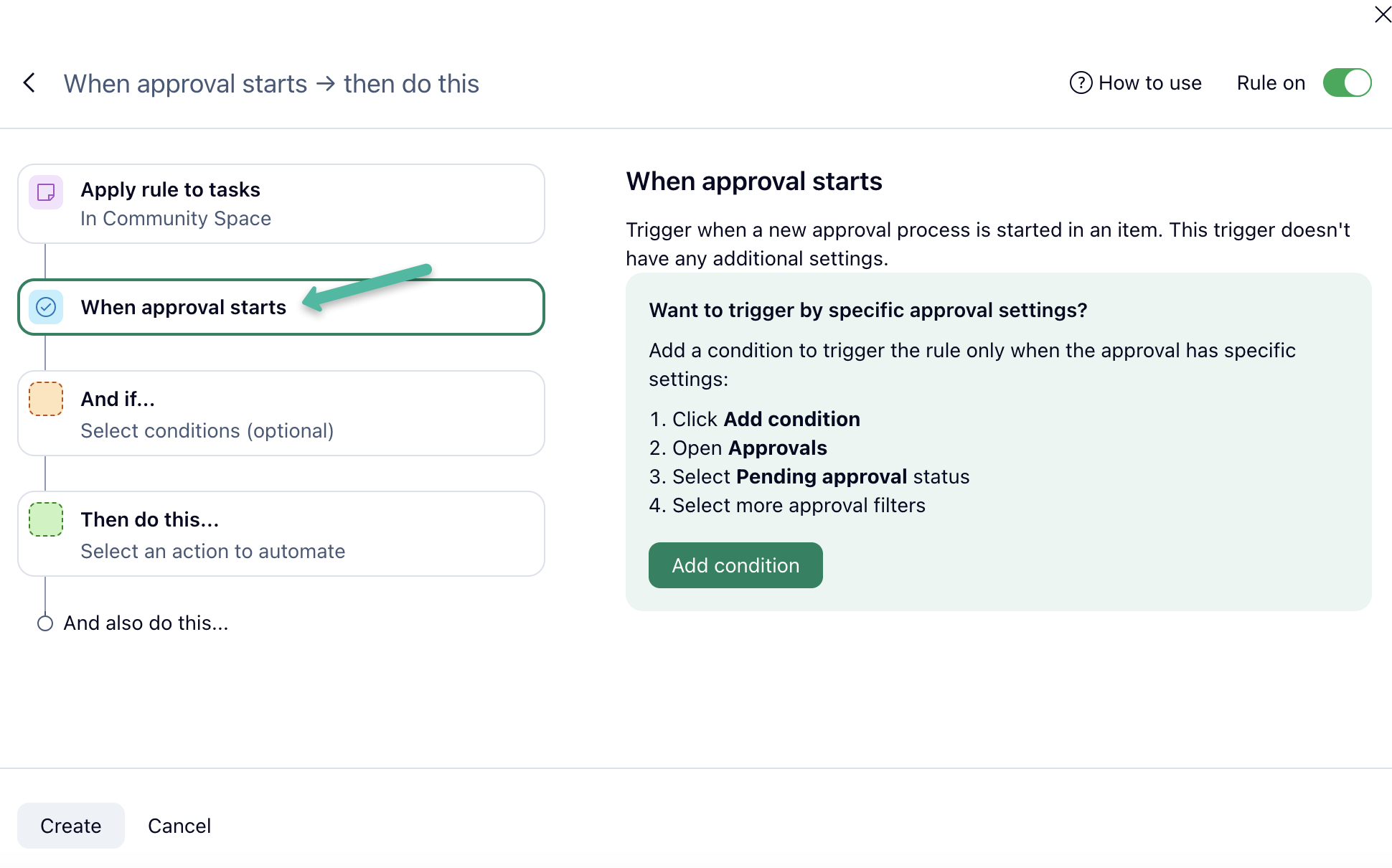
Trigger when approval starts:
With this feature, you can sync approval statuses with item statuses. For example, when an approval starts, you can set an item's status to 'In review'. You can also automate adding the item to an 'In review' folder or mention a specific user when the approval starts, especially for high-priority items.
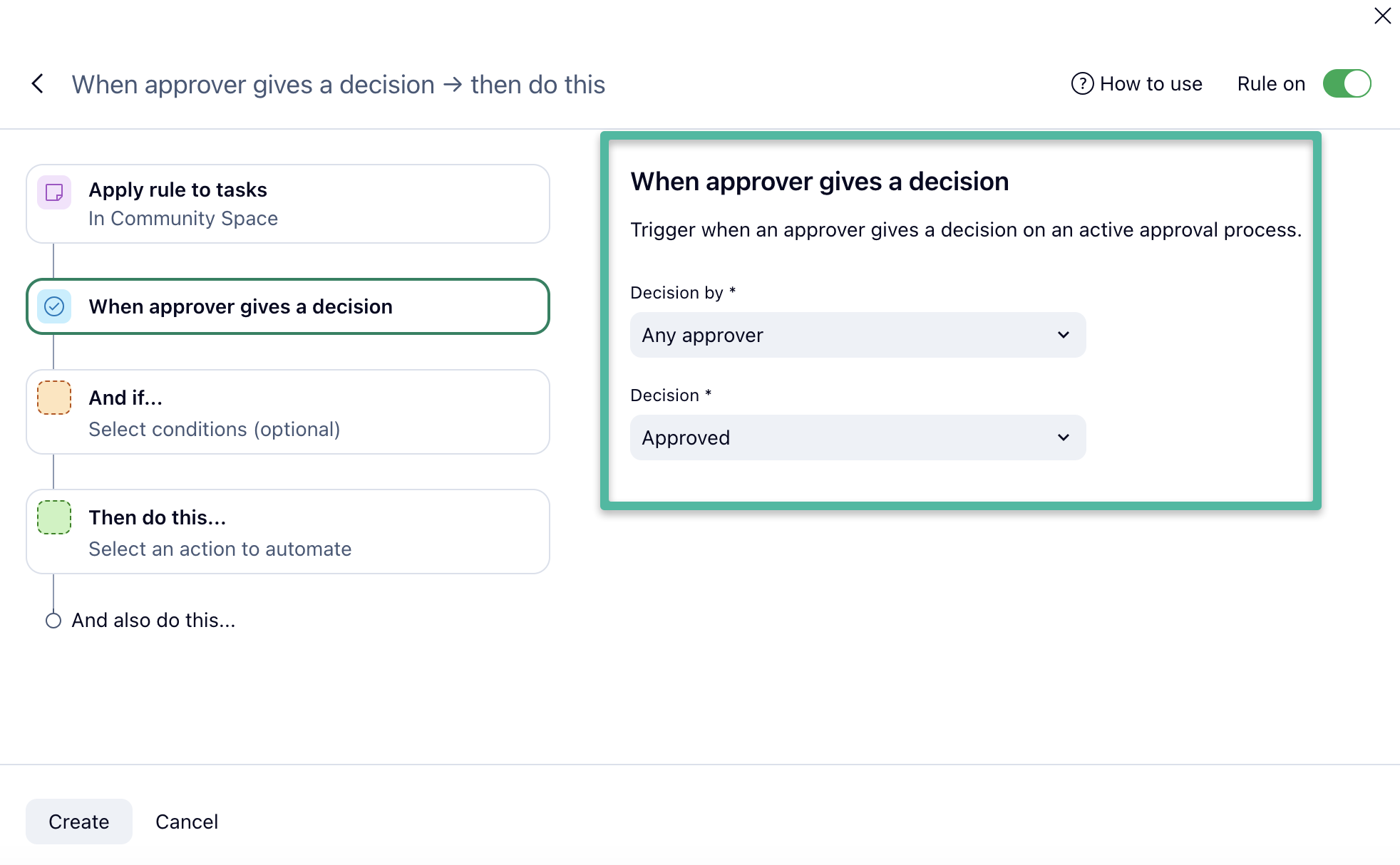
Trigger when approver gives a decision: This feature allows you to draw attention when a specific person gives their decision. For example, you can mention assignees and tell them that a particular user's decision is enough to proceed. You can also unassign an item when you're done to keep your workspace clutter-free.
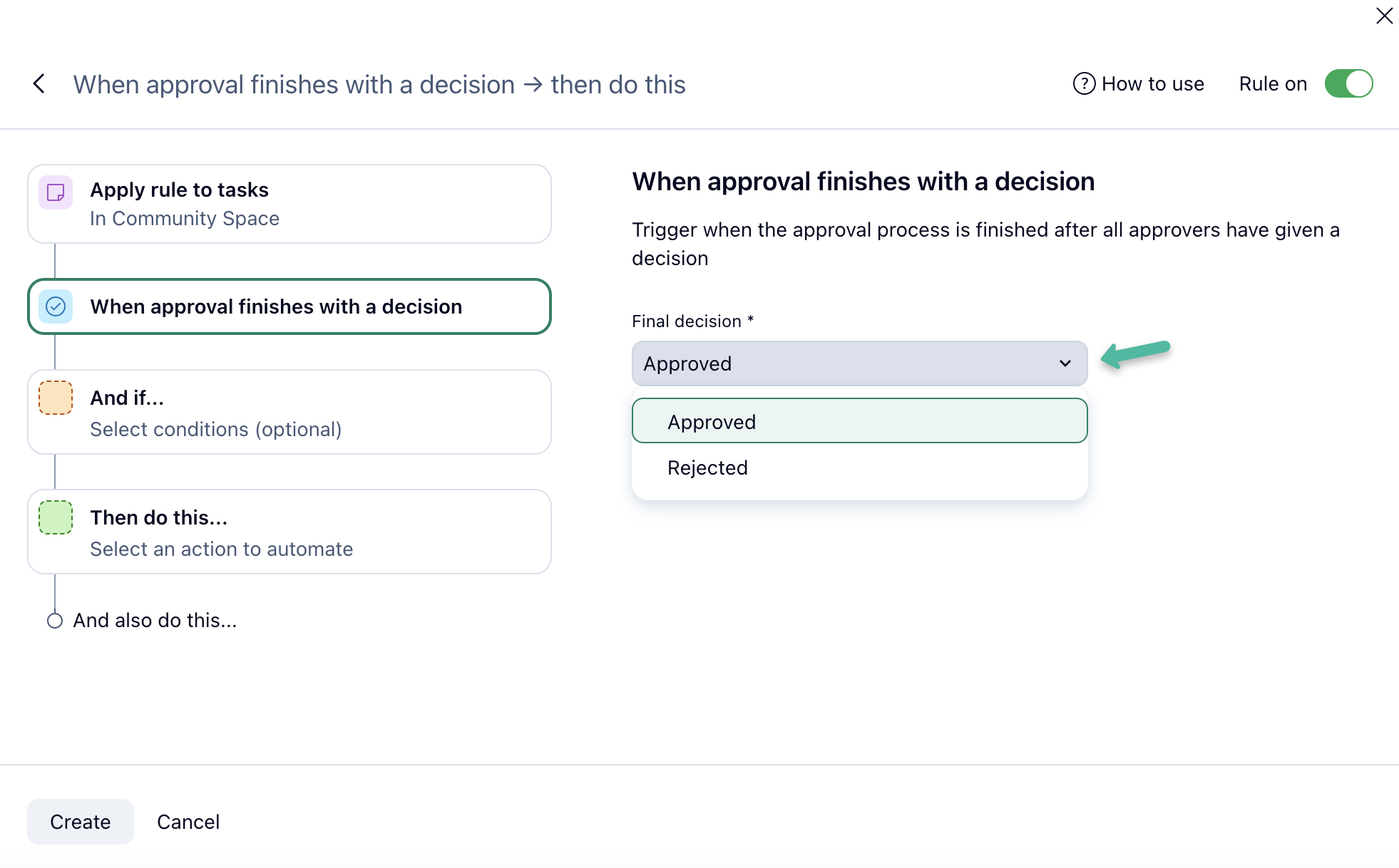
Trigger when approval finishes with a decision: You can now sync approval statuses with item statuses. For instance, when an approval finishes with an 'Approved' decision, you can set the task (or project, or opportunity) status to 'Approved'. You can also involve stakeholders depending on the decision. For example, when an approval finishes with a 'Rejected' decision and if the client is a 'Priority client', you can automate a comment and mention a specific user.
Assignment Actions 📌
We have also updated the assignment action options, and they now include the following:
Assign to the user who triggered the rule: Are you starting to work on a ticket, request, or task? Just change the status, and you can be automatically assigned to the item, saving you time. For instance, when the status changes to 'In progress', the task can be assigned to the person who triggered the rule by changing the status.
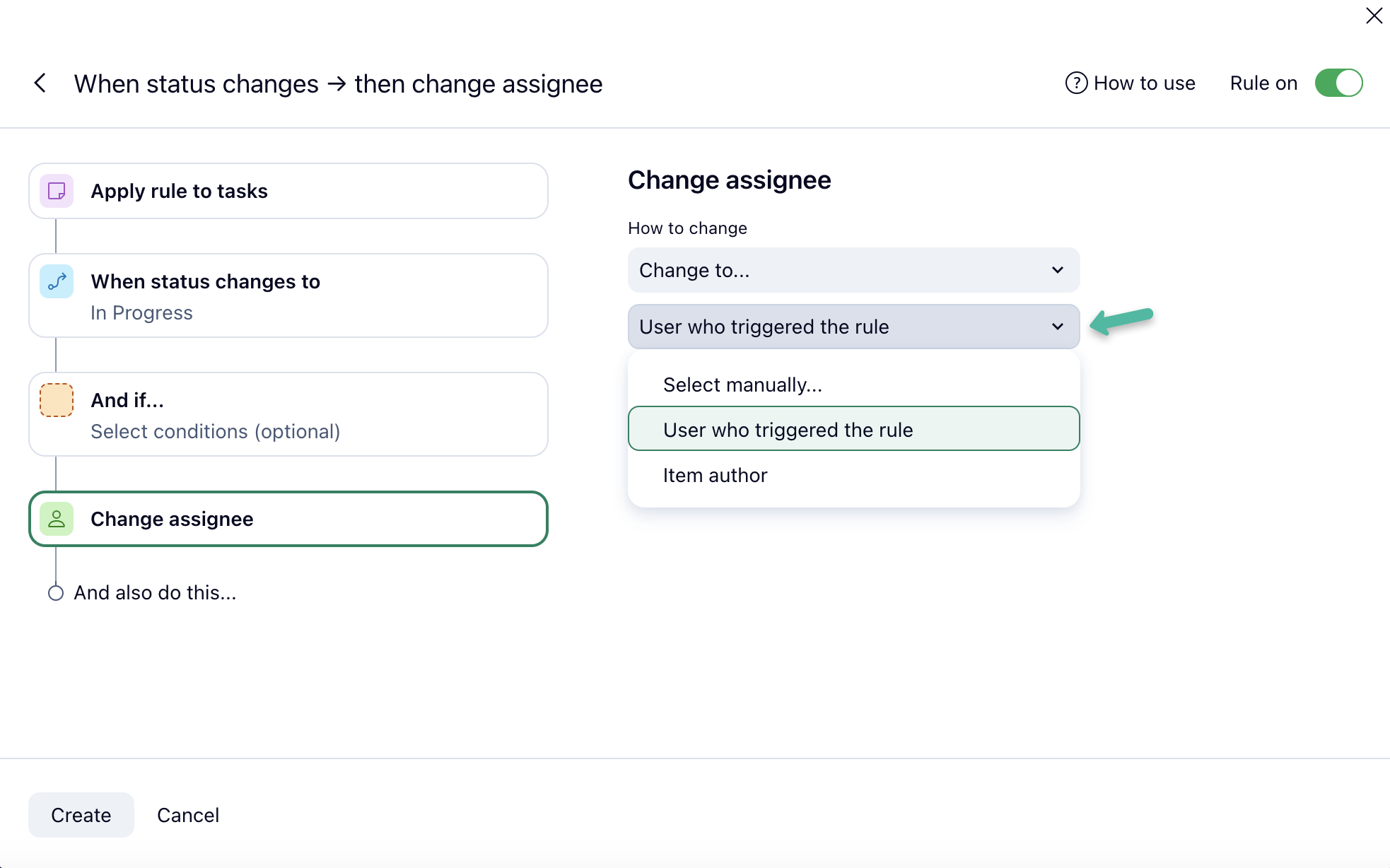
Assign to item author: This feature is perfect for involving the item creator in the process, especially when working with requests. For example, when an item is created or the status changes to 'Review required', it can automatically be assigned to the item creator.
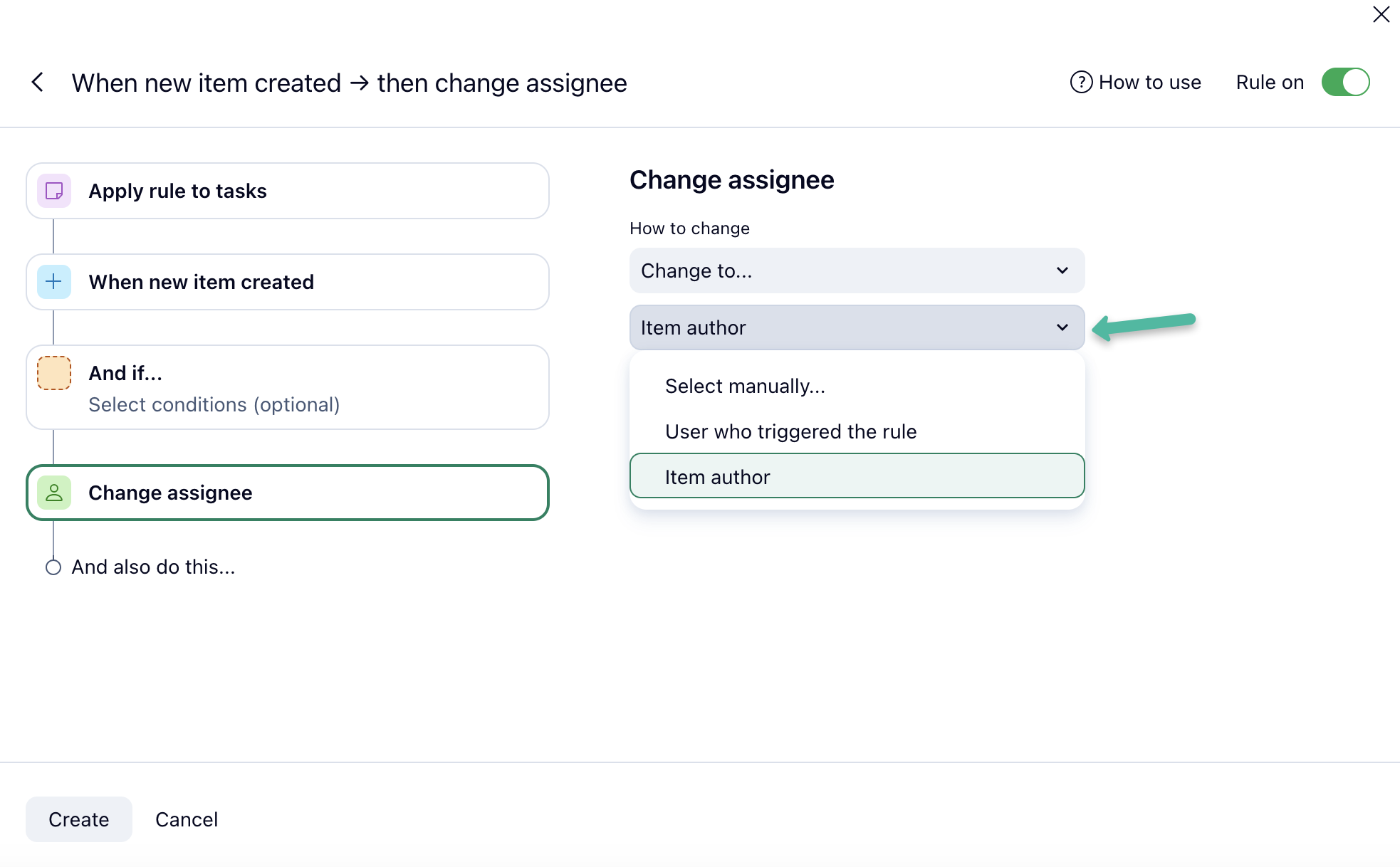
Assign to users from a group: While it’s not yet possible to assign groups as entities, we're offering a handy workaround with automation. You can now select user groups for assignment in automation, and each person from the group (up to 25 people for usability and performance reasons) will be assigned when the rule is triggered. This feature is great for assigning a task to a team, allowing them to decide who should perform the work. For example, when an item is created, it can be assigned to 'Tier 2 support'.
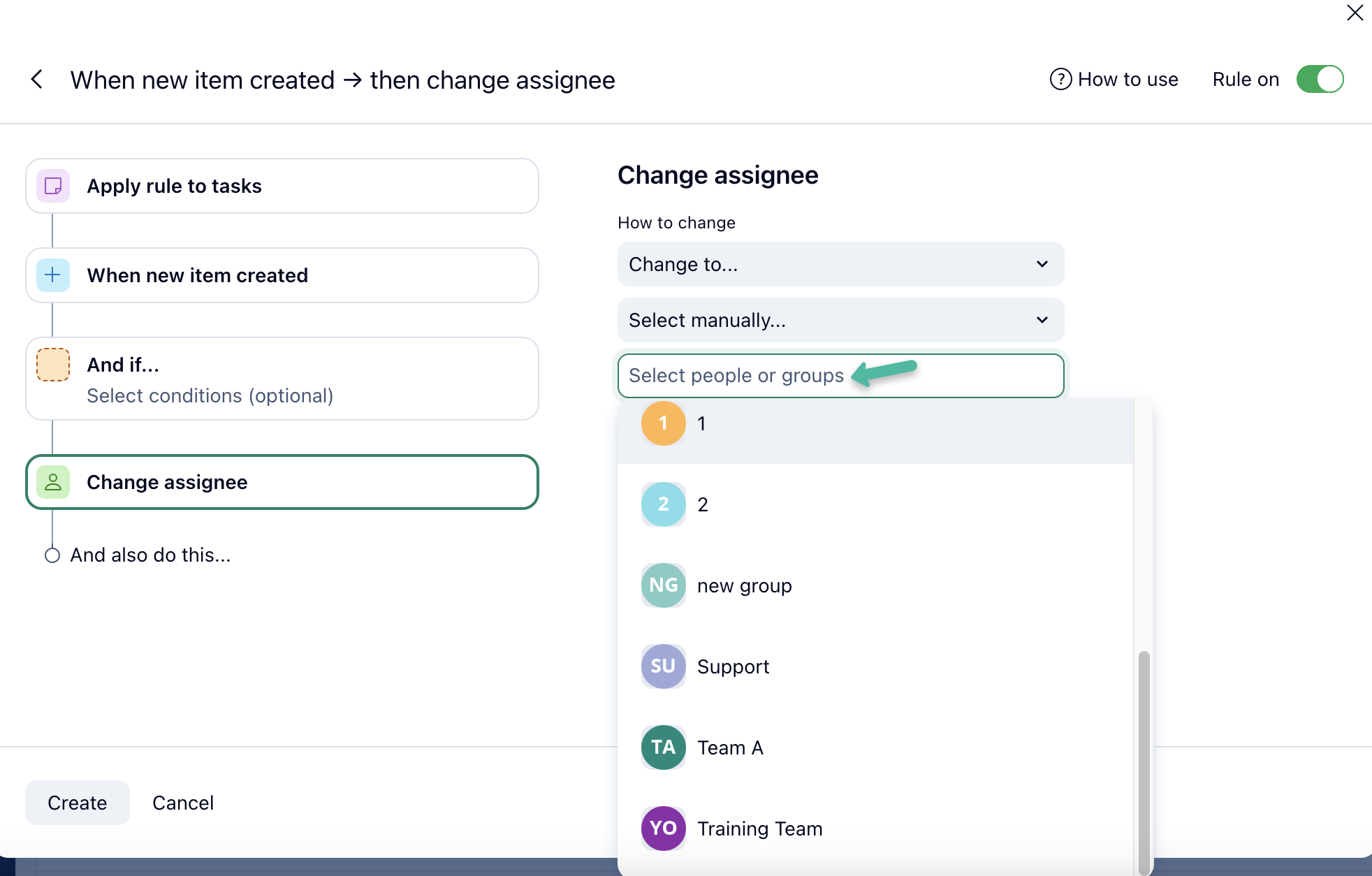
We hope that this particular update will be very welcome to all of you who suggested and supported the ability to assign work to user groups 🤗
Our team is really looking forward to your feedback on these exciting automation updates! Please share your thoughts with us in the comments below 👇