Feature Updates
- Mobile App Updates (iOS and Android): Schedule Notifications and More 📲
We're excited to introduce the latest improvements and new features in the Wrike mobile app, designed to make managing your work even smoother—no matter where you are.
1. Schedule Notifications
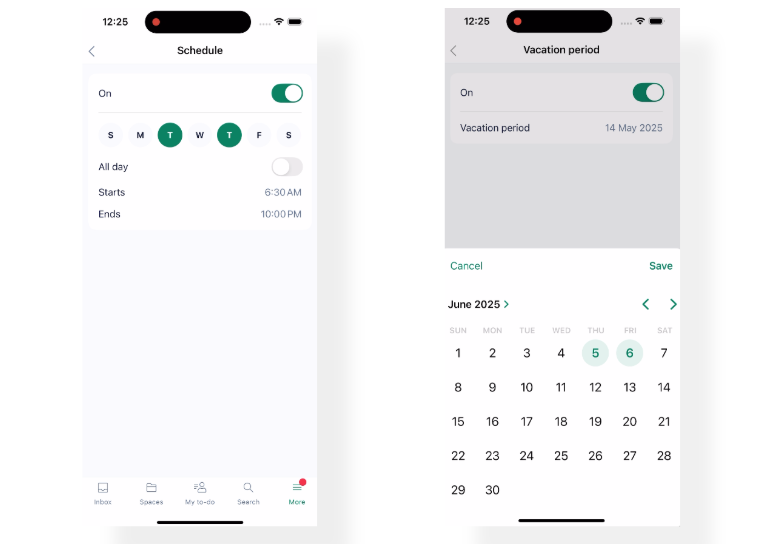
You can now control when you receive notifications! Simply go to Settings > Notifications to set up a custom notification schedule for each day, or block notifications entirely during vacation periods. Enjoy uninterrupted downtime outside of your working hours.
2. Timesheet Approval and Review Notifications
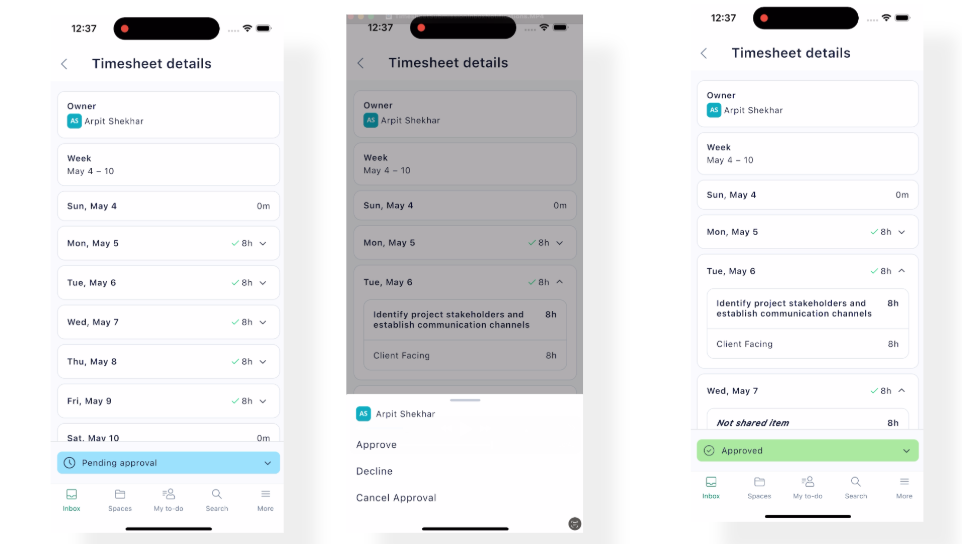
Approvers will now receive both Inbox and push notifications when timesheets are submitted for approval or review. This ensures you never miss any important updates related to time tracking, and allows you to quickly access submitted timecards for efficient approvals.
3. Request Forms Synced with Desktop
You can now view and submit request forms on the mobile app with most of the same functionalities available on the desktop version. This ensures a consistent and complete experience across all your devices.
Update your app today to take advantage of these new features!
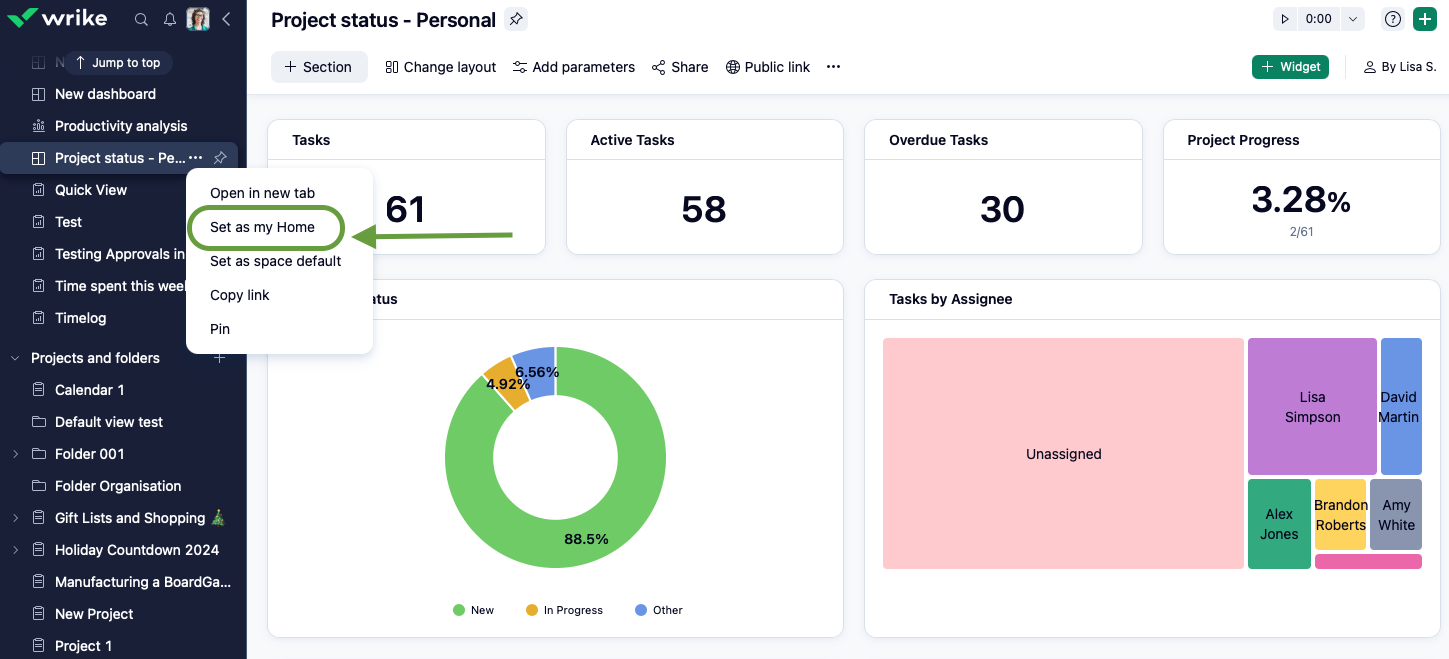
Personalize your workflow in Wrike like never before! You now have the ability to set any dashboard you like as your Home screen, making it easier to focus on what matters most as soon as you log in.
What does this mean for you?
- When you open Wrike (for example, by visiting
www.wrike.com), you’ll be automatically taken to your selected Home dashboard instead of your last visited page.
- Clicking the Wrike logo will now take you directly to your Home dashboard, not your Inbox.
- This feature is available to all users with dashboard viewing access, making it easier than ever to personalize your Wrike experience and stay focused on what matters most.
- App Console – New UI (v1.0) 🚀
Introducing an upgrade to API Console (Apps & Integrations > API) with a fresh, modern interface designed to enhance the developer experience. Enjoy a cleaner look and smoother performance, making API client management effortless.
What’s New?
-Design System Refresh: A clean, consistent UI that feels right at home in Wrike.
-Reorganized Navigation: The "Authorized apps" have now moved out of the top hierarchy to provide utmost attention to Gallery, Wrike Sync, Wrike Integrate and API. You'll now see a new subitem
Authorized apps at the bottom of the Gallery.
-Image Upload for API Clients/Apps: Personalize your integrations with custom icons.
-New “Developer Tools” Permission: Assign who can create apps and API tokens under User Types settings.
Community News
Join us in congratulating
Tiffany, the Contributor for the Month of April!
Tiffany has been outstanding, regularly providing thoughtful insights and reliable support to others in our forums. We feel fortunate to have you as part of our Community! 🙌
- April 2025 Orange and Green Belts 🎖️
A round of applause for our newest Community members who earned their belts this month! We're happy to recognize:
Kudos on your accomplishment! 🎉 Your expertise and willingness to help others make our Community thrive!
- New widget on Community Forums ⚙️
Now, when you browse through Community posts, you’ll see a list of upcoming webinars, workshops, and Q&A sessions displayed right on the page. Check out this
post to learn more!