TL;DR: AI-powered Request Form creation is now available, Timesheets now reflect work schedule exceptions, Calendar View gets advanced filters, and new solutions for product launches and continuous improvement. Plus, help shape the future of Timesheets by joining our feedback interview—details below!
Feature Updates
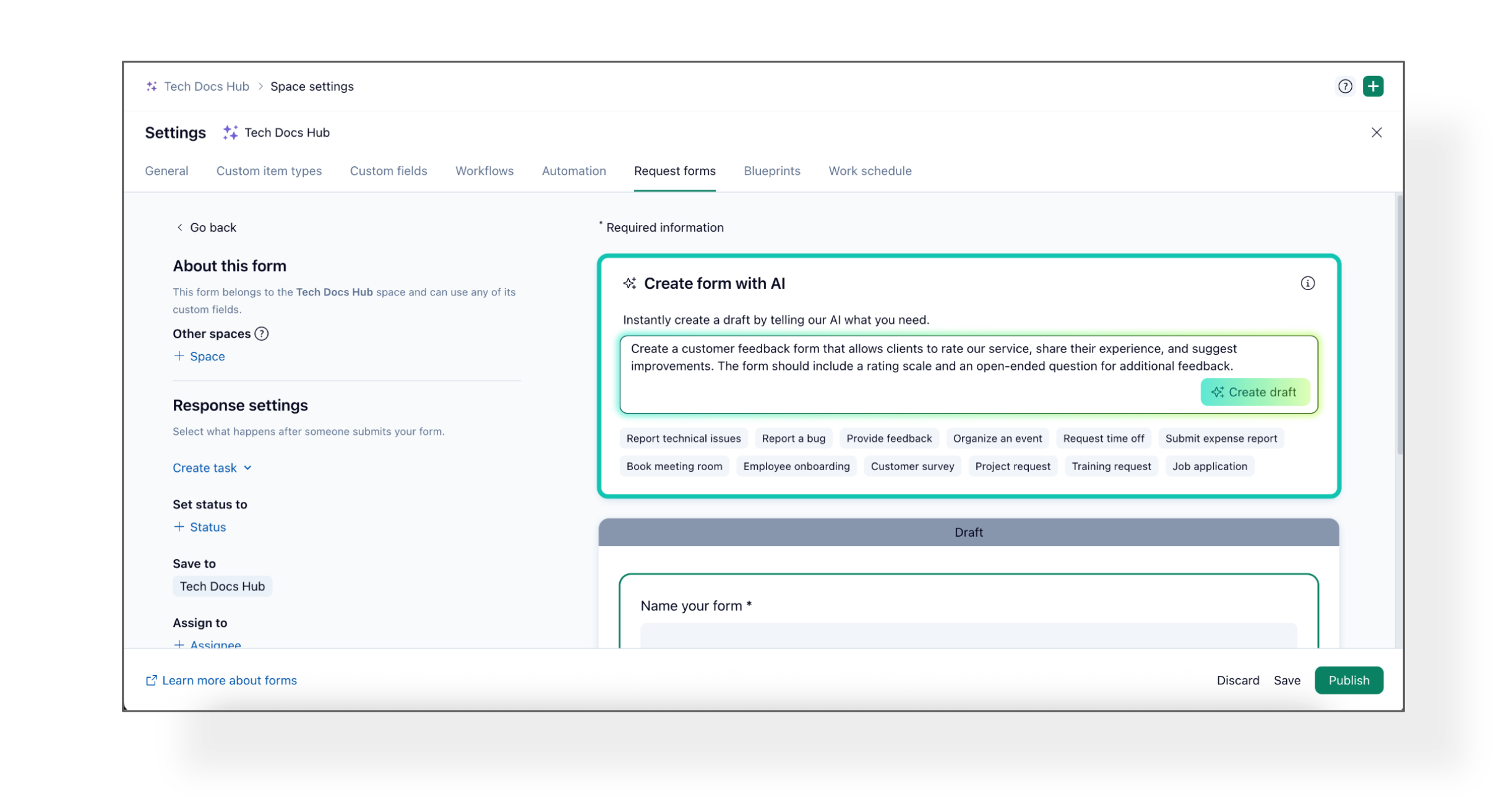
Creating Request Forms just got a whole lot easier! Gone are the days of manually building forms from scratch—now, anyone with access to AI services can generate detailed, tailored request forms in seconds.
What’s new?
- Instantly generate a new Request Form using AI—just add your custom prompt or pick from ready-made templates and click Create Draft.
- Use the AI-generated draft as-is or fine-tune it before publishing.
- Available for all customers with AI access.
👉🏼 Please Note: This works for new forms only; existing forms can’t be modified with AI.
How does it work?
- Open Request Forms in Space settings and click + to create a new form.
- Enter your prompt (or select a template) and hit Create Draft.
- Review, edit, and publish—done!
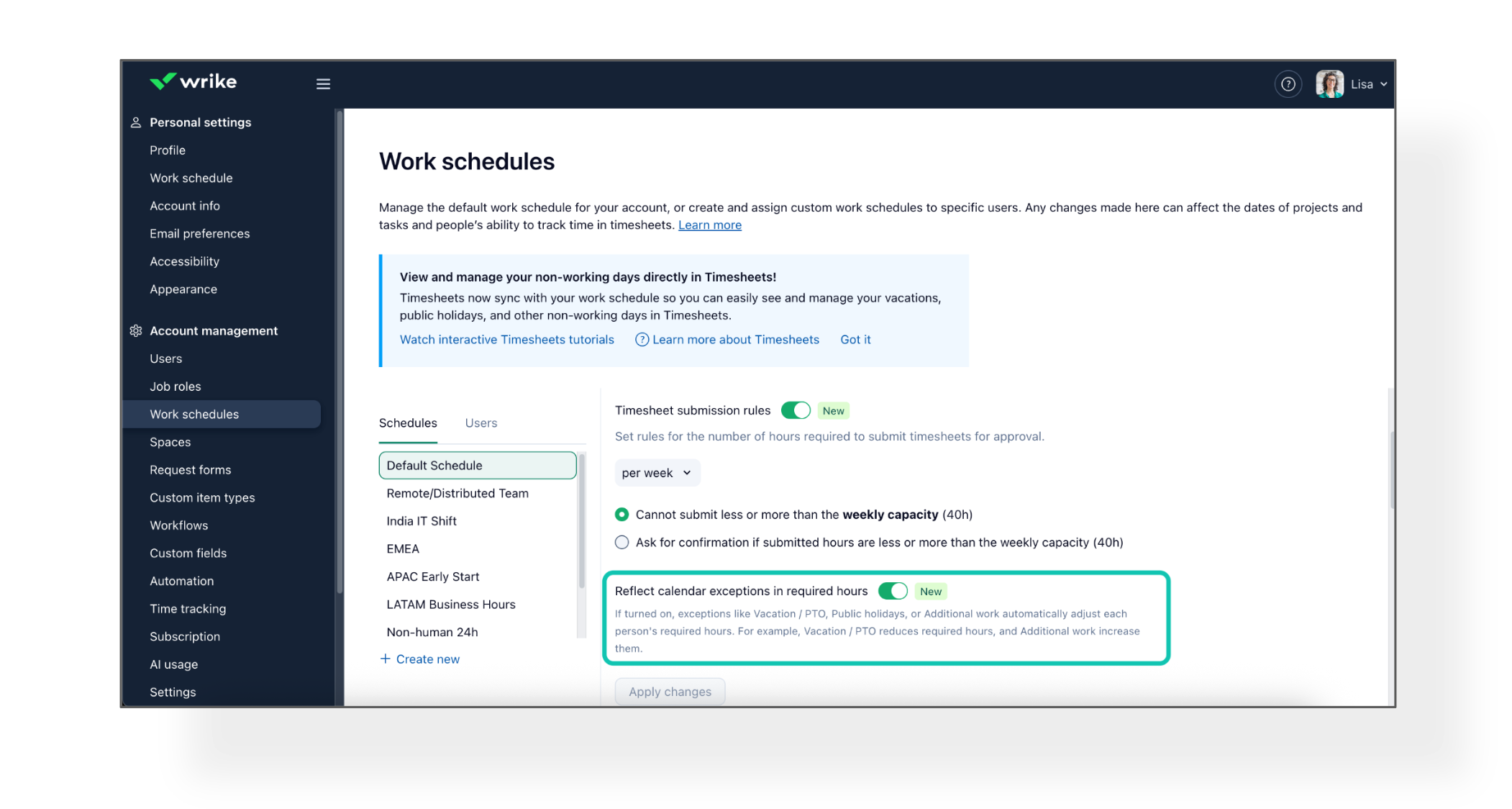
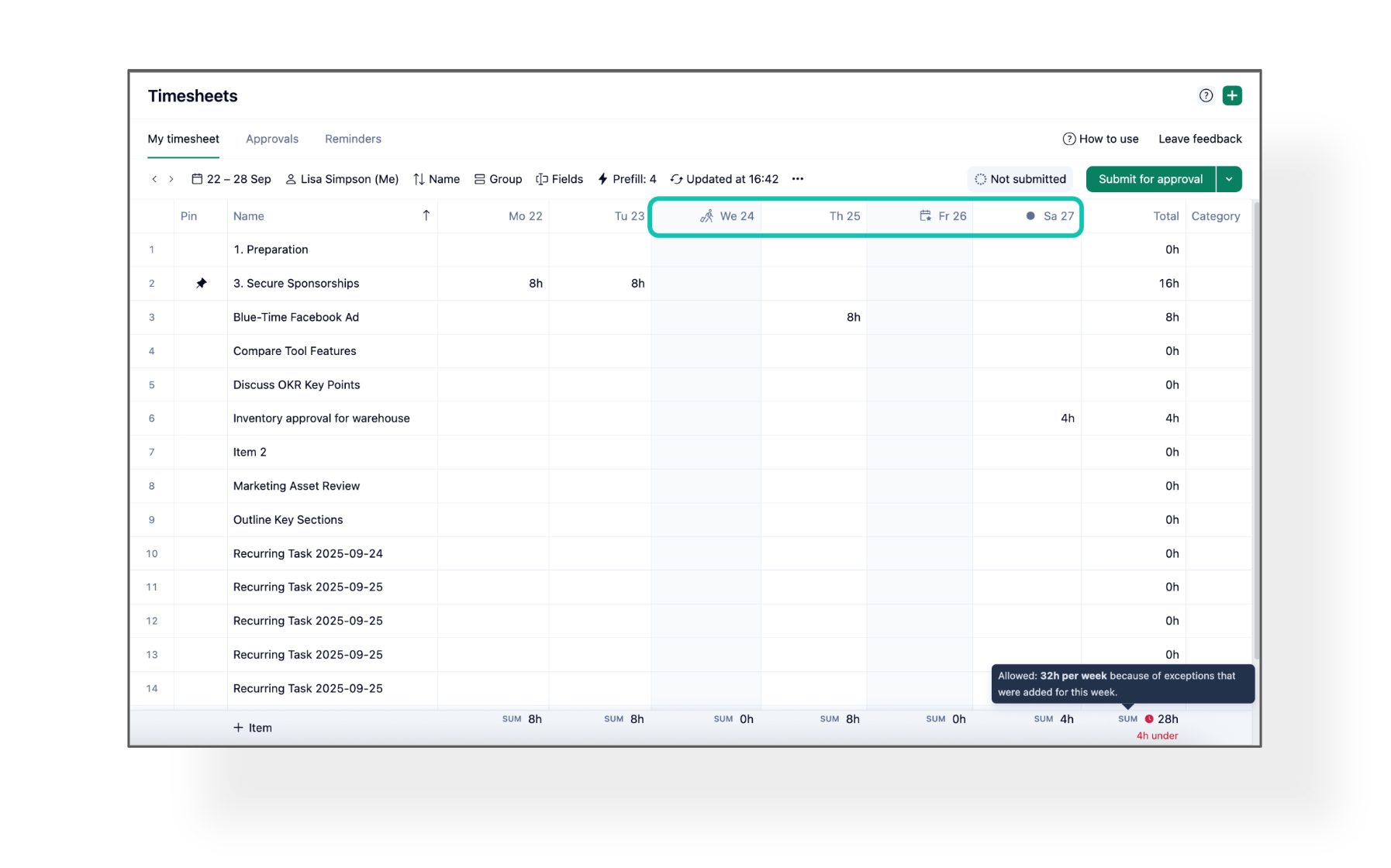
Timesheets just got smarter for Professional Services teams! Now, your work schedule exceptions—such as public holidays and vacation days—are automatically reflected, making compliance easier and time tracking more accurate.
What’s new?
- New setting: Reflect calendar exceptions in required hours. When enabled:
- Required hours are automatically adjusted for exceptions.
- Users receive clear weekly warnings about expected hours.
- Additional workdays in the schedule are now visible in Timesheets.
Advanced filtering has arrived in Calendar View! In addition to all the available filtering power and flexibility in the
new filters, you can now use filter groups and AND/OR filtering logic for even more flexible scheduling and planning.
Apply complex filters to see exactly what you need.
Learn more in our Help Center.
Community News
- Interview: Timeframes in Timesheets 📝
Andrea and Svetlana from the Product Team want your feedback on new timeframe options for Timesheets. Join a 45-minute interview to: walk through your ideal workflow, preview upcoming designs and help shape the future of Timesheets.
- Product Catalog Solution: Streamline Your Launches 🚀
Launching a new product? The Product Catalog Solution gives marketing teams a single workspace to organize SKUs, automate campaign requests, and track progress.
See how it centralizes your information, streamlines requests, and keeps launches on track in our
Community post and share your thoughts!
- Continuous Improvement Solution: Accelerate Innovation💡
Want to drive innovation and align improvement initiatives with business goals? The Continuous Improvement Solution helps teams deliver results throughout every phase of the improvement cycle.