TL;DR: Wrike introduces the ability to convert and move workflows to spaces for better management and reduced clutter. Request forms now support auto-save so users don’t lose in-progress work. New advanced filters are available in the Calendar tool and search results. Plus, the Wrike Community has moved to a brand-new platform, and you can revisit the top 10 Wrike product highlights of 2025.
Feature Updates
- Federated Space Configuration: Convert or Move Workflows to Spaces! 🔄
Complementing the release on multi-space workflows, we are excited to announce the ability to now convert or move workflows to Spaces.
What’s new?
- Reduce account-wide clutter by moving workflows to spaces, limiting exposure and reducing execution errors.
- Delegate workflow management rights to end-teams, reducing admin burden.
- Build any management model from team to org-wide setups with just a few clicks.
- Track where workflows are used via the 'Status changed in' column to decide delegation.
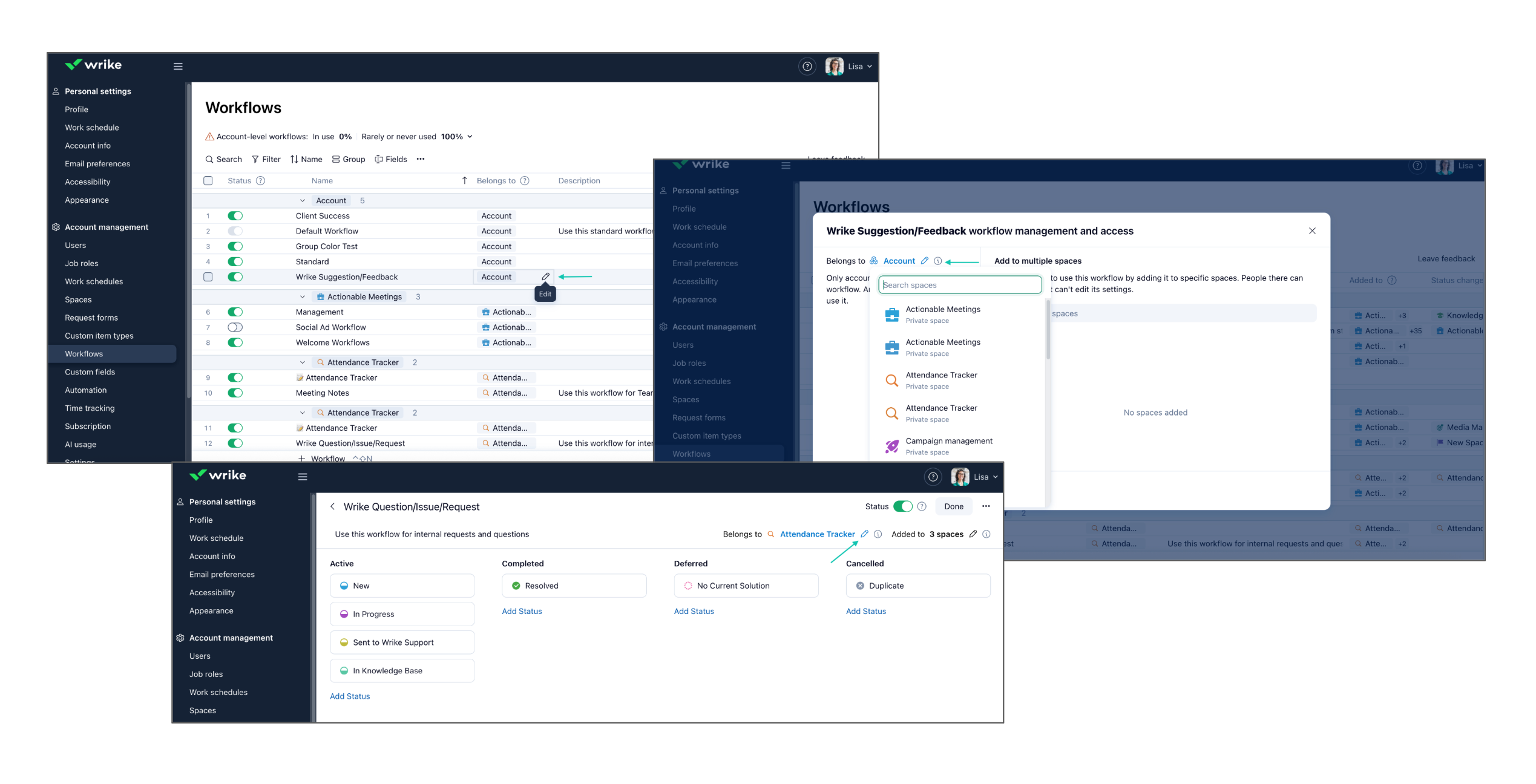
Check out this article for more details.
On popular demand from the Community, we’re thrilled to introduce Auto-save Progress for request forms, improving your experience by saving your form progress automatically.
What’s new?
- Form progress is now saved automatically as you fill it out.
- A clear status indicator shows when your draft is being saved. (“Saving…” → “Draft saved”).
- If you come back later, you can pick up where you left off or start a new form.
- Auto-save works seamlessly on mobile devices as well.
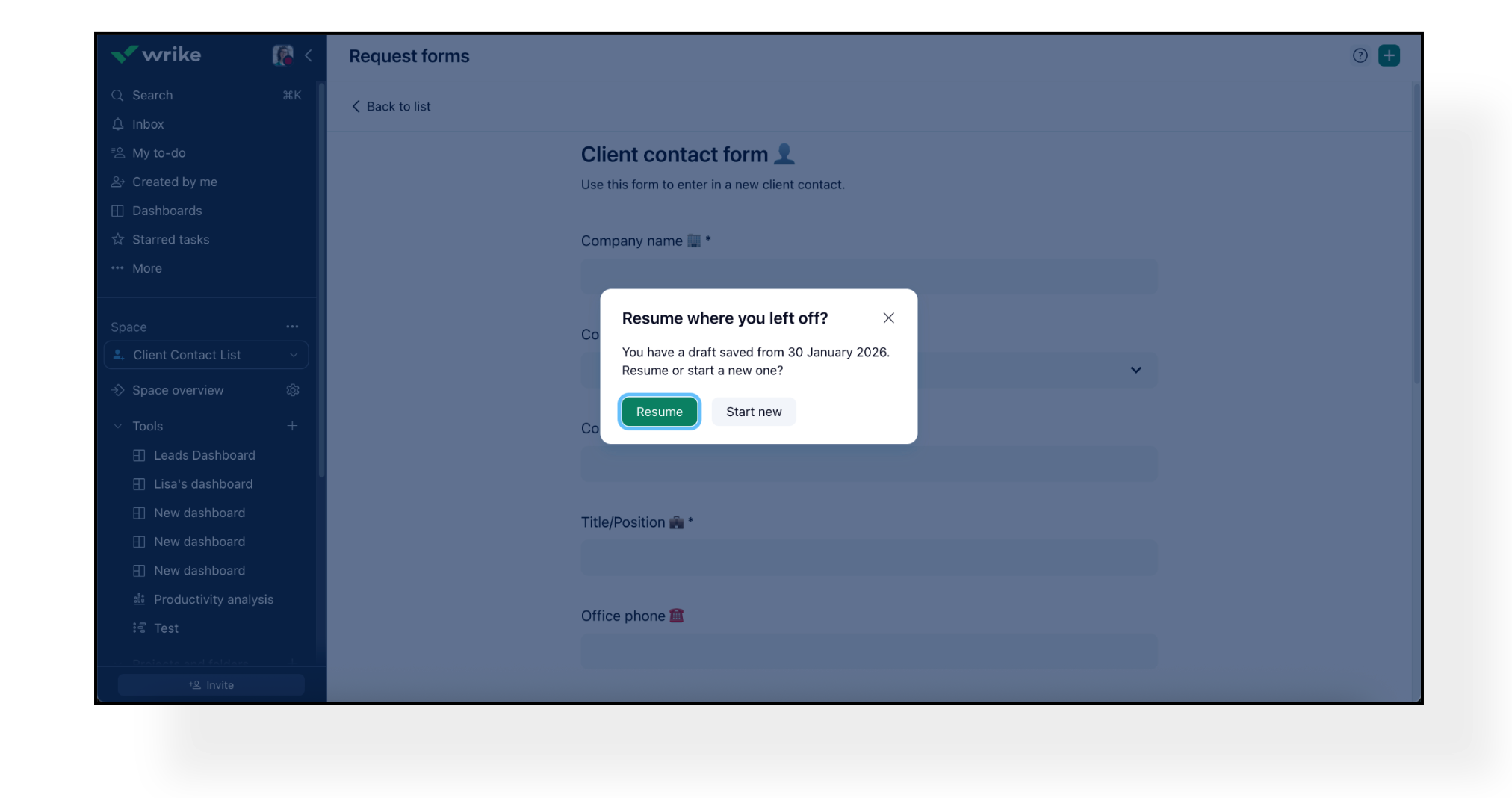
❗️Please Note: Saved drafts only work in the same browser instance. Drafts won’t carry over across different browsers, devices, or new incognito tabs.
We continue rolling out advanced filtering capabilities across Wrike and we’re excited to share that these are now available in the Calendar tool and Search results to enhance your efficiency.

Learn more about the new filters here.
Community News
- Welcome to the New Wrike Community Platform! 🎉
We’re excited to share that the Wrike Community has moved to a brand-new, modern platform as of February 2, 2026! 🎉 The previous Community is currently in read-only mode, while all new conversations, ideas, and comments are happening in our new home.
Find out all about the new Community here.
- Top 10 Product Highlights of 2025 ✨
Catch up on the biggest Wrike updates of 2025, including AI Agents, Wrike Whiteboard powered by Klaxoon, and exciting enhancements to the Wrike mobile app. Discover how these innovations are transforming the way teams collaborate and manage work, setting a powerful foundation for productivity and success in 2026 and beyond.
Check out full details in this Community post and watch the video here.