TL;DR: Required Fields in Workflows are now available, helping you enforce mandatory data before status changes. Critical Path is live in the New Gantt Chart for clearer visibility into what impacts project finish dates. Timesheets now support monthly and weekly timeframes so billing and tracking stay aligned. Templates now preserve more Space configurations like effort, budget, and workflow transitions. Plus, join Wrike Springboard 2026 on May 7 to explore AI innovations in Wrike.
Feature Updates
We are excited to share that Required Fields (also known as "mandatory custom fields") have now been released, making workflows clearer, data collection easier, and reports more relevant.
What's new?
- Mandatory fields in custom workflows. Set specific standard or custom fields as mandatory before a status can be changed. Required fields can be set starting from the second status onward.
- Status change validation. If a required field is missing or doesn't meet the configured criteria, Wrike blocks the status change until valid data is entered.
- Account and space-level configuration. Required fields can be configured at both account-level and space-level workflow settings.
- Mobile support. Mobile also supports required fields and allows status changes.
- Supported field types. Includes Assignee, Checkbox, Currency, Date, Multi-select, Number, People, Percent, Single-select, and Text.

Check out our Help Center article for full details.
We're thrilled to introduce the Critical Path functionality in the New Gantt Chart, providing a faster, modern experience to understand what drives project finish dates.
What’s new?
- Core Critical Path features from the Old Gantt are now available.
- Improved reliability with correct handling of weekends for default work schedules and milestones.
- Upcoming enhancements include Total Float visibility on the Critical Path to easier understand the flexibility in your schedule.

Check out our Help Center article for more details on Critical Path.
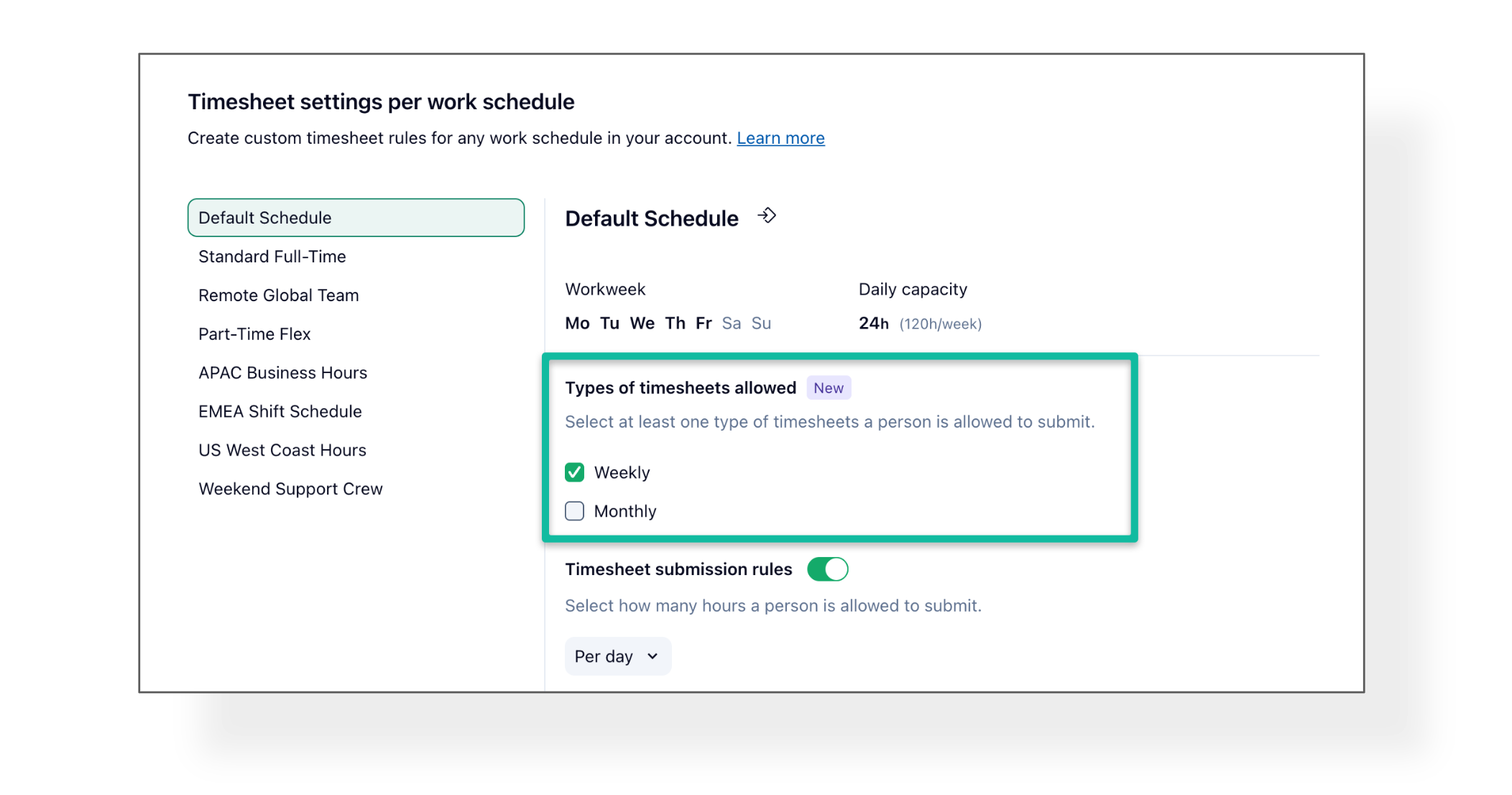
- Timesheets: Monthly and Weekly Timeframes Support ⏰
We are excited to announce that admins can now set both weekly and monthly timesheet types for individual work schedules, enabling alignment with monthly billing while teams track weekly.
What’s new?
- Submit timesheets on a weekly, monthly, or hybrid basis.
- Weekly and monthly timesheets stay in sync, avoiding duplicate approvals.
- Auto-submissions and auto-approvals when one timeframe completes the other.
This update is available now for Pinnacle and Apex plans. More details in this Help Center article.
- Templates: Wider Coverage of Space Configurations 🚀
Templates just got even better! You can now save even more details into your templates, ensuring that all the small but important elements are preserved when you create and share templates across your teams.
What's new?
The following items are now fully supported in Templates:
- Effort field
- Planned fees
- Planned cost
- Budget
- Project Billing Type
- Custom fields descriptions
- Workflow descriptions
- Workflow transitions
- Order of items in views is always preserved in the template
Find more details on Templates and Solutions Center here.
Community News
- Wrike Springboard 2026: AI That Works For You 🤖
Join us on May 7 for a free 90-minute virtual event showcasing real customer-built AI agents, practical time-saving strategies, and a clear roadmap from idea to execution.
Head over to this Community post for full details and registration.