TL;DR: Timesheets now support weekly, monthly, or hybrid (weekly + monthly) submission cadences helping service delivery teams achieve better alignment with the billing cycles. Less manual reconciliation, simpler approvals, and better billing accuracy. Plus, timesheet reminders now support daily, weekly, monthly, and custom cadences to keep your team on track.
Hi Community! 👋
We're excited to share major upgrades to Timesheets: you can now support weekly, monthly, or both weekly and monthly timeframes within the same workflow, and timesheet reminders just got a lot more flexible too 🎉
Flexible Timesheet Timeframes ⏱️
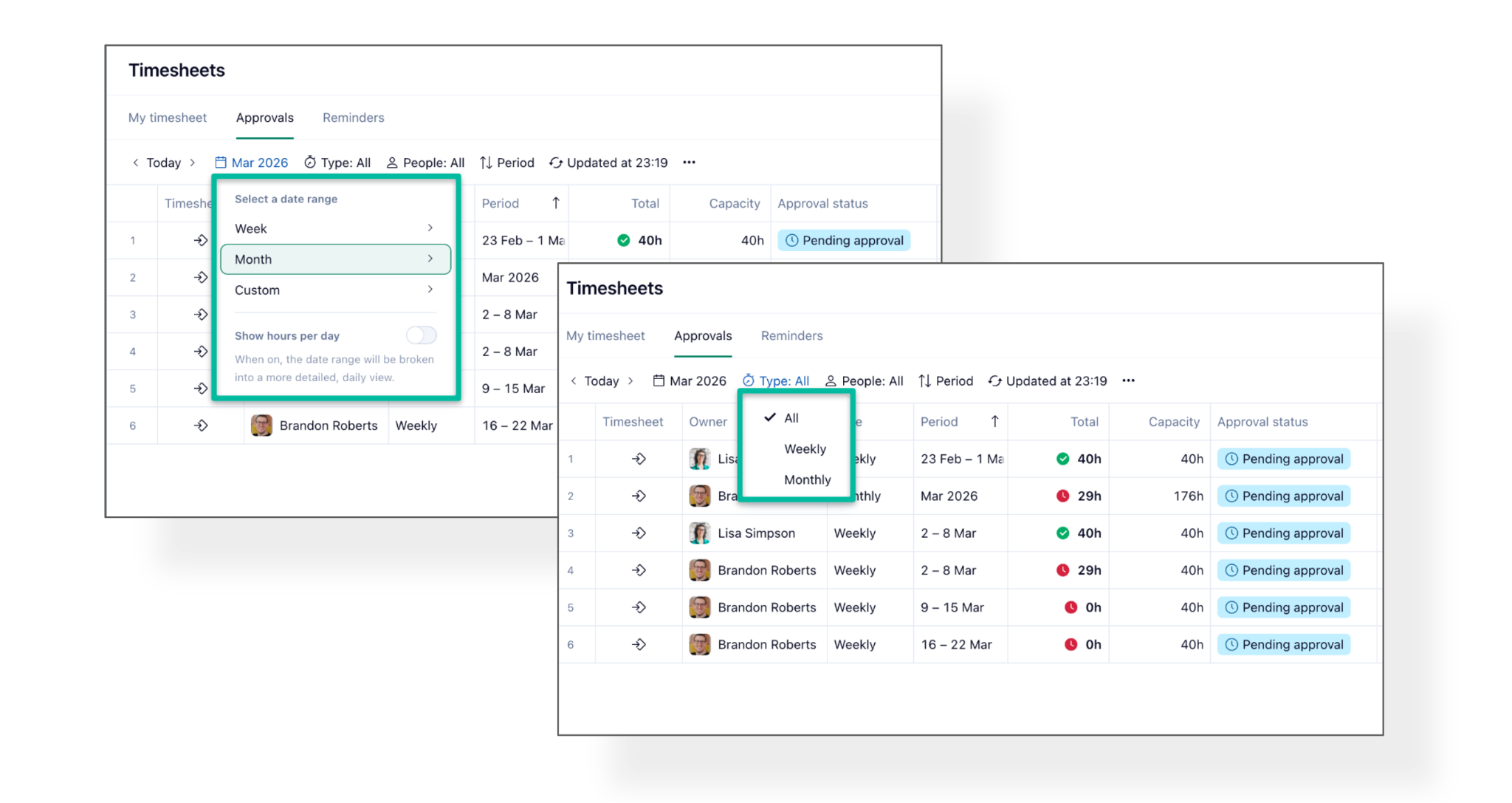
Here's a quick scenario: Your team tracks time weekly, but Finance closes billing monthly and the month ends mid-week. Now, both can work in parallel: weekly submissions stay current, the monthly timesheet closes the period cleanly, and nothing gets approved twice.
Why this matters
For many teams, time is tracked weekly, but billing and reporting happen monthly. Until now, that gap could create extra admin work and make month-end approvals harder than they should be.
This update helps solve that by supporting more flexible timesheet workflows.
- Align tracking with billing: Most finance teams don’t bill weekly, they bill monthly. Now teams can continue tracking weekly while still approving and closing time in line with monthly billing cycles.
- Handle “broken” months more easily: When the end of the month lands in the middle of a week, weekly-only approvals can create messy cutoffs. With monthly and weekly support together, users can submit the monthly timesheet at month end and continue tracking weekly without disruption.
- Reduce duplicate work: Weekly and monthly timesheets now stay in sync, so teams don’t need to approve the same time period twice.
- Improve accuracy and confidence: This helps businesses make sure approved hours match the correct billing period exactly, improving reporting accuracy, audit readiness, and confidence in every invoice.
What’s included in this update?
- Weekly and monthly timeframes in the same workflow: Admins can now enable weekly, monthly or both timesheet types for individual Work Schedules.
- Weekly and monthly timesheets stay in sync: No need to approve the same period twice. If one timeframe completes the other, the system keeps everything aligned automatically.
- Auto-submissions and auto-approvals: When all days in one timeframe are already submitted or approved through the other timeframe, Wrike can automatically complete that related submission or approval.
- Submission rule handling for dual timeframes: If both weekly and monthly timeframes are enabled, submission rules are checked intelligently in the background to ensure the monthly submission reflects the weekly rules where needed.
- Better visibility into submitted and approved days: Users and approvers get enhanced visibility into which days have already been submitted or approved across timeframes.
- Approvals filtering improvements: Approvers can use Type = Any in the Approvals view to see all submitted timesheets together for a clearer overview.
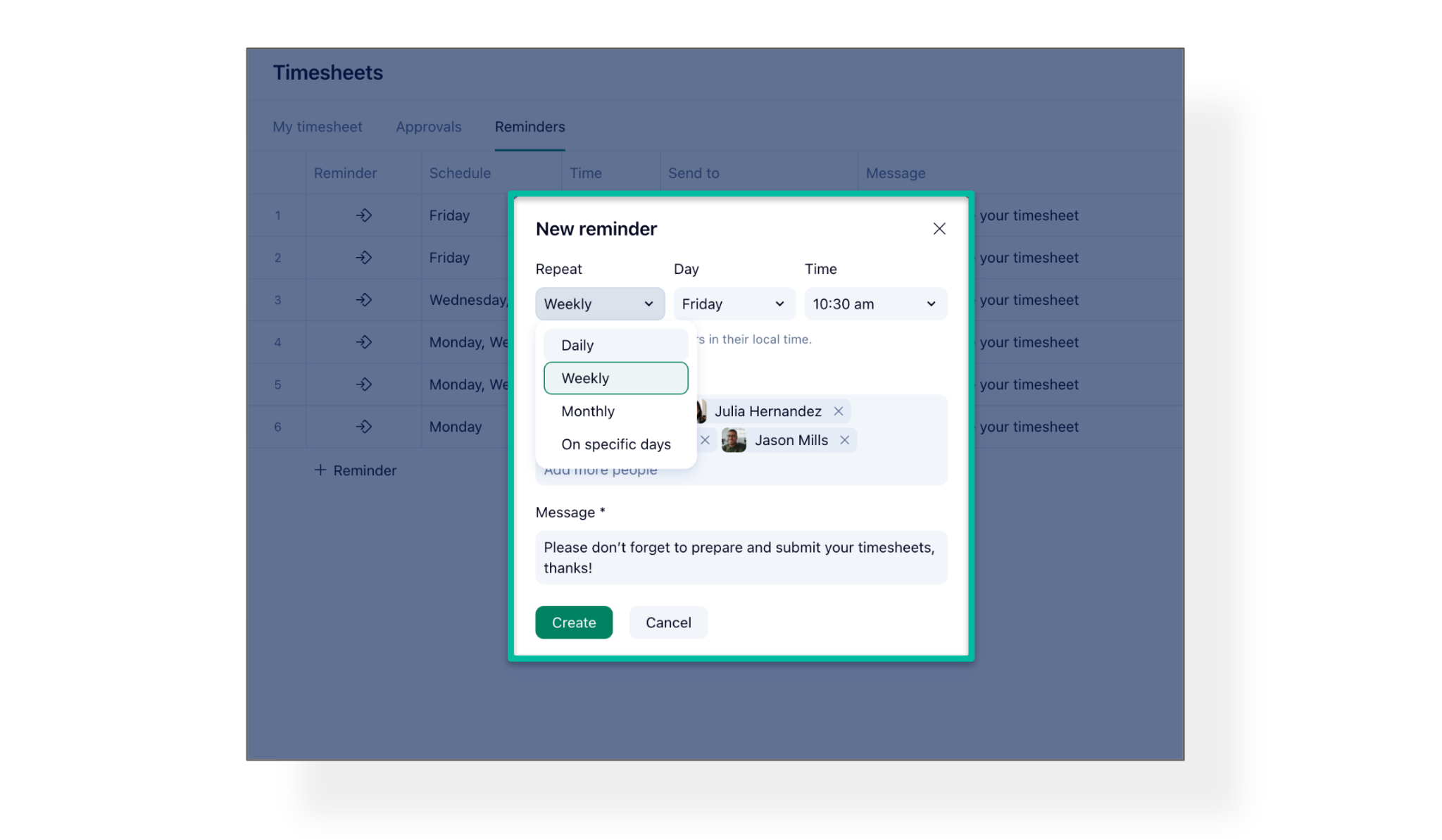
- Timesheet reminders for monthly timeframes: Monthly reminders are now supported as well.
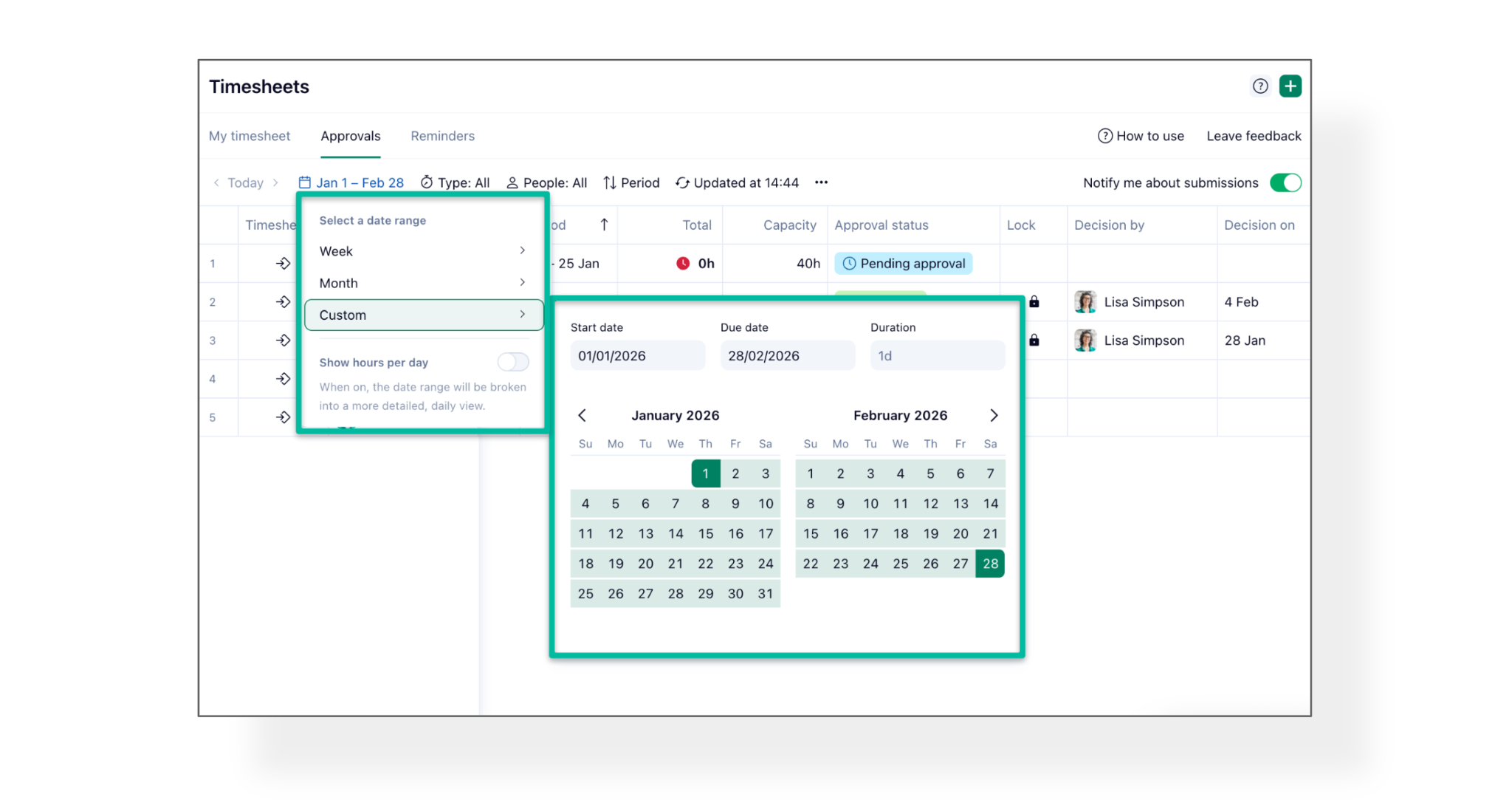
- Broader period visibility: Approvers can still view multiple timesheets across periods longer than a week (such as 6 weeks, 2 months, or an entire quarter) and filter timesheets overlapping with a custom date range, regardless of timesheet type
How it works
For admins
At the Work Schedule level, admins can choose whether a schedule supports:
- weekly timesheets
- monthly timesheets
- both weekly and monthly timesheets

There is also an update to settings organization: Time tracking settings have moved from the Work Schedule section into the Time tracking section for Account Managers/Admins.
For users
Users can submit time in the cadence configured for their Work Schedule: weekly, monthly, or both. This is especially useful for teams that want to track work weekly for operational purposes while closing and approving time monthly for billing.

For approvers
Approvers can review timesheets across different levels of detail, including:
- Approvals Overview - multiple timesheets without day-level breakdown
- Approvals Detailed view - multiple timesheets with daily breakdown
- Approvals Timesheet detail - a single user’s timesheet in detailed view
They can also filter across longer periods like:
- month
- quarter
- custom date range (e.g., Jan 15 – Feb 14, a billing cycle, or fiscal period)
Example Scenario:
A team tracks time every week to stay current, but Finance closes billing monthly.
Now, that team can:
- submit timesheets weekly during the month
- submit a monthly timesheet at month end
- avoid duplicate approvals because both timeframes stay synchronized
- close the month accurately, even if the month ends mid-week
This gives teams the best of both worlds: operational consistency and financial accuracy.
More Versatile Timesheet Reminders ⏰
We're excited to share that Reminders have received a major upgrade! Every organization's workflow is unique, and these flexible options ensure teams stay on track, no matter how they work.
What's Included in This Update?
Users can now set Timesheet reminders with daily, weekly, monthly, and custom cadences, getting full alignment with their work schedules and time reporting needs.
Availability
Feature | Plans |
|---|
Flexible Timesheet Timeframes (Weekly, Monthly, Hybrid) | Pinnacle and Apex |
Versatile Timesheet Reminders | Business, Pinnacle, and Apex |
You can read more in this Help Center article.
We'd love to hear what you think about these timesheet upgrades 🙌 How will your team use flexible timesheet timeframes and versatile reminders? Share your feedback, questions, or use cases in the comments below 👇