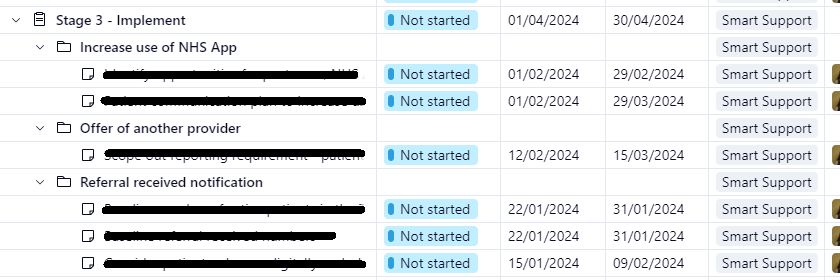
I regularly work on my project plan in table view. I'll go through my plan often to make sure that all tasks have start/due dates and other details filled in. I often get thrown by blank fields looking like gaps (e.g. folders within my plan cannot have start/due dates so those fields are empty, making it look like part of my plan hasn't been scheduled, whereas in fact those fields will always be empty.
Could it be changed so that these sorts of fields (the ones that can't be used) appear differently - greyed out for example - so that the table view is easier to work with?