When using folders within a project, as a way to create groups or phases of a single project, I'm running into an issue. The task menu only tells me what folder the task belongs to, but not the project. For example, let's say I have a project named "Project Example," and I create two folders within this project named, "Folder Example A" and "Folder Example B." When adding tasks to "Folder Example A" the task menu only tells me that it belongs to "Folder Example A" not to the overall "Project Example."
This makes it difficult to try to organize projects into phases, because the task does not tell my team what project it belongs to, only what folder. I've included an image below to illustrate what I mean.
Wrike has suggested that I use a naming convention for folder names to include the project name or project abbreviation. This workaround will not solve the issue. It means that each folder within a project needs the name of the client, project, and phase name. This naming convention is too long to be effective and creates frustration for the reader.
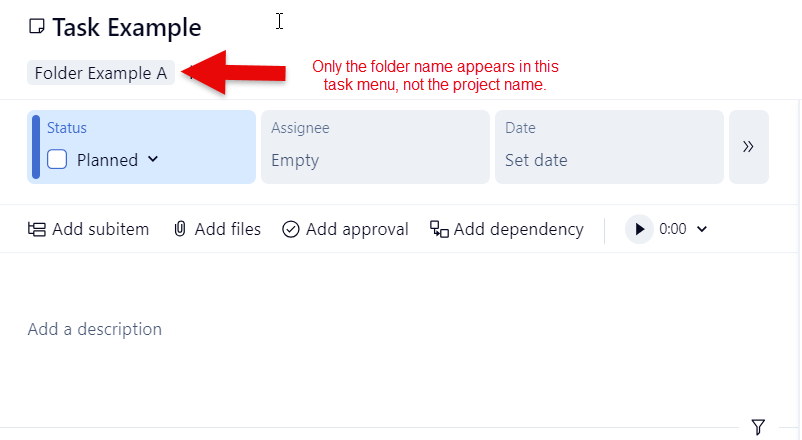
A task menu should always tell me what project the task belongs to, regardless of whether it lives in a folder within the project. Knowing the project for the task is the most important part of task management.



