Hi Community 👋
We have some exciting news to share! It is now possible to set any dashboard you’ve created, or one that has been shared with you, as your Homepage 🙌
How to set it up?
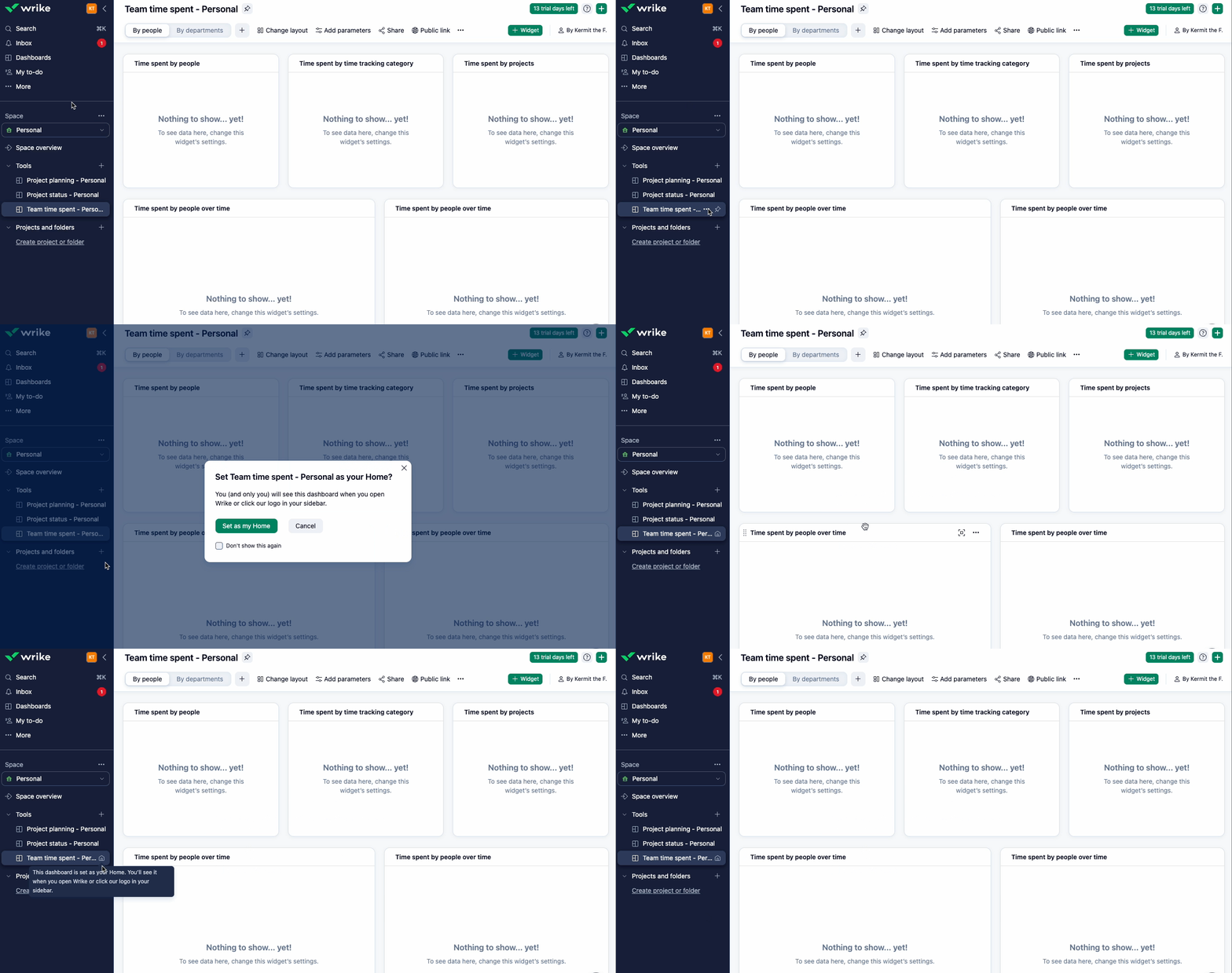
- Click the three-dot menu next to the dashboard in the left-side navigation panel.
- Select the option “Set as my Home”. A popup will appear for confirmation. Click “Set as my Home” again to confirm your selection.
- Once set, the selected dashboard will appear as your homepage every time you log in to your account or when you click on the Wrike logo.
Please note:
- Setting a new Home and changing Home is done via the same “Set as my Home” button. This button will appear on all dashboards that are not set as Home.
- Only one Home can be set at a time.
- You can choose from dashboards you own or that have been shared with you (regardless of space).
- Dashboards set as Home will be marked with an icon and a tooltip.
How to remove it?
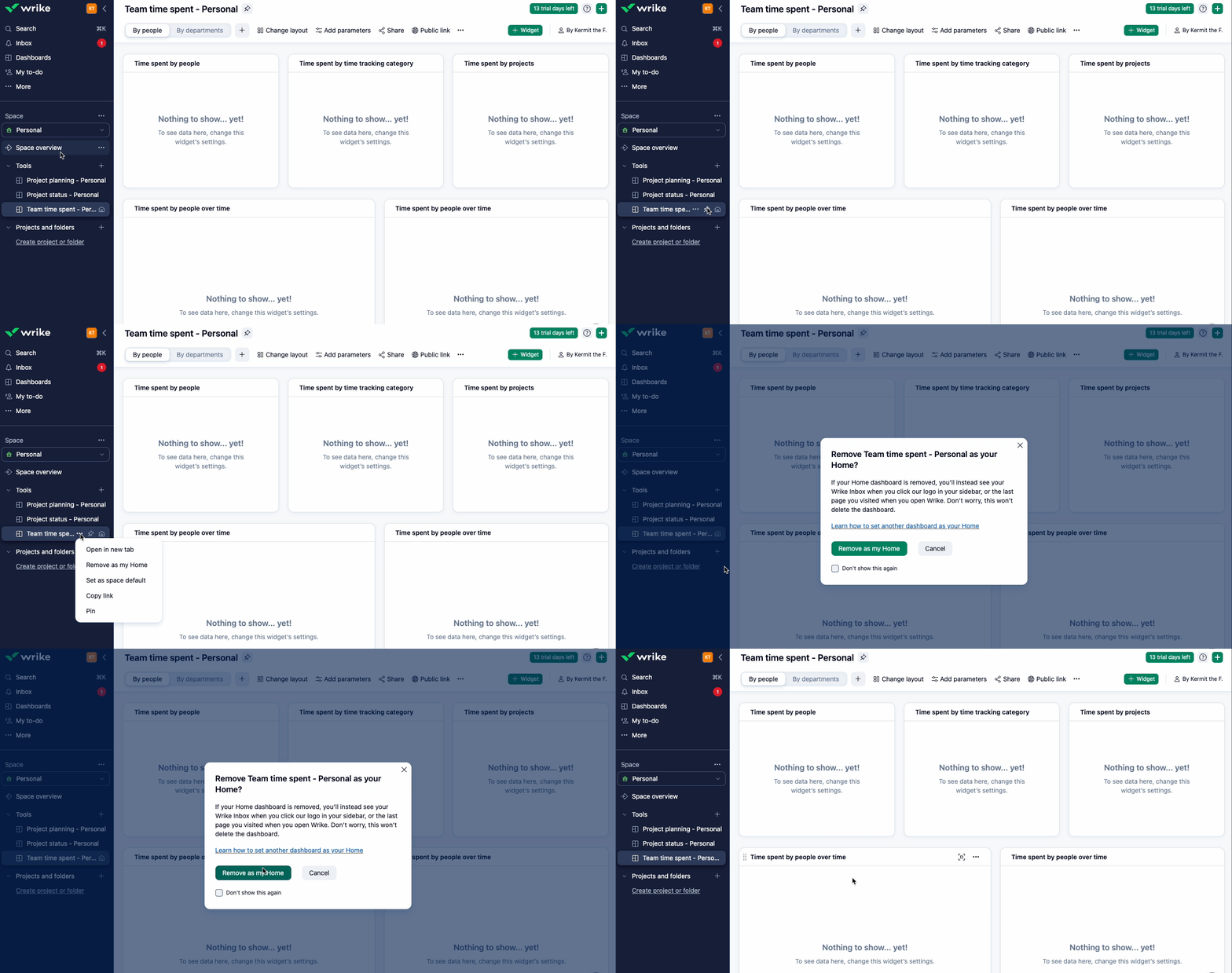
- To remove a dashboard set as your Home page, click the three-dot menu next to the selected dashboard in the left navigation panel.
- Select the “Remove as my Home” option. This button will be visible only on the dashboard currently set as your homepage.
For more details, check out our Help Center article. We’re eager for you to try this out! Don’t forget to share your feedback in the comments below 👇