Hey admins!
Alina from Product team here. 👋 Today I am happy to bring you the new experience of overseeing your forms to help you keep your spaces and account lists in check!
Our recent improvements include:
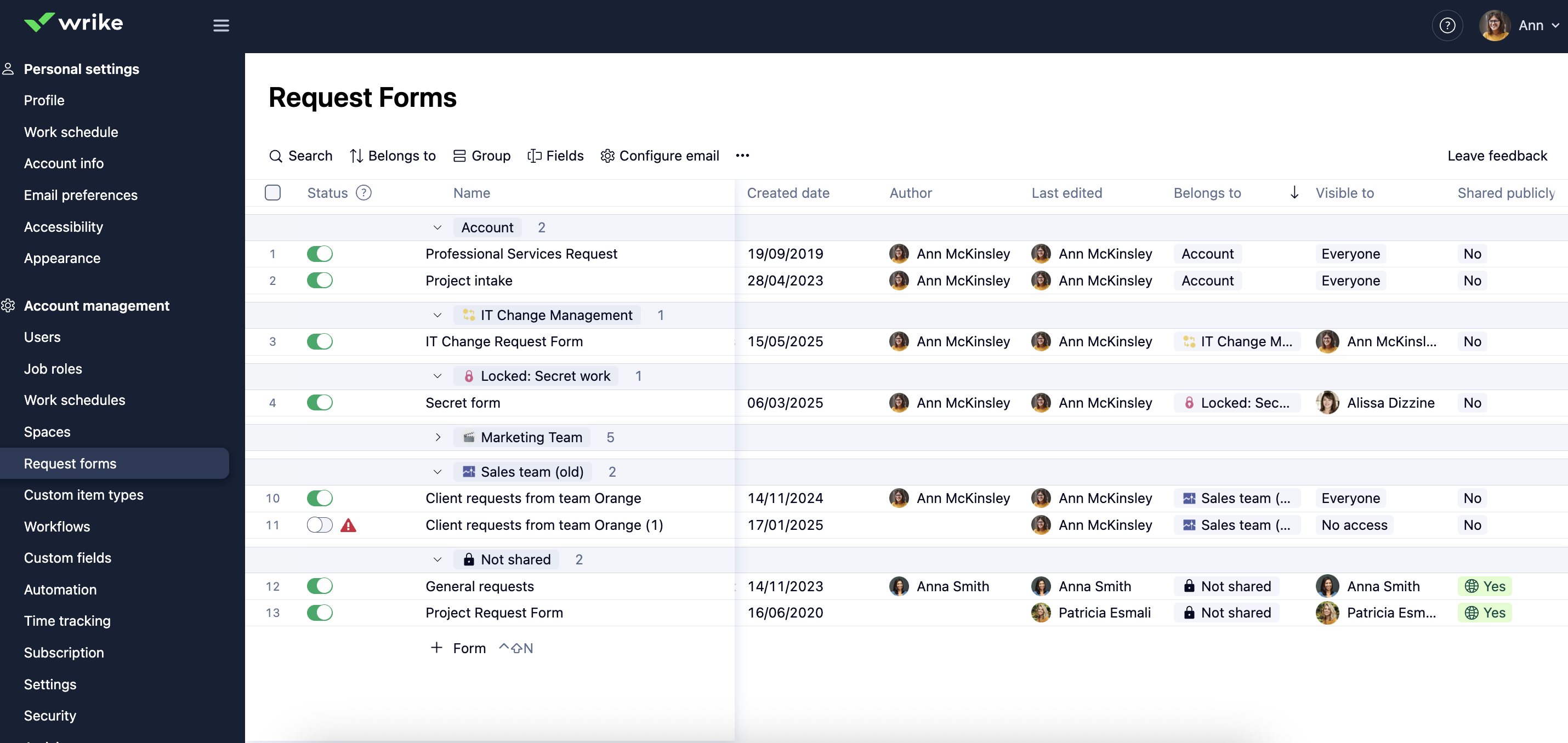
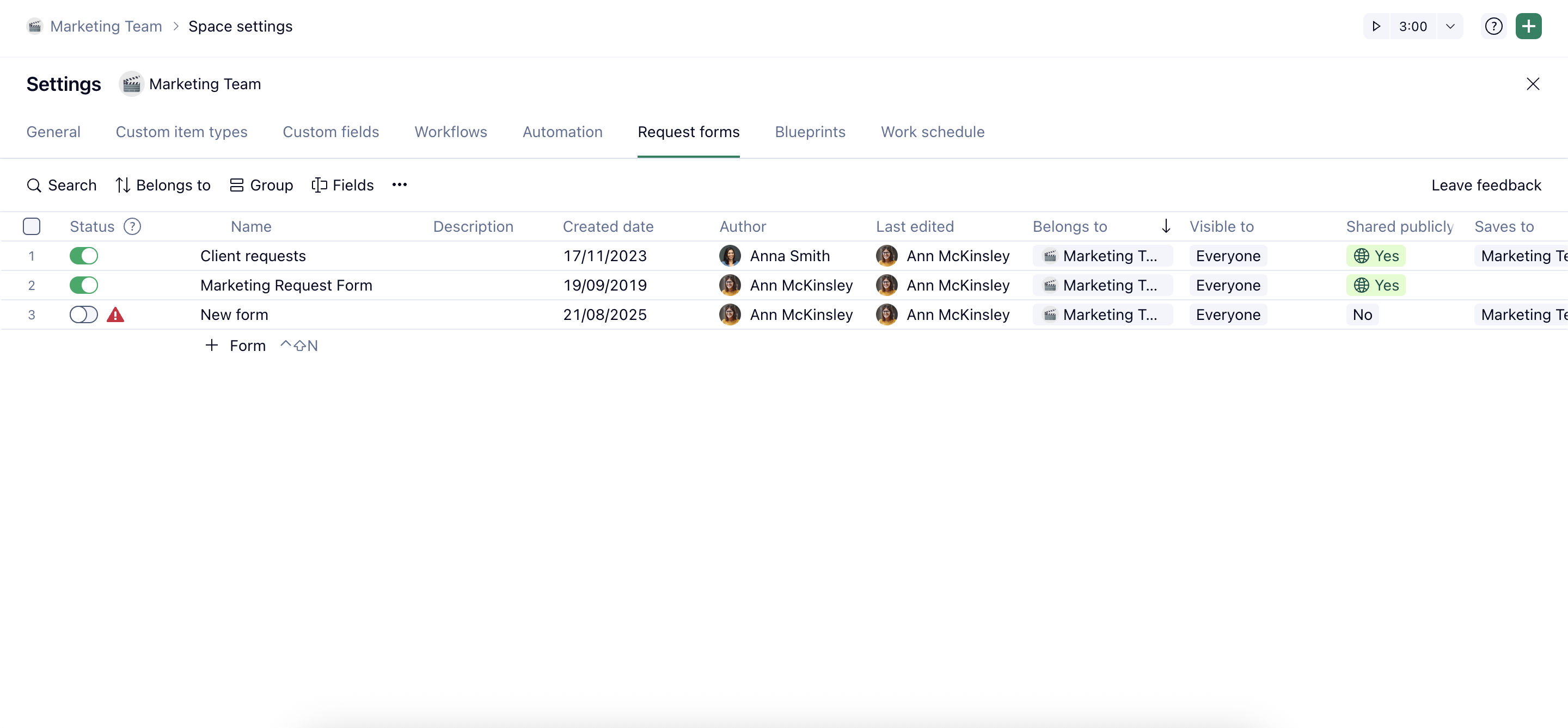
- Get a bird's-eye view into all created forms. Alongside the consistent experience in space settings, access all account, public, private and locked spaces forms in a single, user-friendly view. Slice, dice and navigate through the list with sortings, gropings and search.
- Data points at a glance. No need to dig through each form's settings! Easily uncover who created the form and when, when it was the last edited and by who, does it have a public link, who as access to the form, what it creates and where exactly it saves the items.
- Status. Notice that the look of the daft state was updated to a toggle being on or off. Turn off the forms and use it to both save your form as a draft or to simply remove (archive) the form that should be no longer in use. Special alert state is also there to indicate if the form is broken and needs your attention.
Quick tip 💡 Try utilizing the new status column to deactivate and archive the old forms that should no longer be in use by your teams.
As always, happy to hear your thoughts in the comments below!