Feature Updates
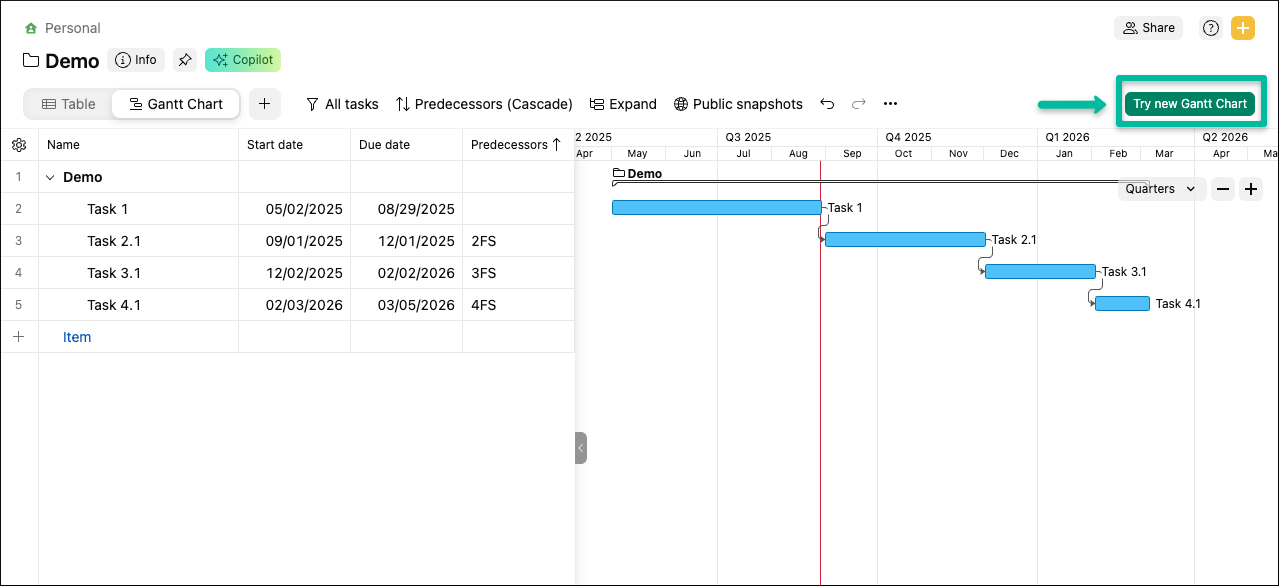
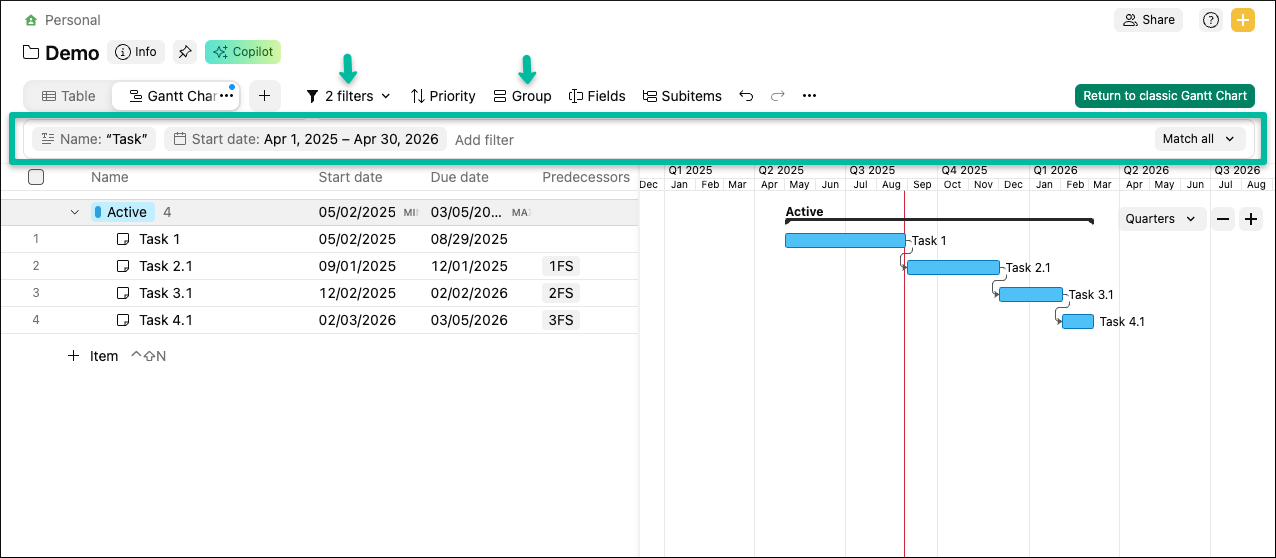
We’re excited to roll out a new Gantt chart that makes planning faster and clearer, with a smoother experience and more control over how you organize work.
What’s new?
-Faster loading and smoother interactions, even on large projects
-One-click switching between the new and classic Gantt
-Grouping and Filters to organize work the way you need
-Fiscal year support for timeline planning
To know more about our rollout plan and milestones, check out this
detailed post.
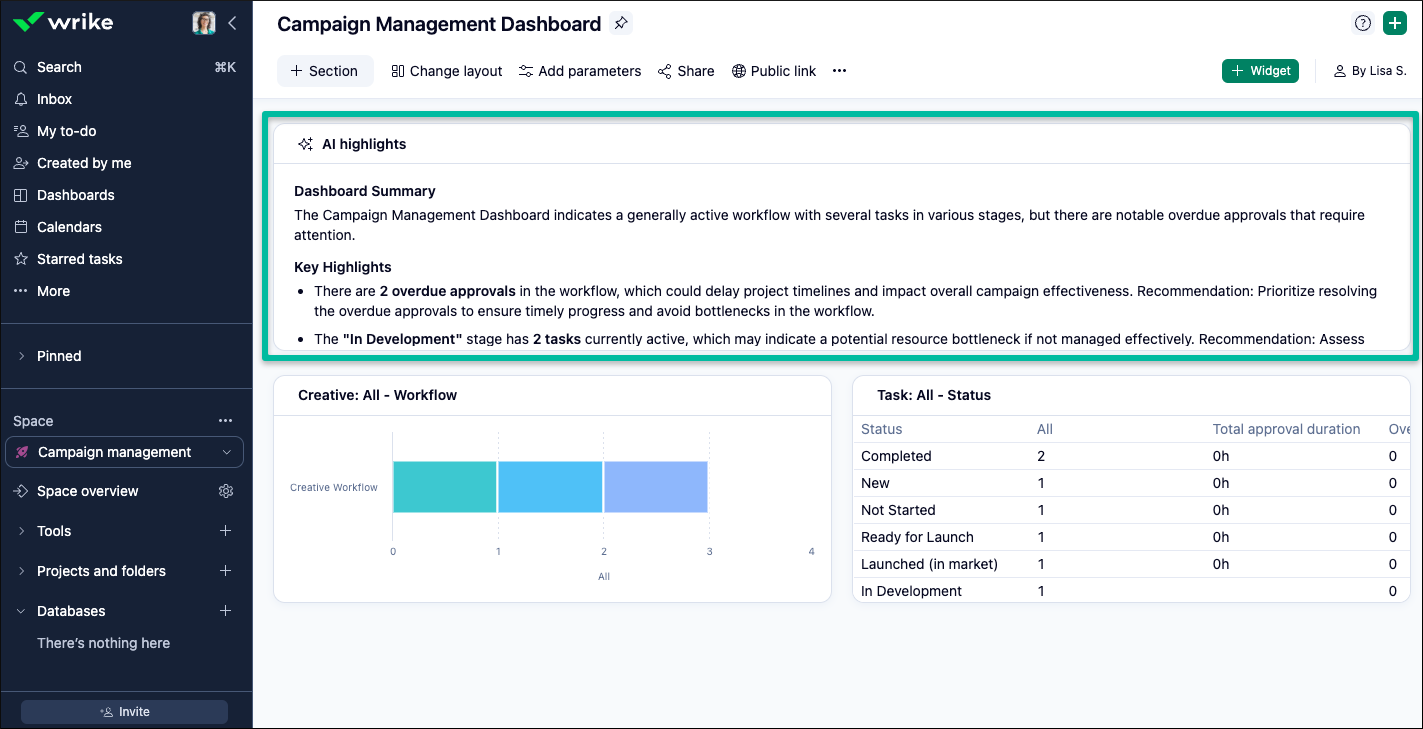
We previously launched a new widget in
Wrike Labs—
AI Highlights—that provides a real-time overview of your dashboard with AI-generated highlights and insightful data points. With this widget, you’ll immediately find the most relevant information and insights every time you access your dashboard.
We’re excited to announce that it’s now out of Wrike Labs and generally available! Based on feedback, we’ve improved the accuracy of results and the handling of hyperlinks and dates. Head to the widgets section of your dashboard and give it a try!
Please note: Access to AI Highlights (and other AI features) requires
Generative AI to be enabled in your settings.
- Klaxoon: Comments and Mentions in Board 💯
We’re excited to roll out a Klaxoon update that lets you add comments and
@mentions directly in Klaxoon Board to keep discussions in context and move work forward faster.
What’s new?
-Add comments to any object on a Board; reply, delete, and mark them as resolved
-
@mention Klaxoon teammates in Board comments and in Questions
-Mentions trigger notifications by email, mobile push, and in the Klaxoon Activity feed
-Share a direct link to any comment
-View all comments in a dedicated panel, with the option to show or hide resolved items
How does it work?
-Add a comment from the contextual menu of any object or via the Comment tool in the toolbar
-Comments automatically snap to the object they reference, so context stays clear
Available now—try it on your next Board and keep collaboration right where the work happens. To know more, check out this
detailed article.
Community News
The new Wrike AI Forum is live—a dedicated hub for AI announcements, tips, discussions, and real-world examples. Join to share prompts and workflows, ask questions, and provide feedback to help shape future updates.
Click here for more details.
Learn Klaxoon’s core navigation and collaboration with quick videos and hands-on exercises—customize your home page, set up Boards, manage notifications, and more. Check this
post for more details. Ready to dive in? Register for the course by
clicking here.
- What’s New in Wrike - August 2025! 🎥
The August edition of ‘What’s New in Wrike’ has arrived! This edition features Wrike Copilot, Custom Fields, Spaces, the Wrike and Klaxoon integration in the
August video, and even more updates in the
Digest. Don’t forget to check it out!