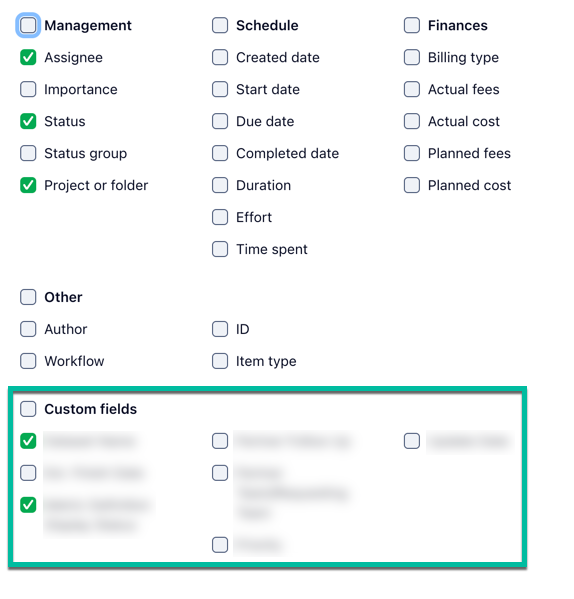
Created a custom report in table layout based on tasks and subtasks and filtered to a specific custom item type. The report shows all of the correct records but I'm trying to add a few custom fields that exist on those custom item type records. Two of the custom fields I use on these records appear in the Custom Fields section when I click the gear to choose which fields to show as columns in the report. But the other fields don't appear.
If it matters:
- Of the two fields that I CAN pick, one is text-based and one is single-select list-based
- Of the fields that don't appear as choices, all are text-based
- As far as I can tell, all properties of all of these custom fields (other than field type) are identical. Applied to = all, Author = me, Belongs to = same space, Can see = everyone, Can edit = everyone
This is the column chooser panel where I'm expecting to see but not seeing these fields appear. Interestingly, there are other custom fields I can choose that aren't even used in the custom item type I'm trying to report on.