Hi there 😊
We continue our Use Case Template series and today, we’d like to introduce to you another template in the “Basic” section of the template gallery - Actionable Meetings. This template can come in handy for many businesses where meeting notes aren’t yet captured in Wrike, and for those who are starting to use Wrike for work management.
Accessing Wrike’s Use Case Templates
Use Case templates are available in the Space creation dialogue. In order to use a template, start creating a Wrike Space how you usually would and you’ll see the option to create this space from a pre-made Wrike Use Case template:
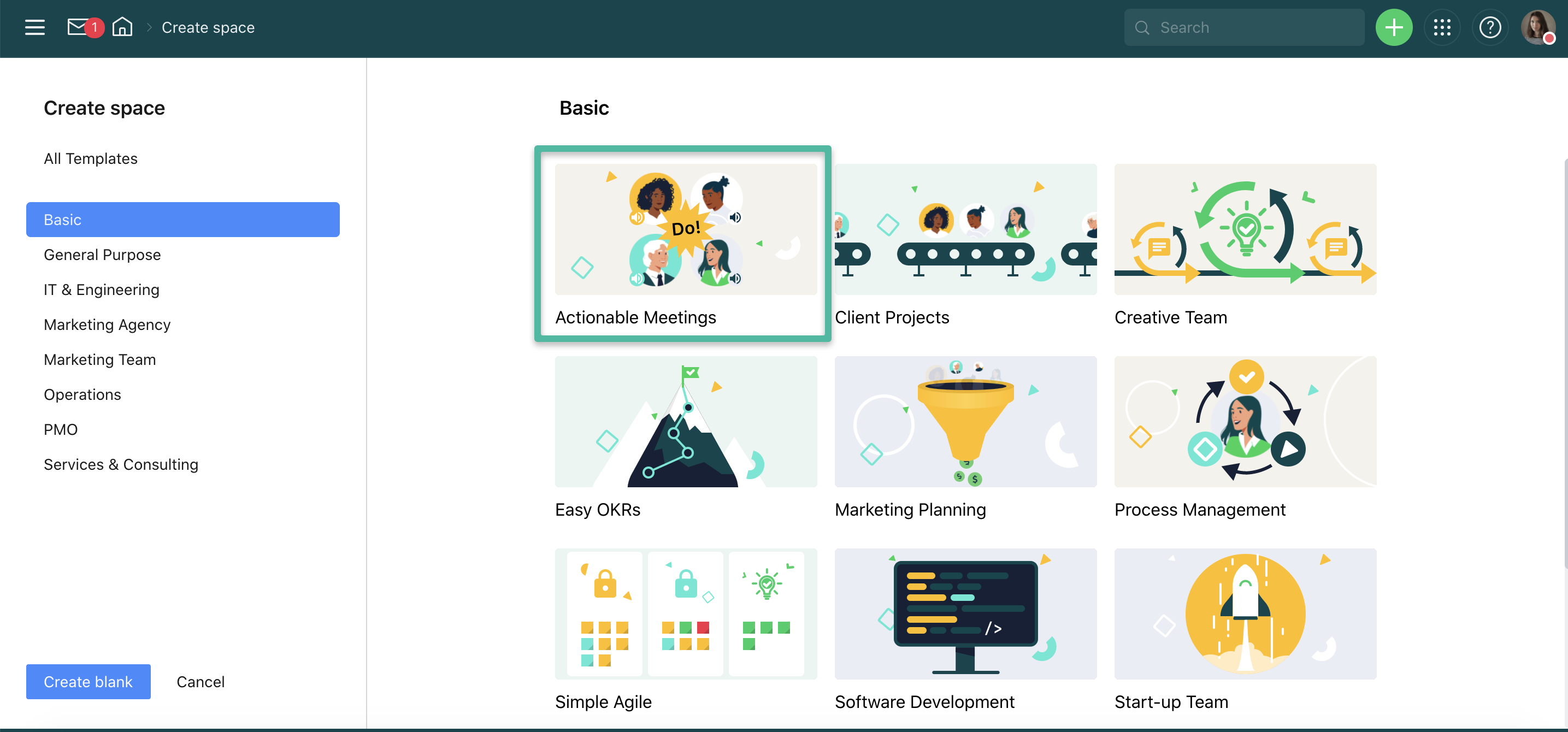
And just a quick reminder to you that now not only account owners and admins can use these templates, but also those users who have the right to create spaces 👍
Actionable Meetings
This template contains sample folders, tasks, and subtasks that give you an example of how your meeting structure can look like.
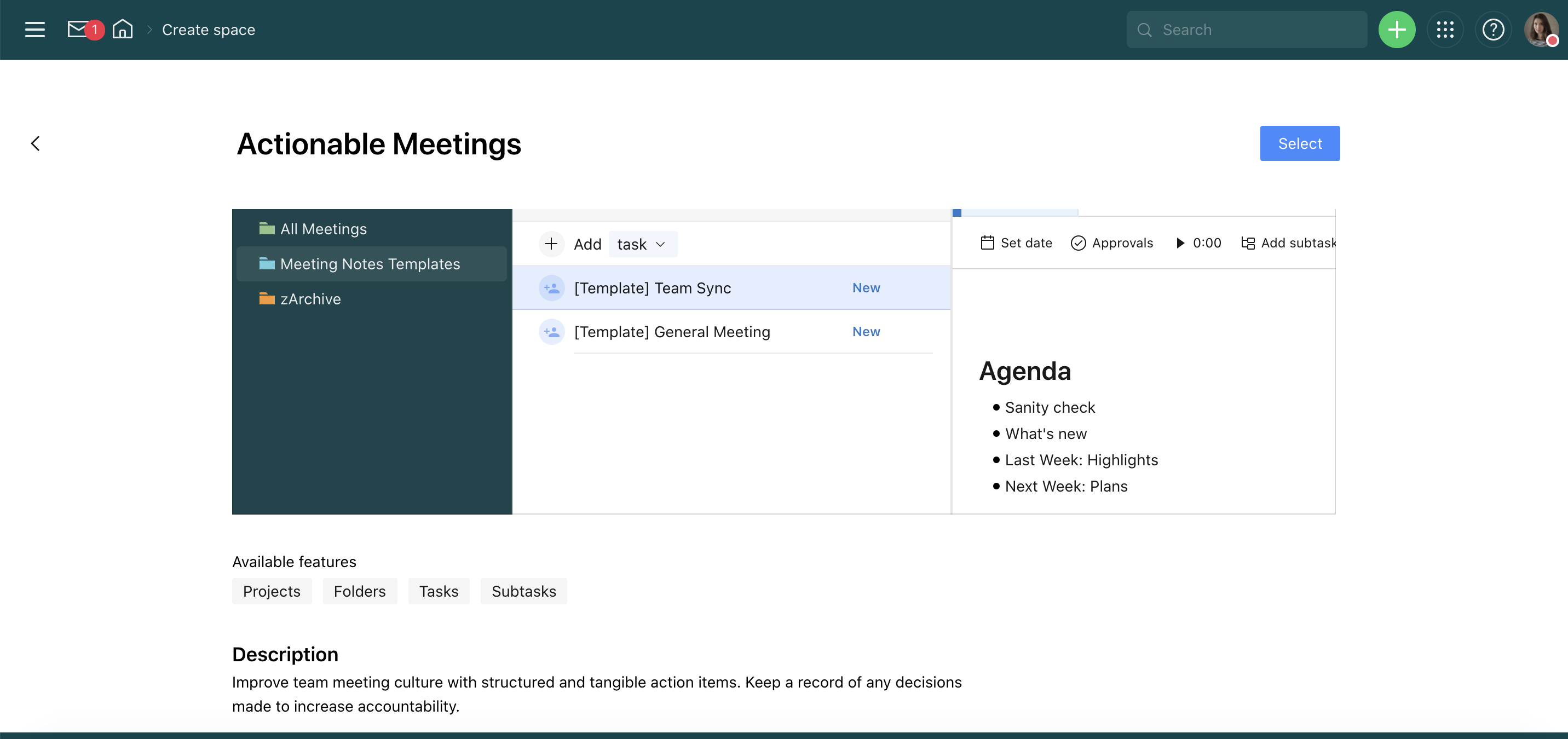
The free pre-built folders are ‘All Meetings’, ‘Meeting Notes Templates’, and ‘zArchive’.
In the ‘All Meetings’ folder, you’ll see a sample task called ‘[Example] Team’s Weekly’ with a suggested weekly meeting structure. We recommend using this structure for your team’s meeting: discussion points, main takeaways, action items, and follow-up.
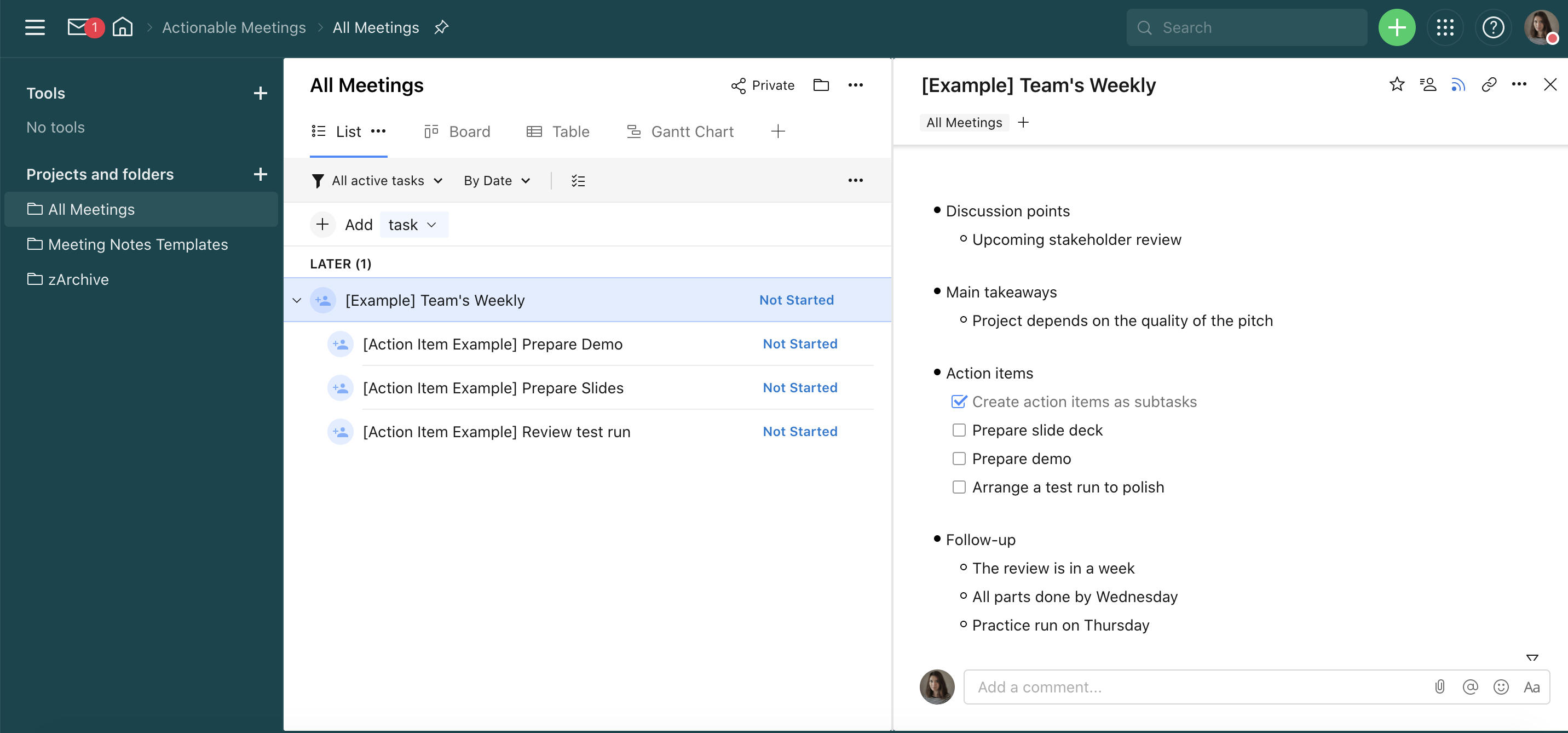
Of course, you can edit and add more items to this sample structure.
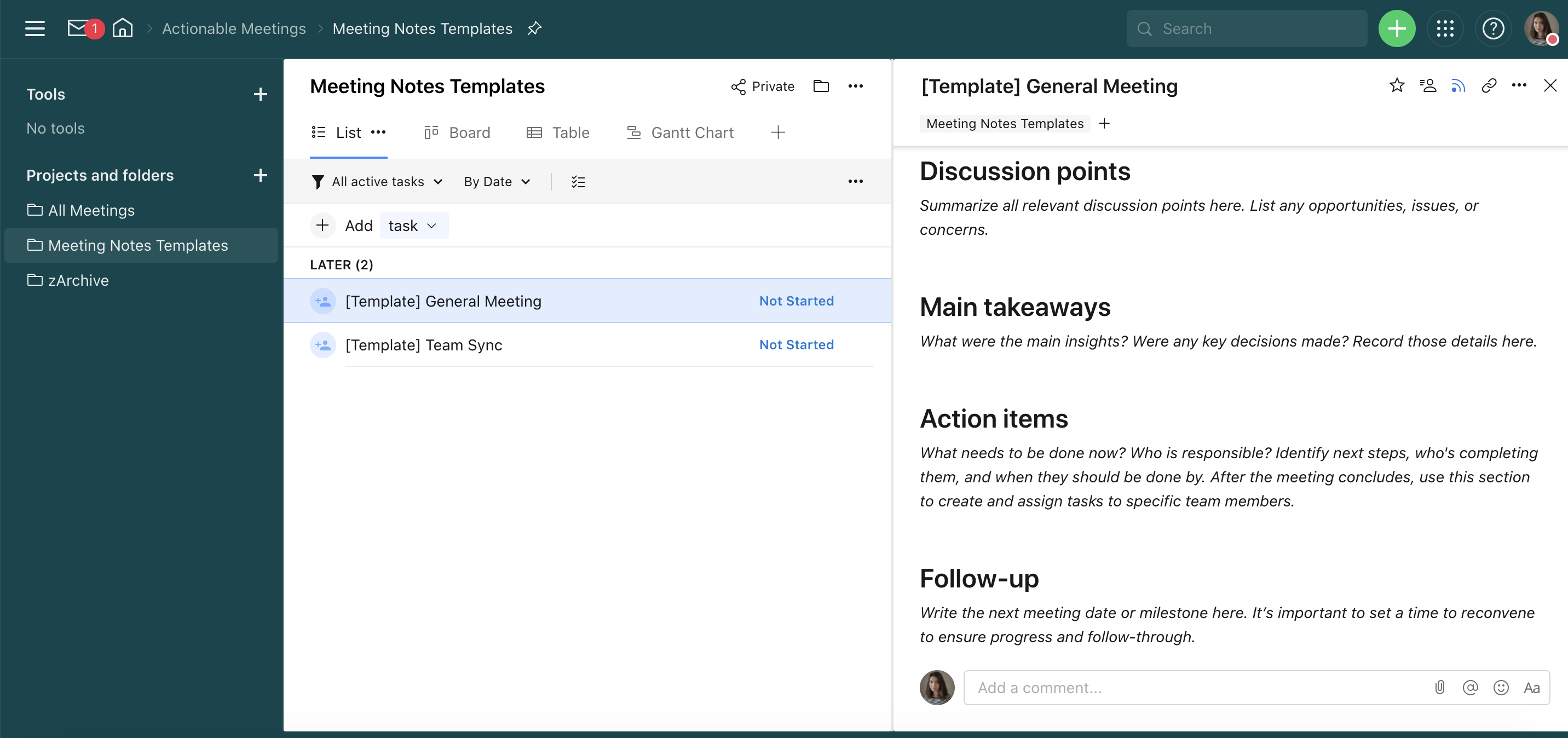
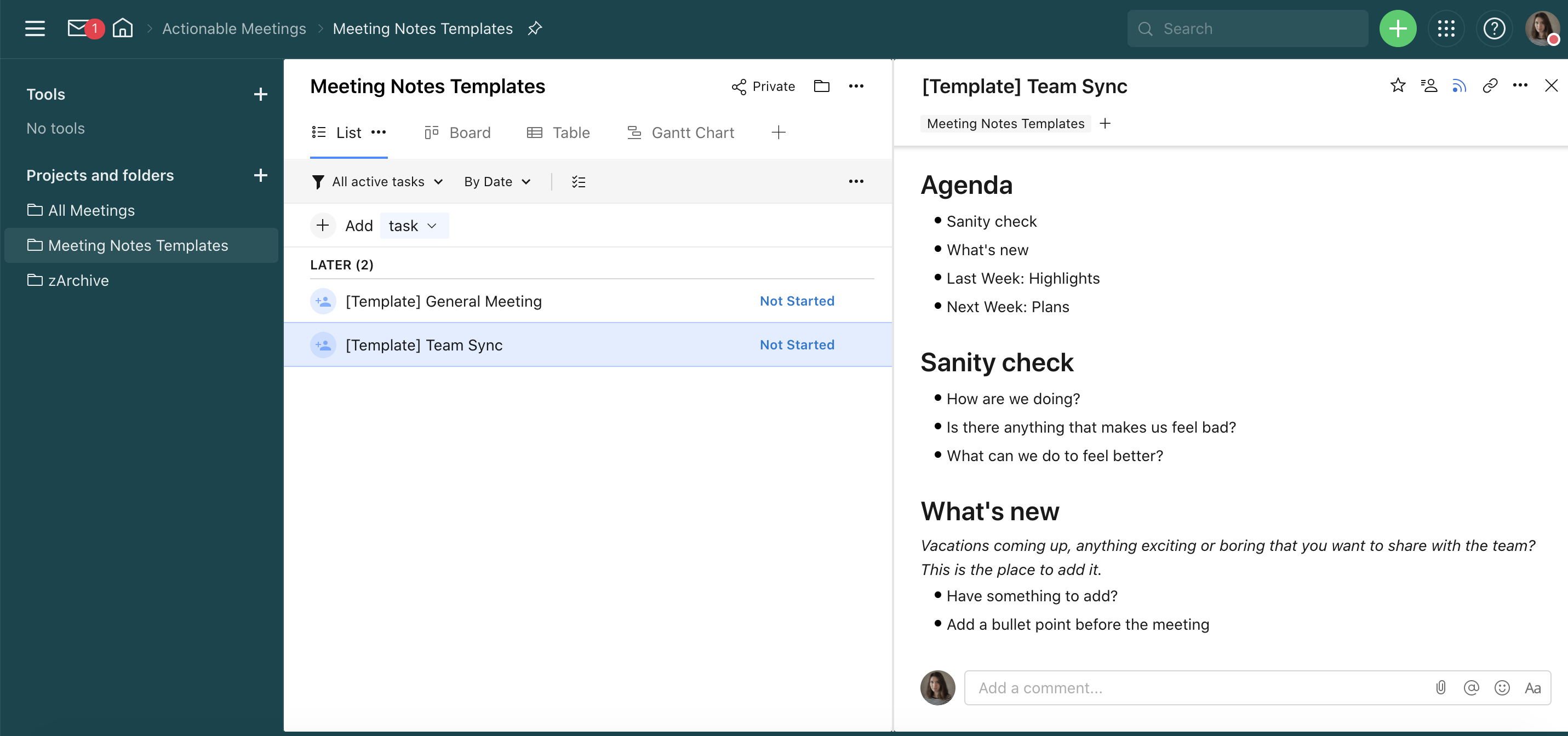
The ‘Meeting Notes Templates’ folder contains two tasks with sample structures that you can use for general meetings and team syncs.
The general meeting template consists of a structure that contains discussion points, main takeaways, action items, and follow-up.
The team sync template consists of more items and includes agenda, sanity check, what's new,
last Week: highlights, and next Week: plans.
📍Wrike Tip: We’d also recommend creating an additional folder for 1:1 meetings. This can be done by a team’s manager. Create subfolders for each team member and use selective sharing to make sure each subfolder is only shared with a particular colleague. It will help you track what’s been discussed with everyone, and follow a team member’s progress. It can be handy when the time comes for an employee’s review, for example.
How do you plan and manage team meetings or 1:1 meetings? Do you use Wrike for capturing meeting notes? Let’s discuss in the comments below 👇