Hi, Community!
Continuing with the recent Automation enhancements, this week we have more great news to share with you: you can now automatically change the value of almost any custom field type in your account! 🤩
Previously, ‘Text’ and ‘Checkbox’ custom field types were supported in Automation actions 🤖, but now the list also includes: ‘Text’, ‘Number’, ‘Multiple select’, ‘Single-select’, ‘Checkbox’, ‘Currency’, and ‘Percent’!
Please note that ‘People’, ‘Date’, and ‘Duration’ fields are not currently supported.
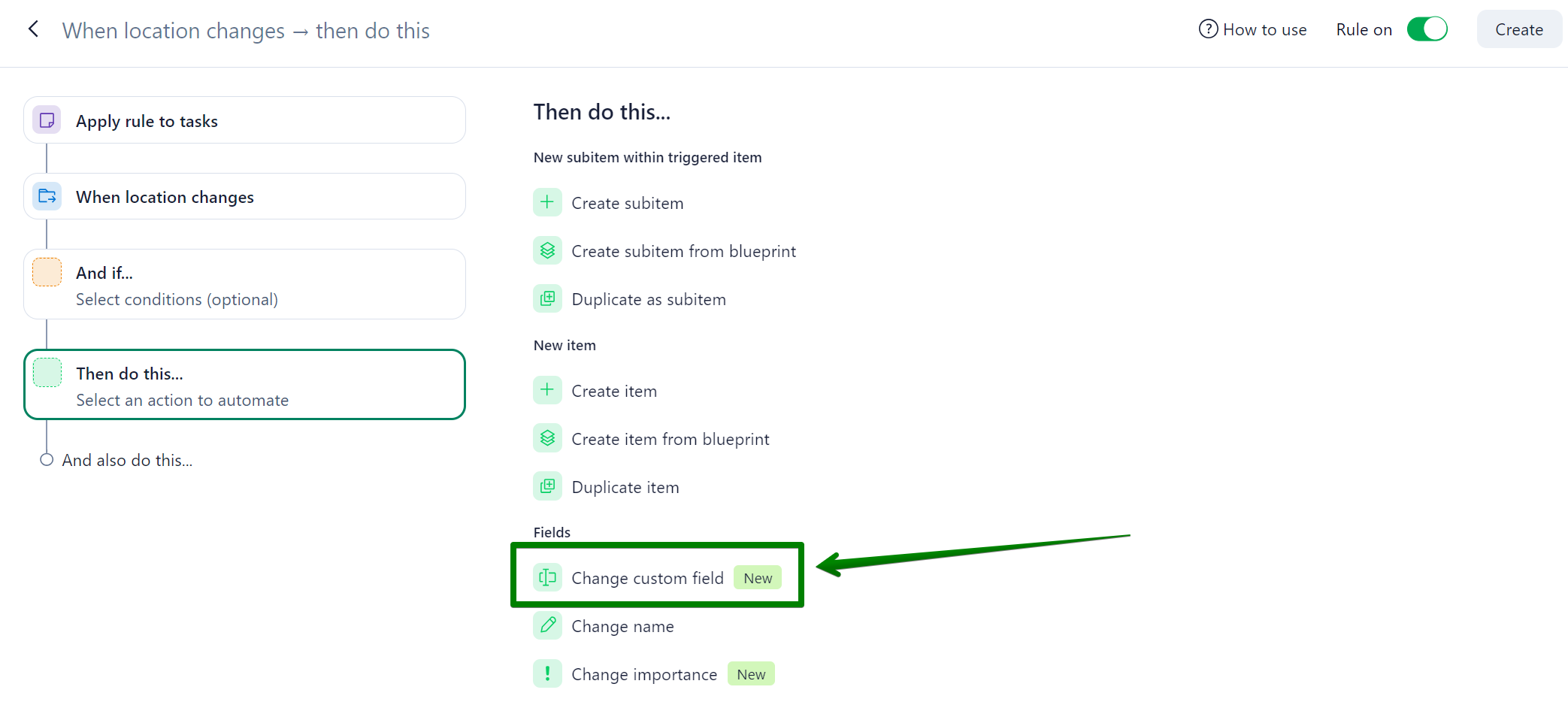
When creating an automation rule, you will find the new options under the “Change custom field” action.
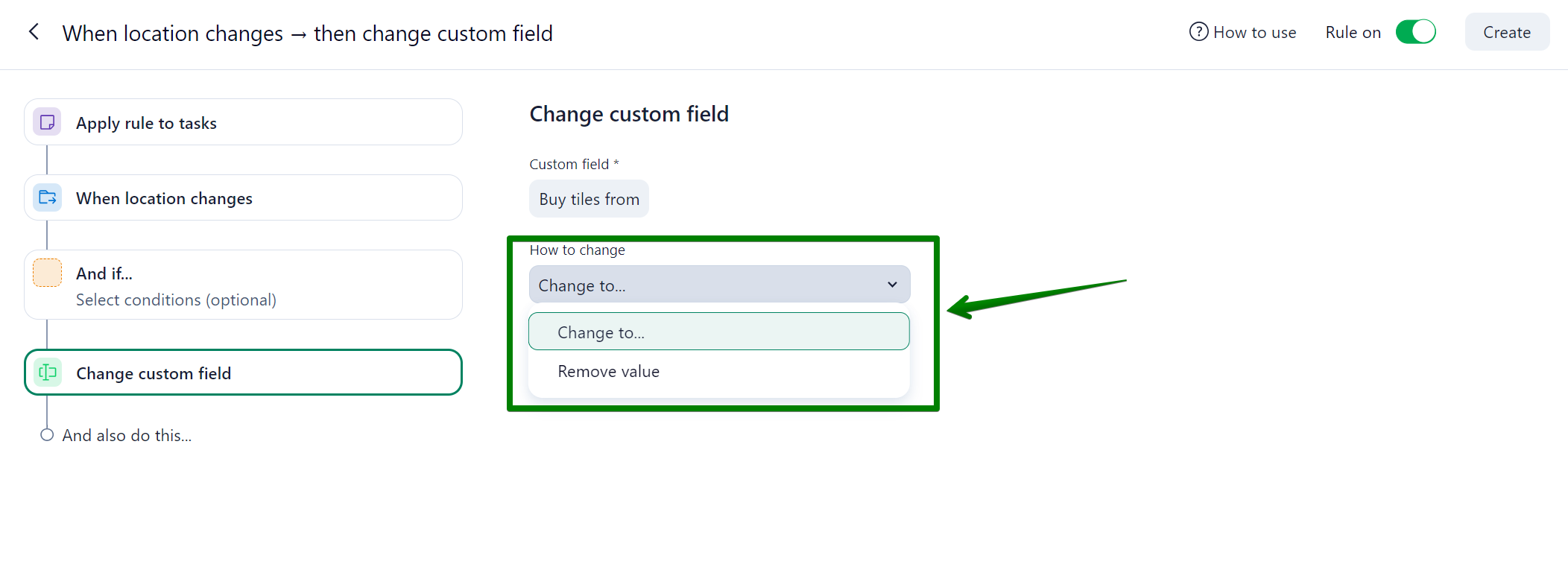
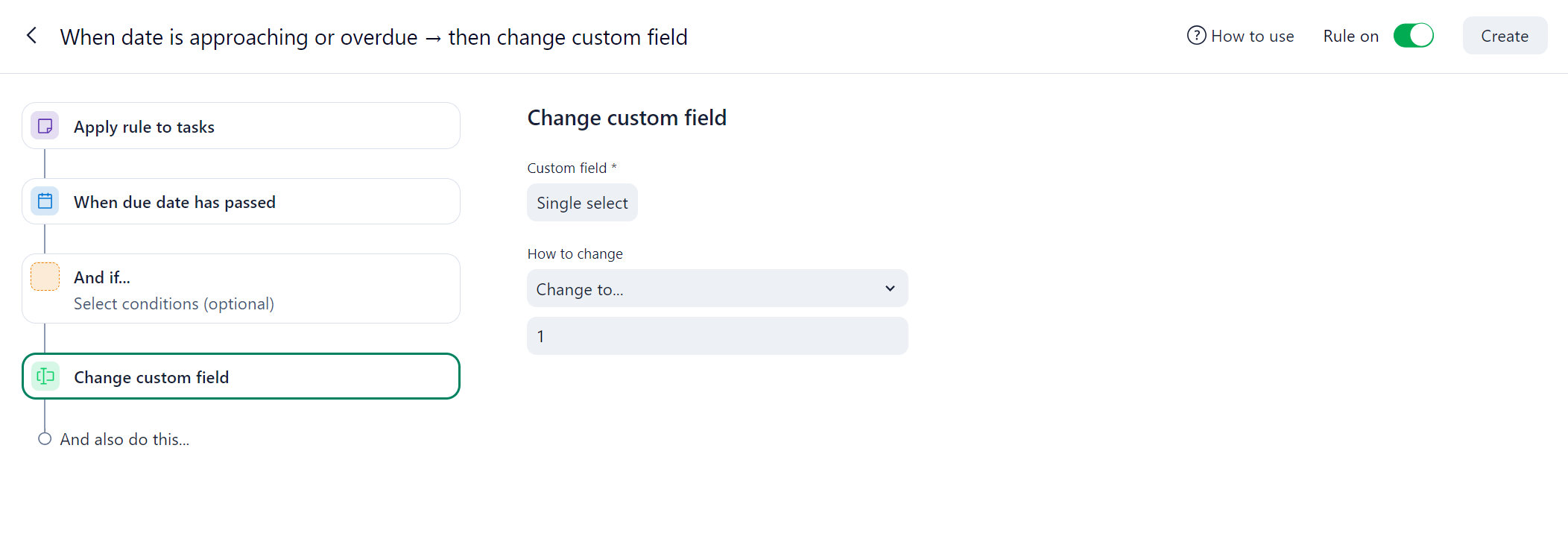
By selecting this option, you will be able to choose the relevant custom field and determine how its value should be changed - this option also includes the possibility of removing its current value:
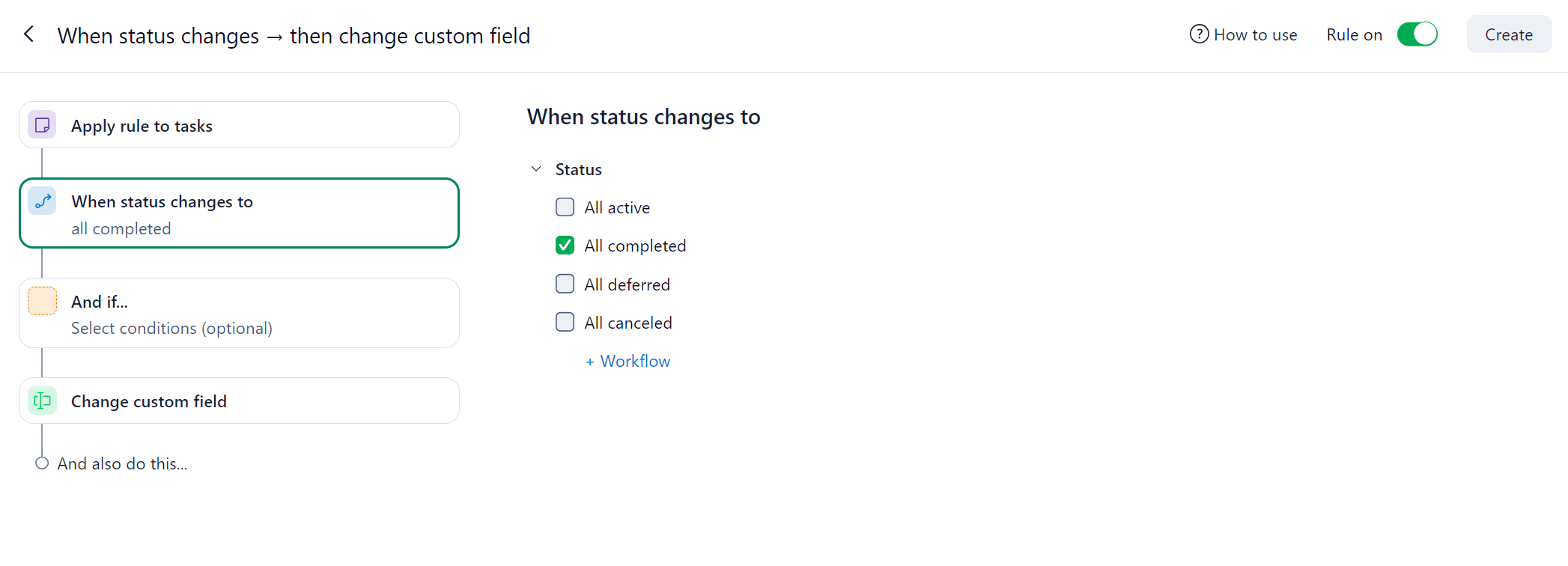
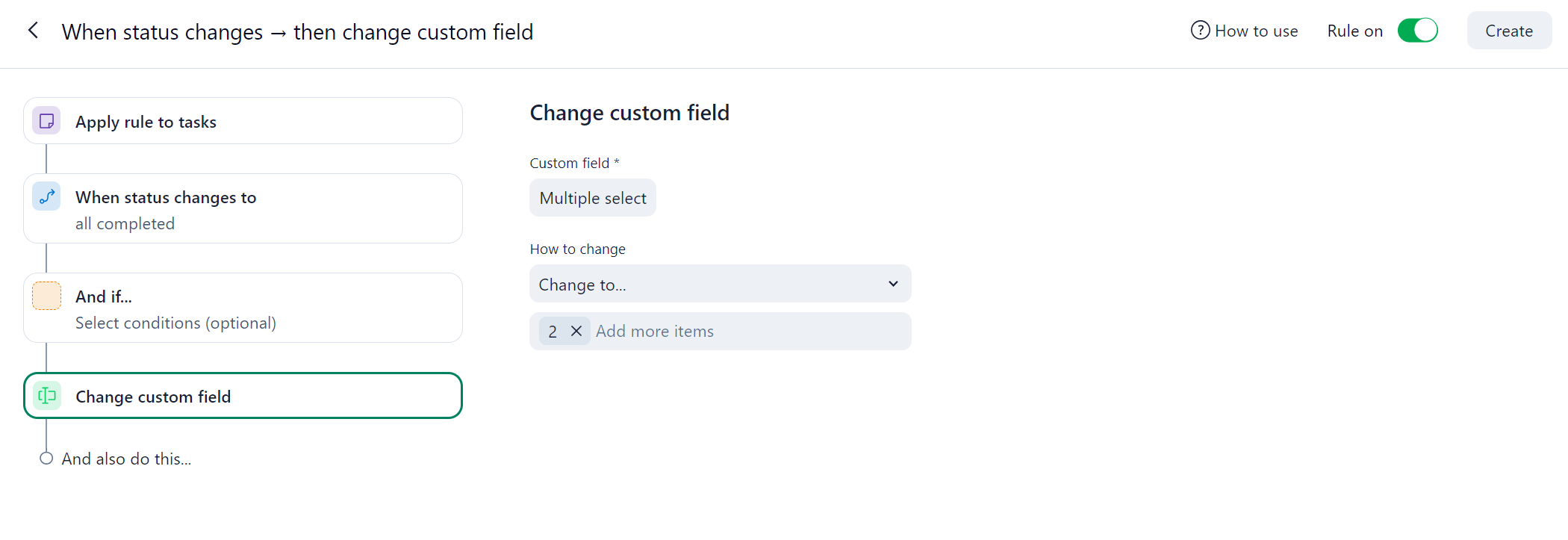
As an example of how you could use these new options, you’d be able to create a rule to automatically change the value of a custom field depending on the status of your task:
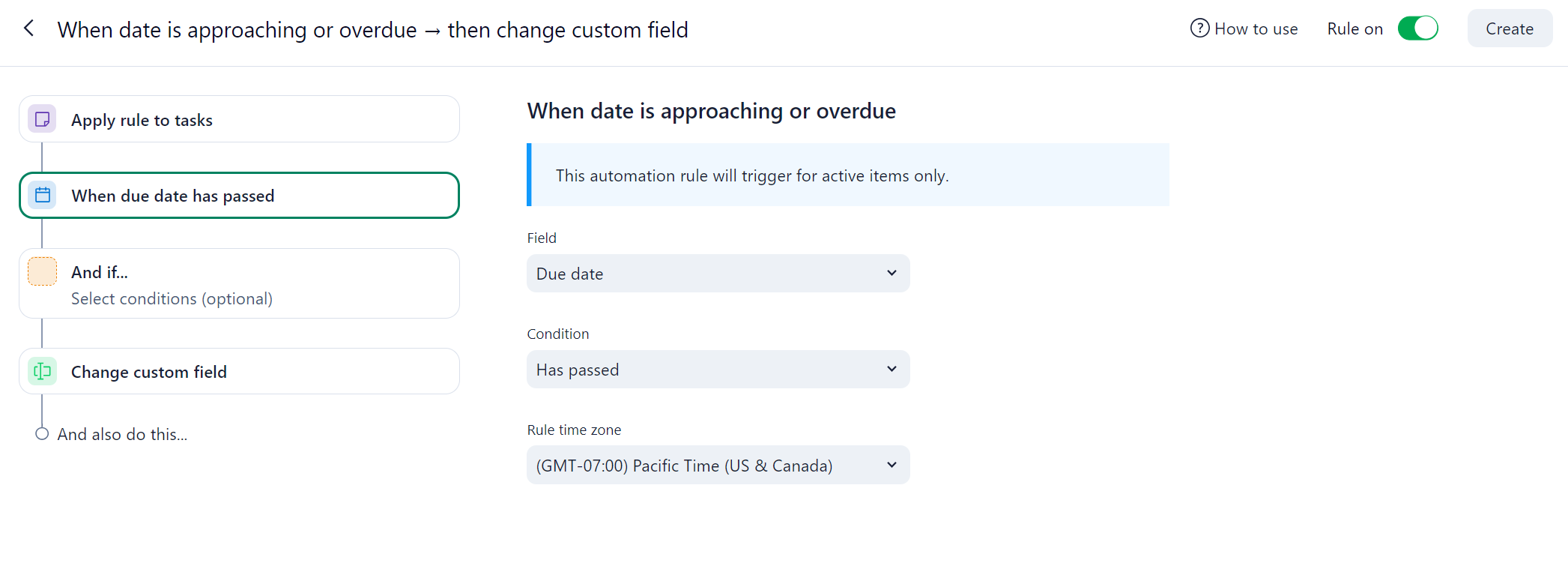
You could also automatically change the value of your custom fields in case your tasks are overdue:
The new available actions can also help you calculate important parameters in your account, such as the SPI - Schedule Performance Index. If you are interested in this case, you can learn more about it in this thread.
We know many Community members have been suggesting this feature, so please feel free to share your excitement in the comments section 💚
As always, if you have any questions, we are here to help 👍



