Hi team,
I was so thrilled to see today's weekly release notes for the Notepad widget in dashboards - this is definitely something I (and others) have posted about in this forum, so it's great to see it come to life!
In testing it today, I don't think it was quite ready for release. Here are some issues I encountered and general feedback.
[added 11/14] [Issue] Cannot edit!!!
Once you publish a Notepad widget, you cannot easily edit it. Sure, you can update the icon/background color/text, but the Discard and Save changes button don't appear!!! I can't add screen recordings, so bear with me with screenshots!
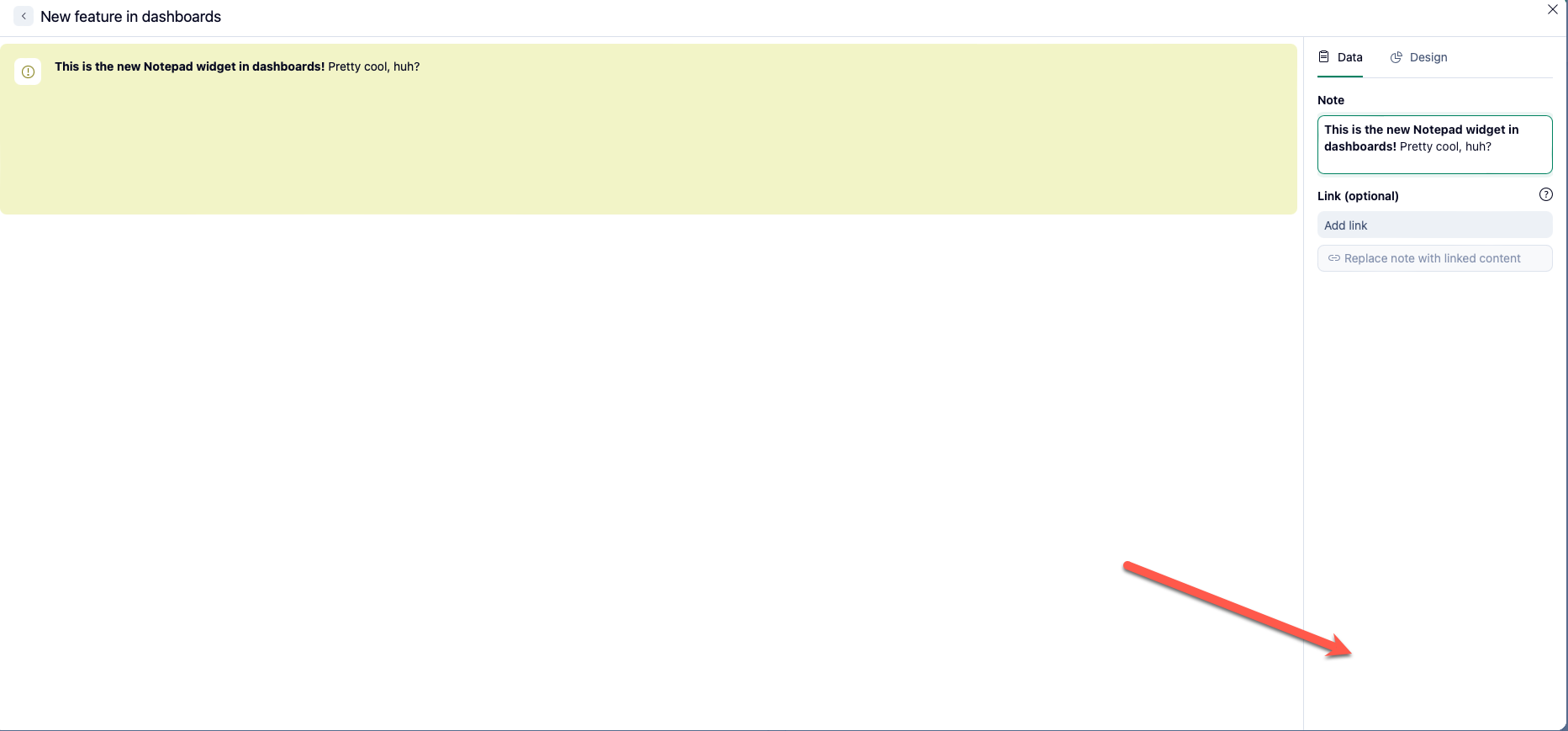
I did some testing and noticed you have to do one of the following to be able to save changes:
- Edit the text box and then click Enter (which again, as you will see below, doesn't add a line break)
- Edit the text box and then click anywhere outside of the text box, but within the widget settings
Ideally, the Discard and Save changes buttons should always be visible, similar to how they behave on other widgets.
[added 11/14] [Feedback] Preview doesn't update as you write or edit content
The preview box doesn't update as you write content in a fresh new widget or if you go back in one to edit. With a newly created widget, the preview will be completely blank as you add text; when editing the text, it will just show the original text and not the changes until you click out of the text box or click Enter (which again, doesn't add a line break as users would expect).

- Note: The only aspect that updates automatically is when you add/remove/change the icon and when you add/remove/change the background color.
Ideally, this widget would behave like other widgets where the preview updates as you update the content/filtering.
[Issue] The link option doesn't work
Other Wrike users mentioned that it doesn't work for them either on the original post that I wrote on.
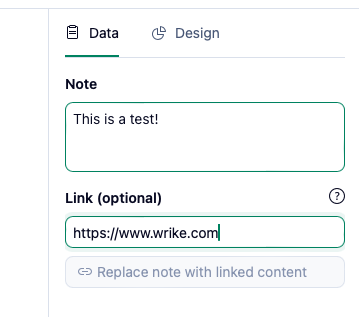
- The Replace note with linked content button never un-grays for us
- If we click Save and go back into the widget to edit it, the link we put disappears
- Adding a link to the Note box itself doesn't hyperlink it either
[Issue/Feedback] Formatting options could be more apparent
In the release notes post, it said that this new widget can be formatted.
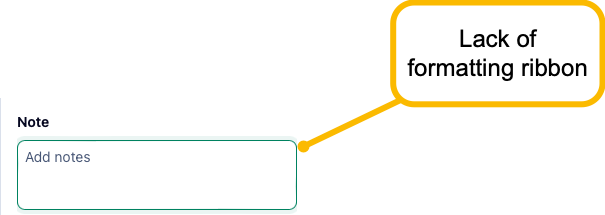
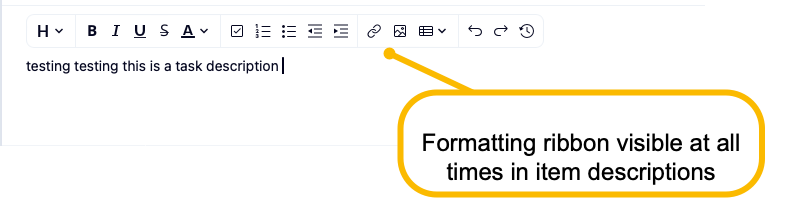
- There are no formatting options that in the UI by default - i.e. there is no formatting ribbon
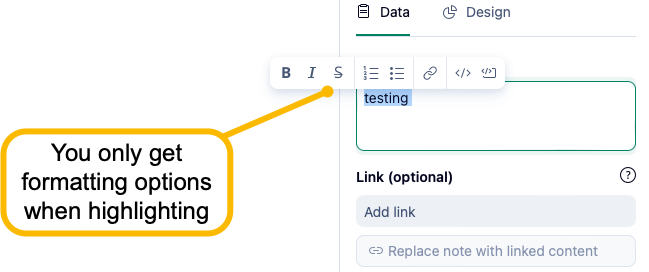
- I realized only after that if you hover over some text, you'll see the formatting options - this should be pinned as a ribbon regardless, similar to how it appears in a description box of any work item in Wrike
- Clicking Enter doesn't skip a line - in fact, nothing happens (that's an issue)
- You can only add a line break if you hit SHIFT+Enter - not apparent that that's the case
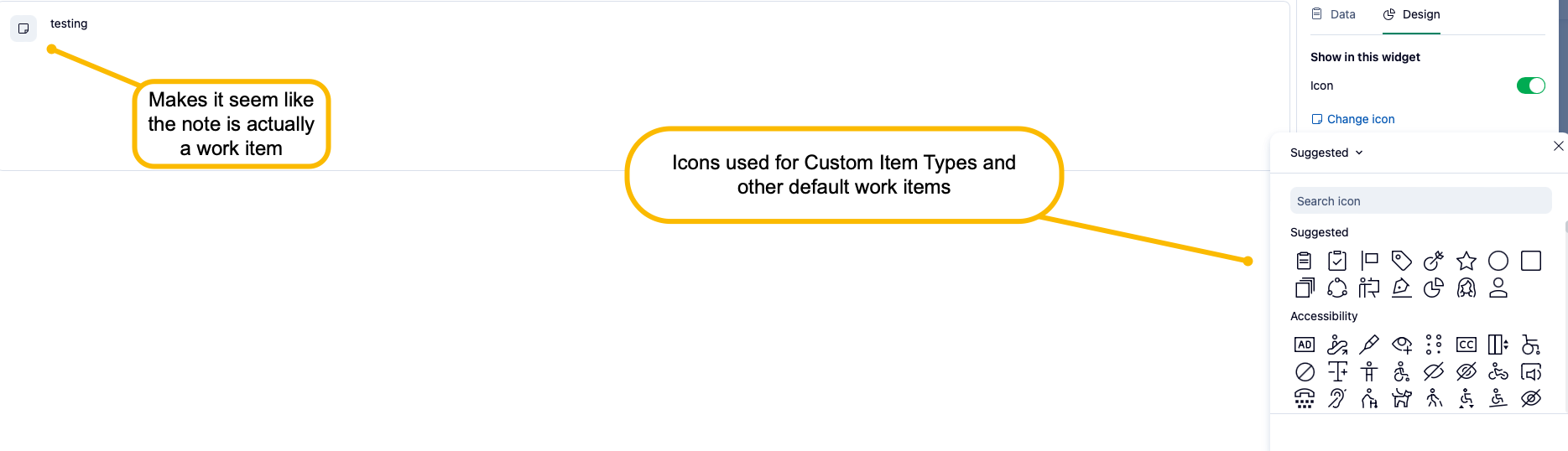
[Feedback] Icon causes confusion
While I think it's neat that you can customize the widget with a background, I don't think the icon brings much value. In fact, I personally feel like it brings a bit of confusion as I am automatically thinking of work items. We normally associate icons with different work items from default (task, project, folder) to custom (custom item types), so seeing this randomly on a notepad - while it is optional - can cause confusion if enabled. I'm not sure what others think about the ability to add an icon, but I think the border of the widget itself and the optional color background help us identify it from the other widgets.
[Feedback] Love the background color option!
Again though, love the fact that you can change the background color of the widget - I think this will help set these note widgets apart from the other widgets that pull data!