A manager recently asked if we could track the date a task's status was last updated. While Wrike’s default “Last Modified Date” captures any change to a task, it doesn’t isolate status changes.
To solve this, I used a Custom Field and Dynamic Dates Management in Automation. Here’s how:
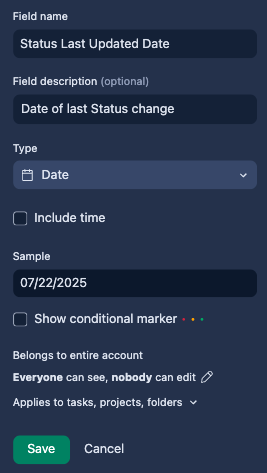
1) Create a Custom Field
Name it something like Status Last Updated Date. Set the type to Date.
2) Set Up Automation
-Apply rules to: Tasks
-Trigger: When status changes to any (Active, Complete, Deferred, Cancelled)
-Action: Change custom field → select your new field → set value to the formula Today()
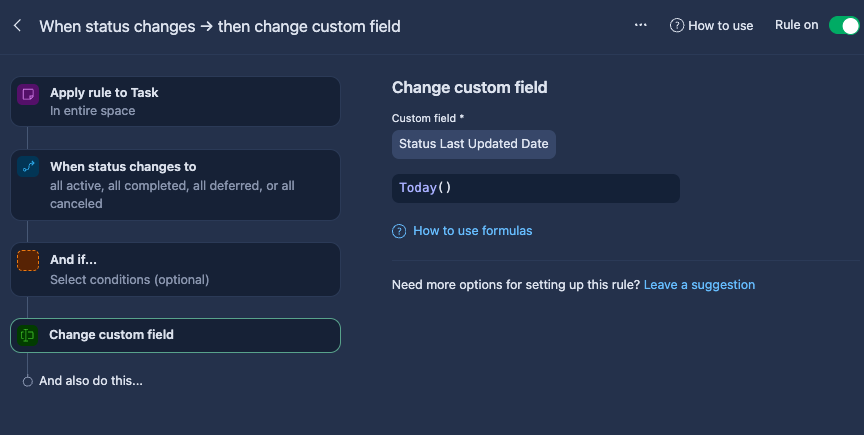
Now, whenever a task’s status changes, the custom field automatically updates with the current date.
Hope this helps others looking for a similar solution!