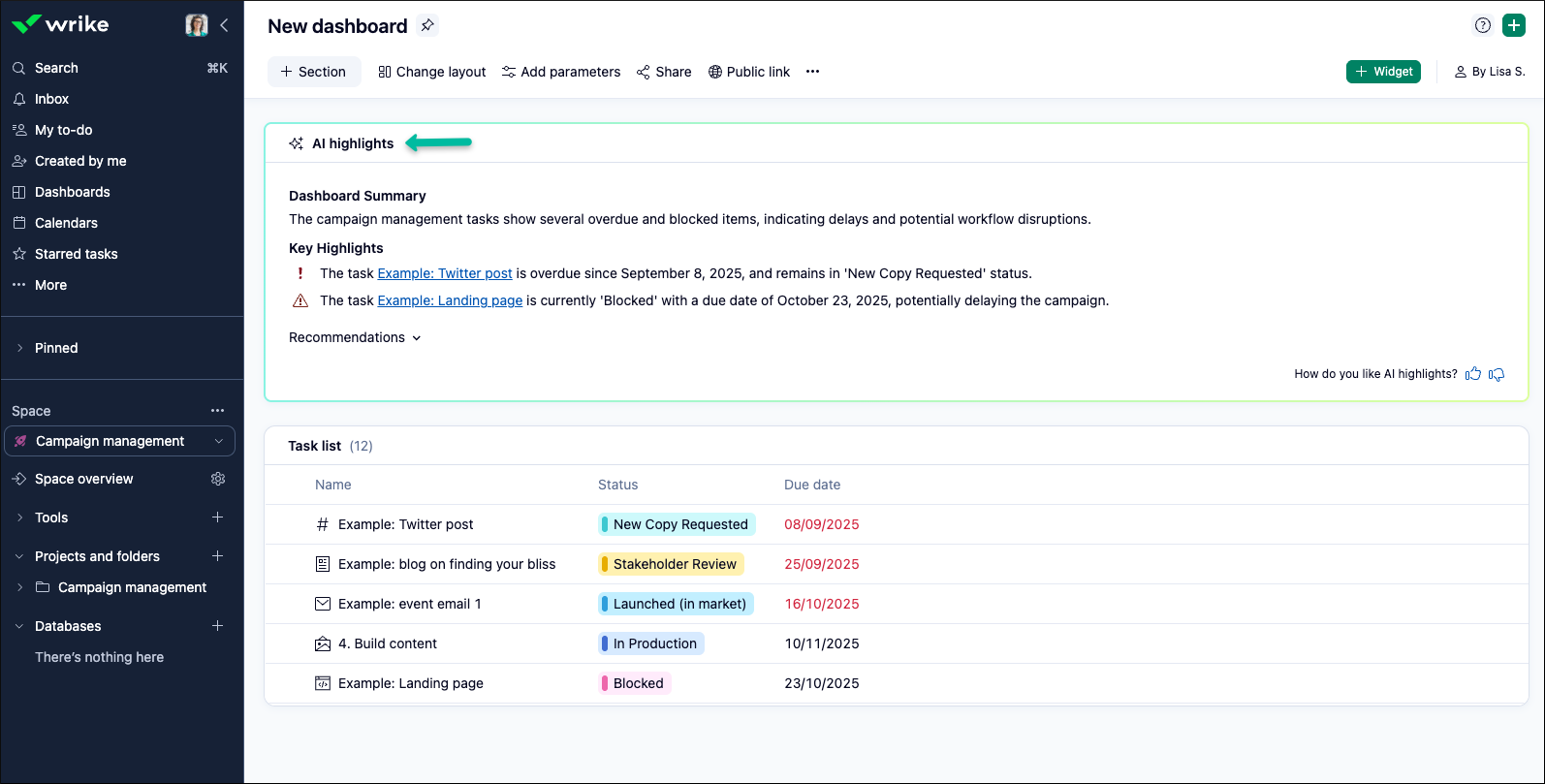
TL;DR: Discover how Wrike’s AI Highlights widget for Dashboards surfaces urgent updates and key details to keep your projects organized. Share your experience or tips in the comments!
Hey Community! 🙋♂️
Today we’re diving into one of our powerful AI features: AI Highlights in Dashboards.
✨ Wrike’s AI Highlights in Dashboards is a game-changer for keeping your projects on track. This smart feature scans your Dashboard and instantly surfaces key updates—like overdue tasks, blockers, progress, and more, so you have a clear overview without digging through endless lists.
To get started:
- Go to your Dashboard
- Click on + Widget
- Select AI Highlights Widget and add it to your Dashboard
Tip: Kick off your day by checking your dashboard’s AI Highlights. You’ll immediately know what needs your attention and can quickly reprioritize if something urgent pops up.
Please Note: Access to AI features requires
Generative AI to be enabled in your settings. For more information or setup instructions, please see our
Help Center article.
Now, we’d love to learn from you!
How has AI Highlights in your Dashboards helped you catch important details, stay organized, or prepare for meetings? Share your best tip or story in the comments—we’re all about working smarter together! 💯