Hello Wrike Community! 🙂
We’re thrilled to invite you to beta test our new Expression Language feature in Wrike Automation that helps automate date management within Wrike. This feature allows you to manipulate date fields dynamically for enhanced workflow automation and efficiency.
What is Expression Language? ✨
Expression Language is a versatile query meta-language enabling you to reference fields—both system and custom—within Wrike. You can use operators and functions to perform dynamic calculations and automate complex processes.
Use Cases to Explore 💡
Start Date Adjustment: Automatically update the start date when a task status turns "In Progress" with Today().
Post-Predecessor Scheduling: Set start dates to the next day after all predecessor tasks complete using Today() + 1.
Custom Field Change Tracking: Record the date of changes in custom fields using Today().
Sprint-Based Due Dates: Adjust due dates by evaluating sprint estimations in the "ETA" field with MoveDateLater(Field("Start date"), Field("ETA")*10).
Proofreading Adjustments: Modify due dates based on the "Proofread Required" field with expressions that can add or subtract days.
Weekend and Estimation Adjustments: Automatically shift due dates according to weekends and estimation fields.
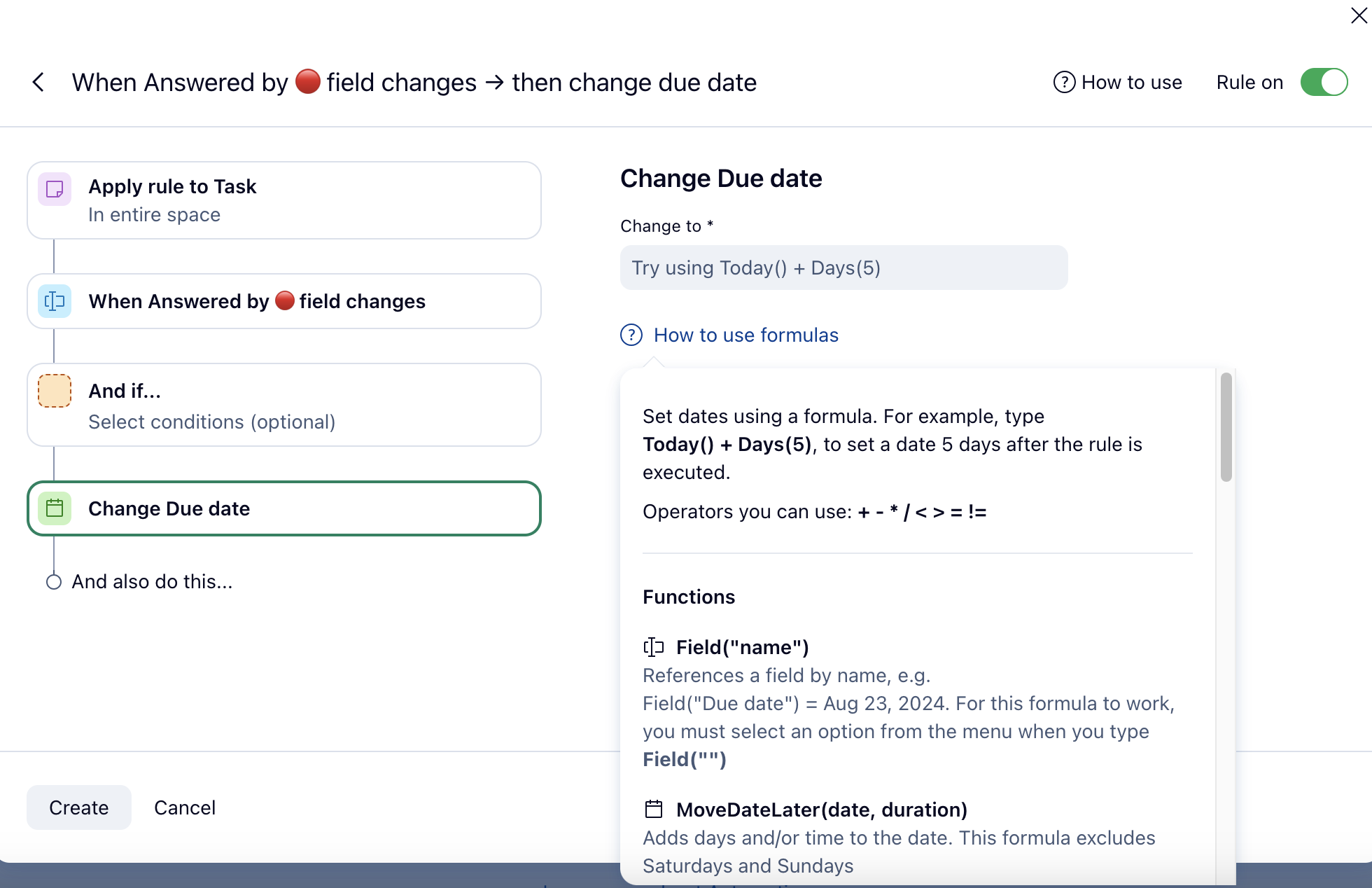
Operators You Can Use
To simplify the syntax instead of some functions you can use operators: + - * / < > = !=
E.g. MoveDateLater(Today(), Days(3)) will return the same result as Today() + 3
Supported System and Custom Fields You Can Reference 🔧
System Fields:
Start Date, Due Date, Created Date, Completed Date, Duration (currently under maintenance), Effort, Actual Fees, Actual Cost, Planned Fees, Planned Cost
Custom Field Types:
Date, Duration, Number, Currency, Percent
Available functions can be found in this doc.
Important Beta Limitations ✋
During the beta, please be aware of some temporary limitations:
Rule Reset Requirement: Several days post-beta release, rules involving expressions will require you to reopen and re-save them for continued functionality. This is a technical issue we aim to resolve swiftly.
Fixed Working Days: Currently, Saturdays and Sundays are non-working days. Future updates will allow for custom work schedules.
Field Selection: At present, selecting fields in expressions requires using the suggested menu. A future update will allow direct input.
Time in Custom Fields: This Labs feature isn’t supported in expressions and time specified in date custom fields isn't taken into account when referenced.
Why Join the Beta? 📌
Innovate: Explore this new feature and contribute to its development.
Contribute: Provide feedback that helps us enhance the functionality.
Optimize: Automate date adjustments with greater efficiency and precision.
How to Participate 👇
If you're eager to be at the forefront of automation innovation, we’d love to have you join our beta test. Let us know in the comments if you’d like to participate! 📣
We look forward to your insights!