If you want to send an email to Wrike (so that the email becomes a task), here is how you can make it happen:
- Make sure you’ve added your email address to your Wrike profile.
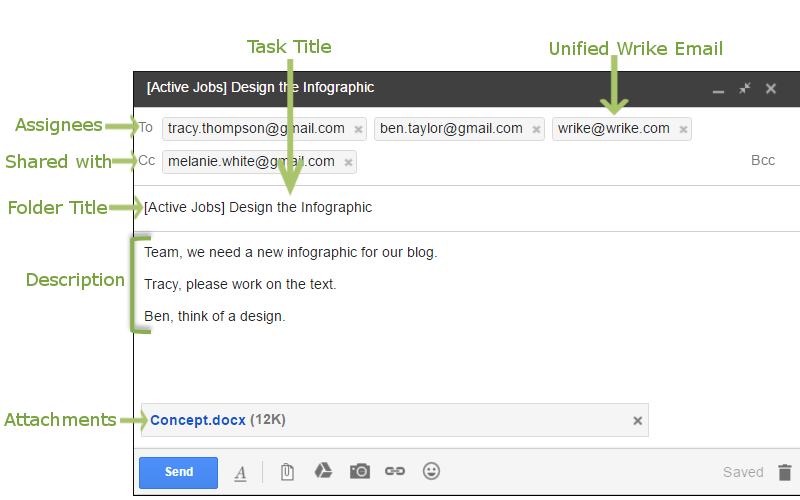
- Draft a new email and include wrike@wrike.com in the “To” field along with the assignees’ email address. If you want to share a task with someone, include their addresses in the “CC” field.
- The email’s subject becomes the task’s title, and the email’s body becomes the task’s description. Files you attach to the email are attached to the task.
When you send an email to Wrike, a task appears in the Folder specified in your Email integration settings. If you want tasks to land in a different Folder, just add its name in square brackets in the beginning of the subject line.