Hi Community 🙂
We are pleased to be starting another use case discussion, today, let’s see how you can simplify your employee vacation tracking process with Wrike’s Attendance Tracker template 📌
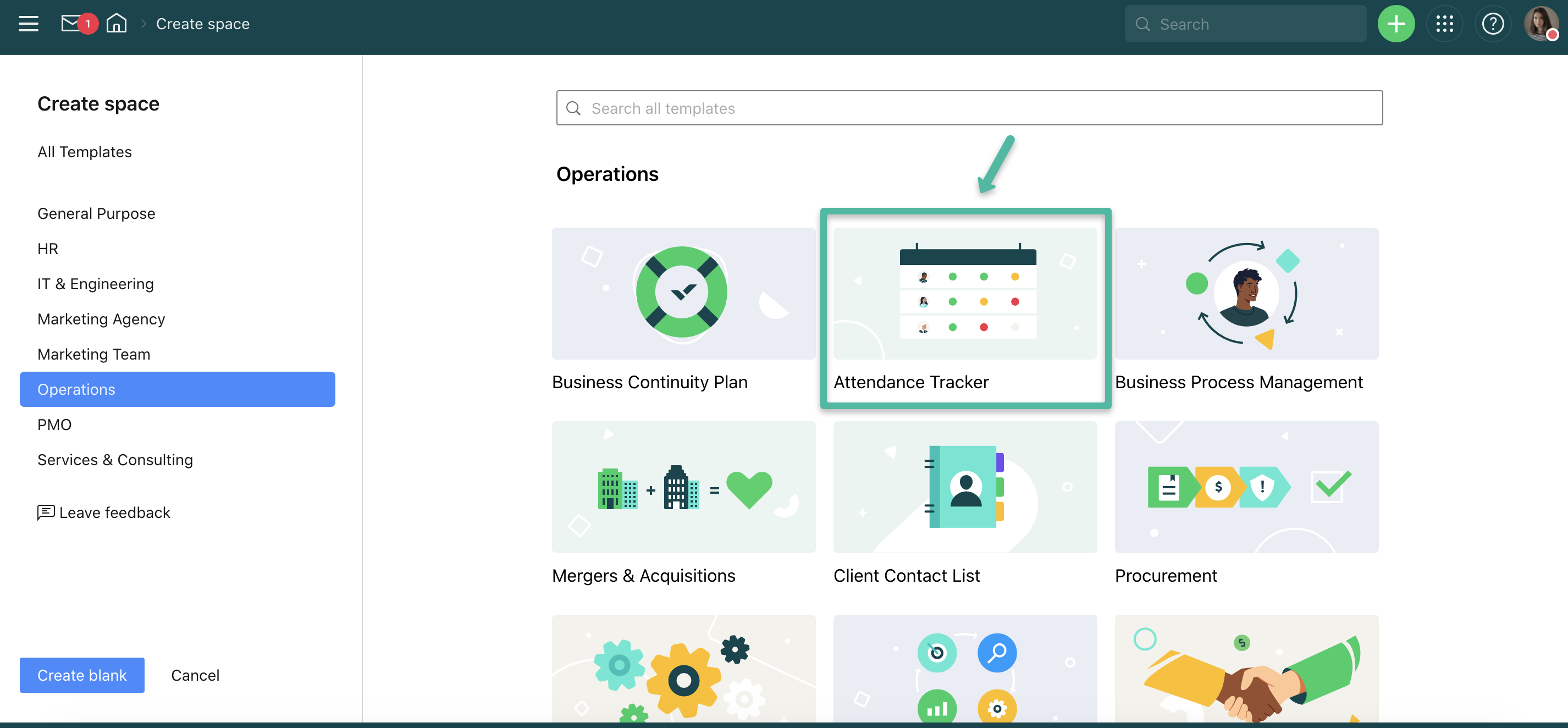
- Use Case: Attendance Tracker.
- Can be used by: Any team.
- How to launch: From the space creation dialogue.
- Functionality used: Folders, tasks, custom fields, a custom workflow, a request form, a dashboard, a calendar, and a report.
- What’s inside: A request form that employees submit to track their attendance, a folder for storing attendance tasks, and tools for tracking attendance.
- Additional resources:
- The template’s page on the Wrike website.
Attendance Tracker
Employees can use the pre-built request form to submit their vacation requests and include all important information. They will input their name, requested vacation dates, and add any contextual information in the notes box.
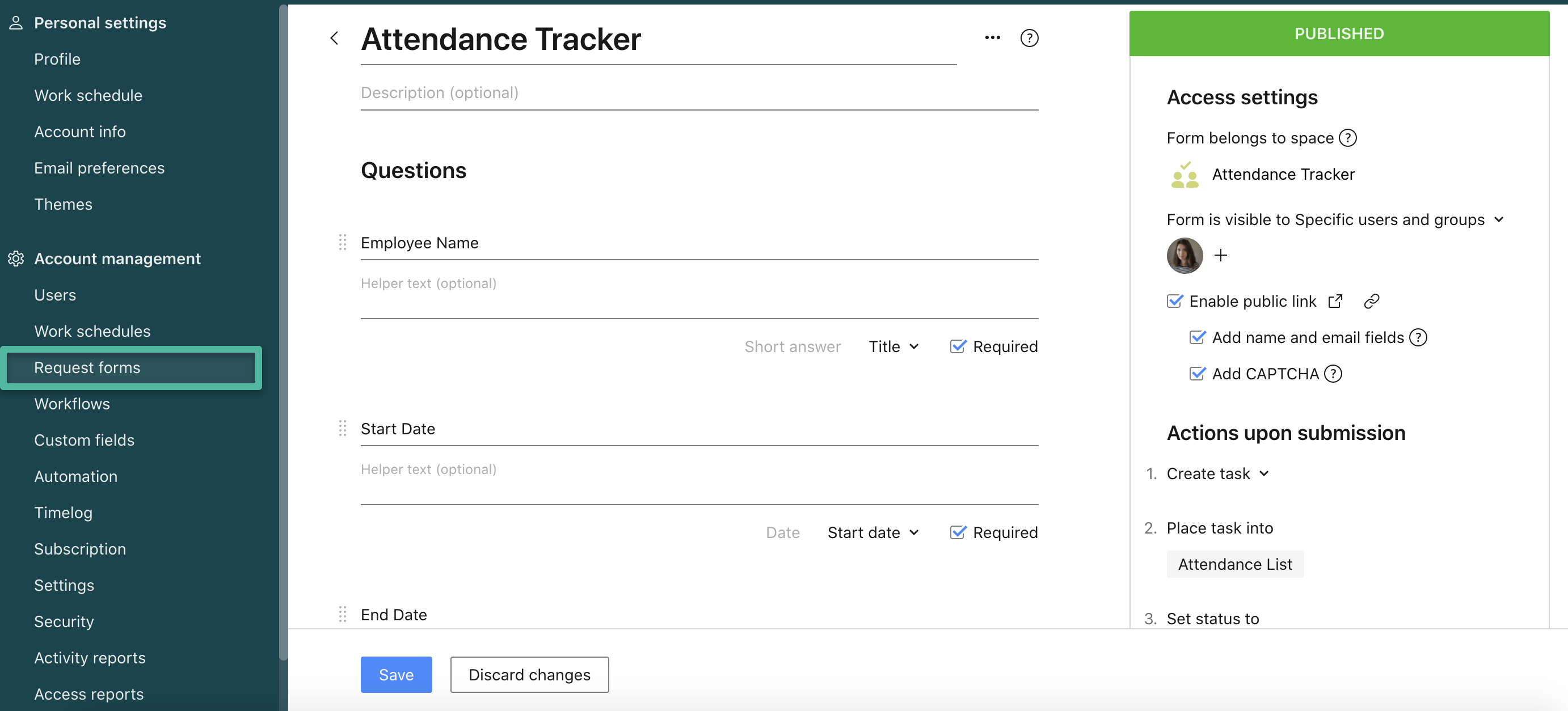
Once the request is submitted, it creates a task in the Attendance List folder.
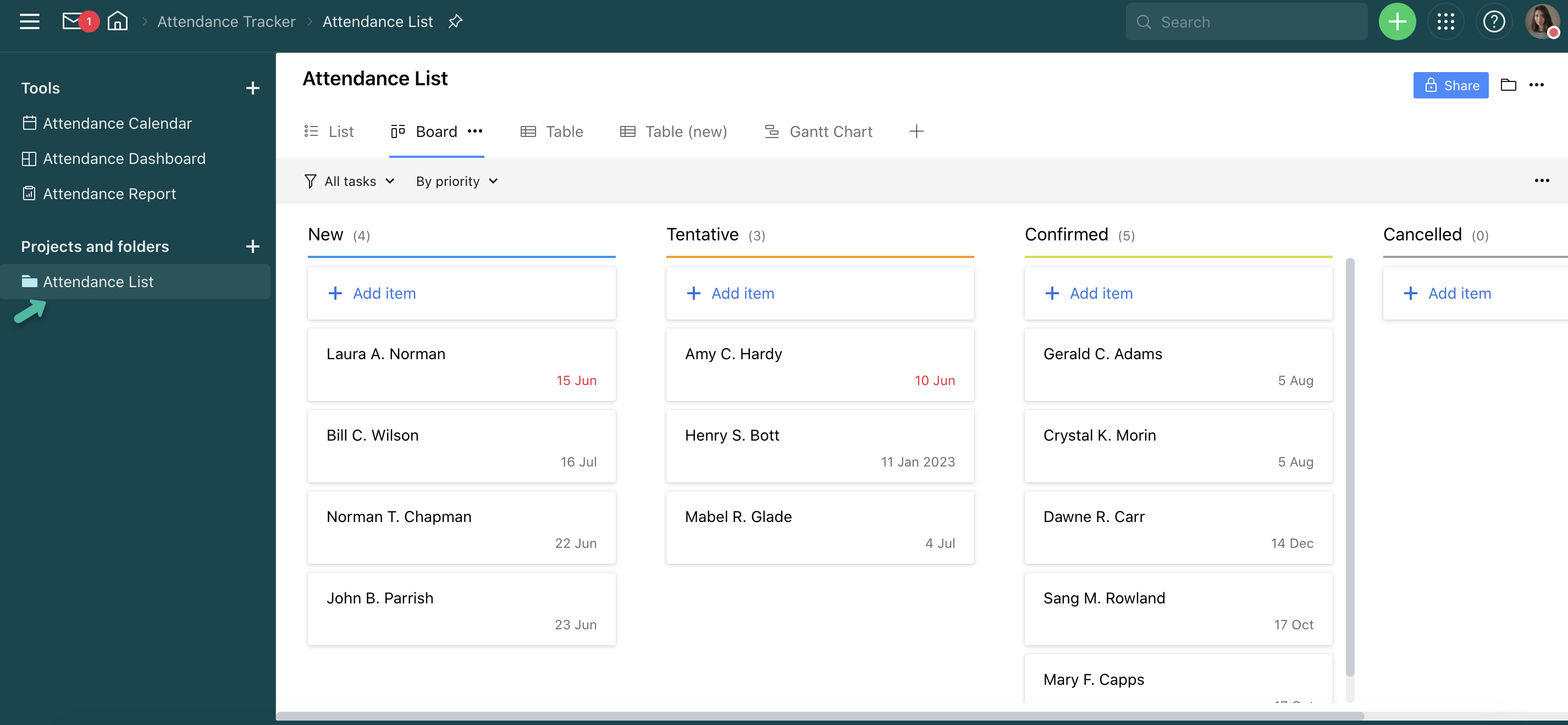
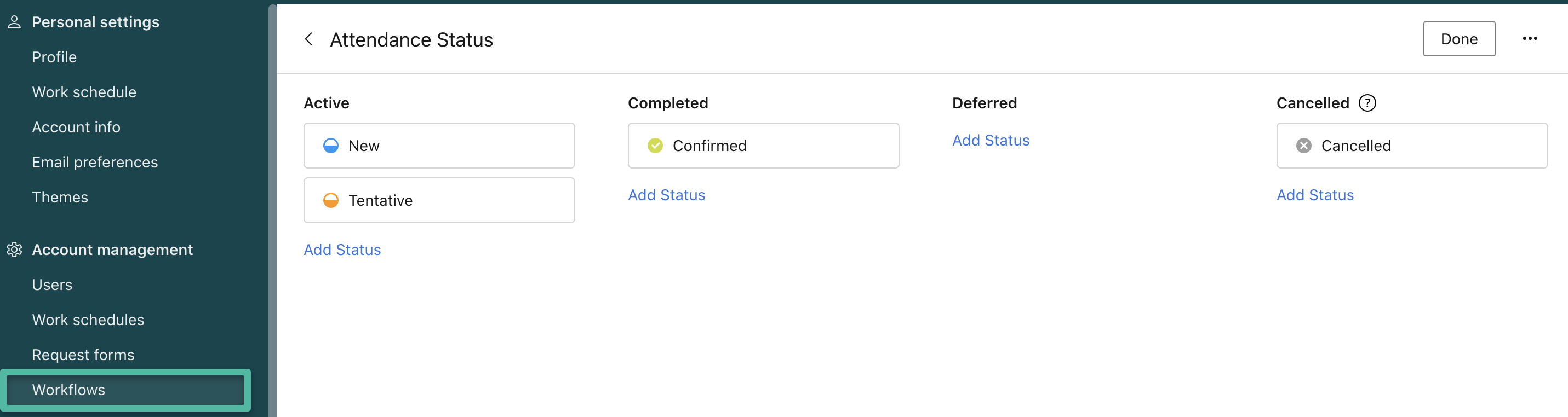
This folder’s primary view is the Board where tasks are grouped according to their statuses. The Attendance Tracker template uses a custom workflow called ‘Attendance Status’:
The tasks created upon request form submission are also populated with the pre-built custom fields that represent the attendance status and any comments that an employee has left while filling out the request.
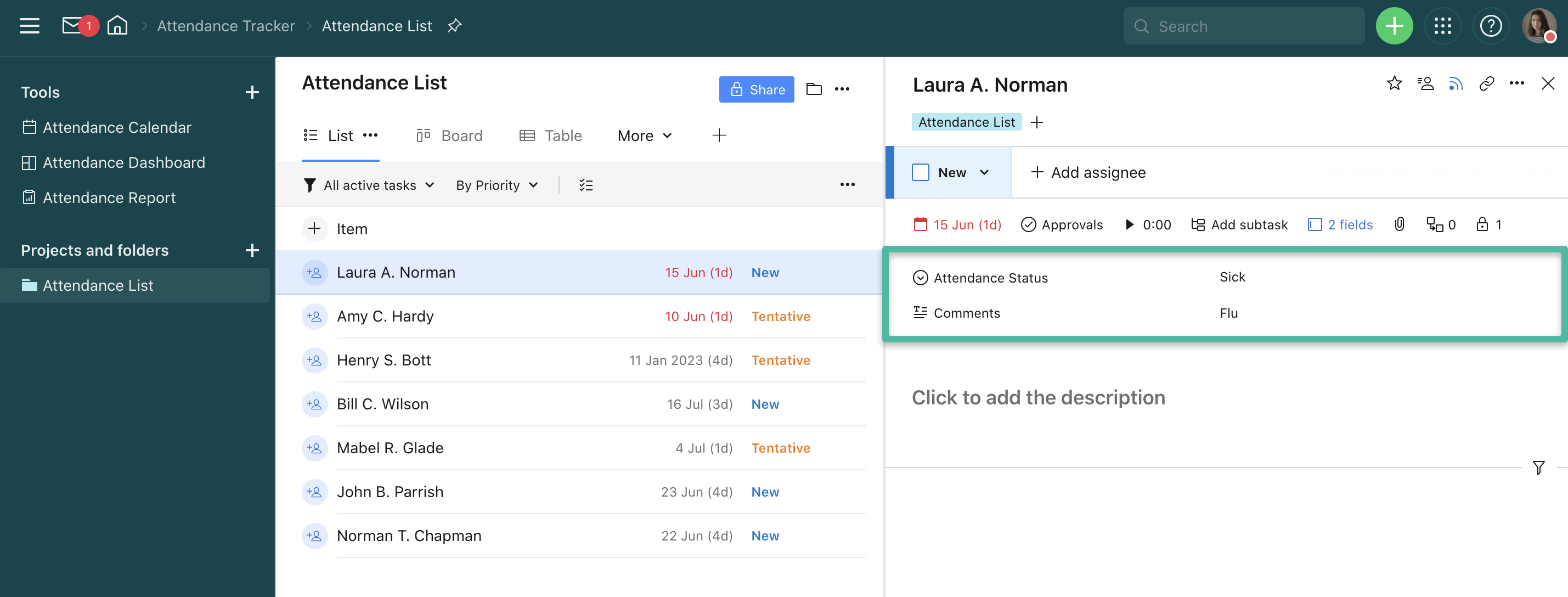
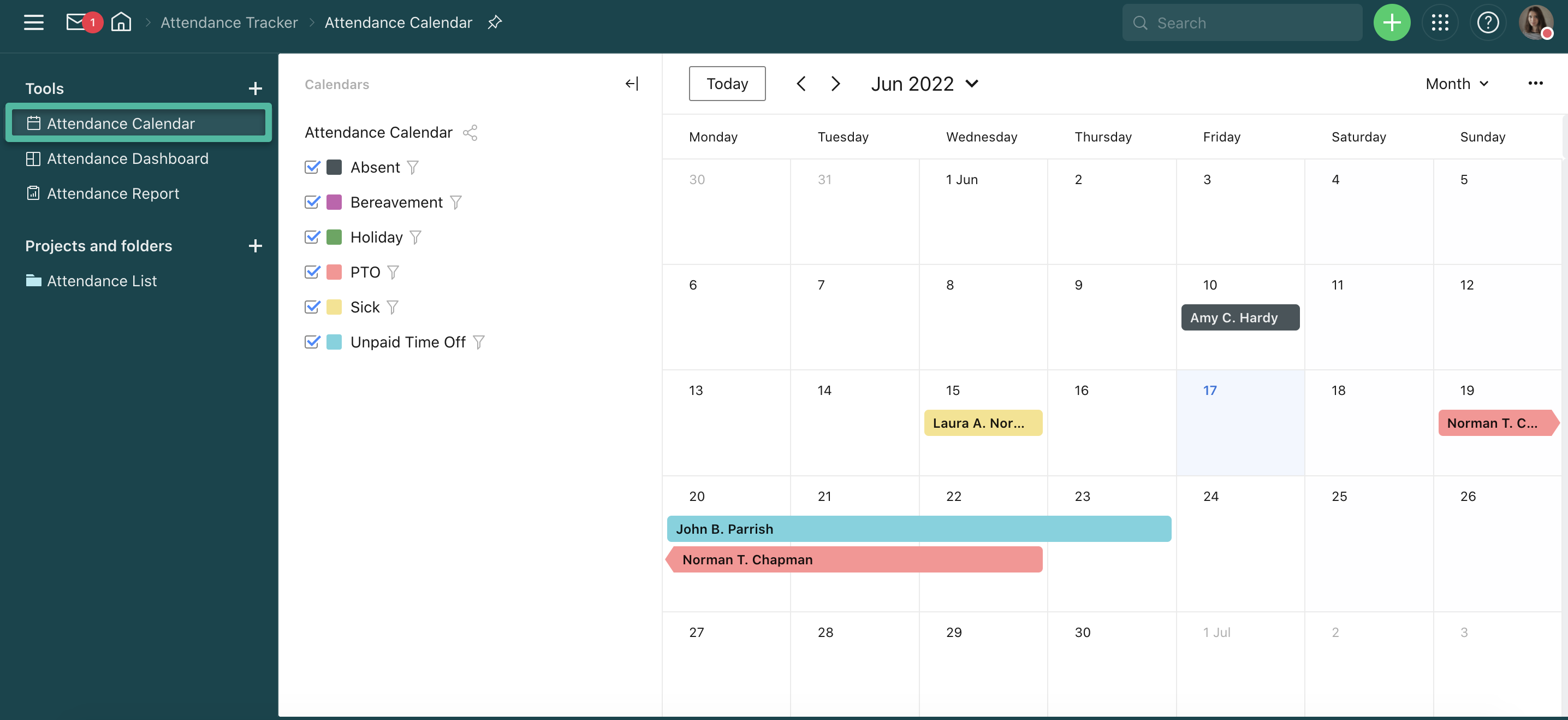
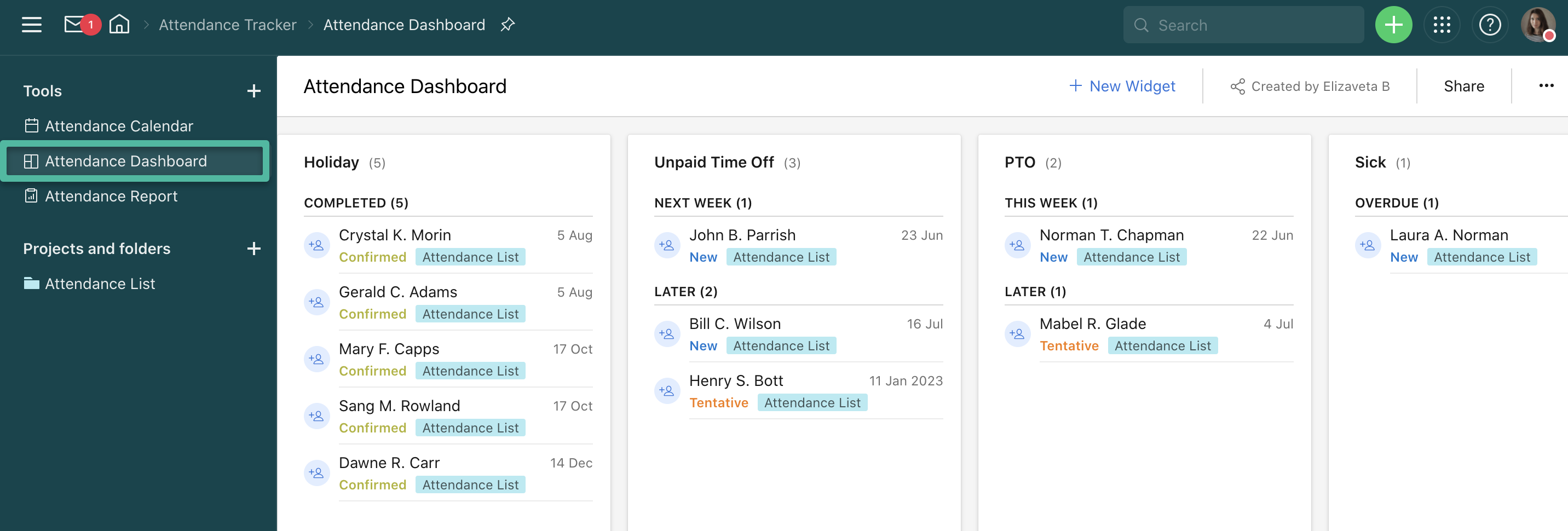
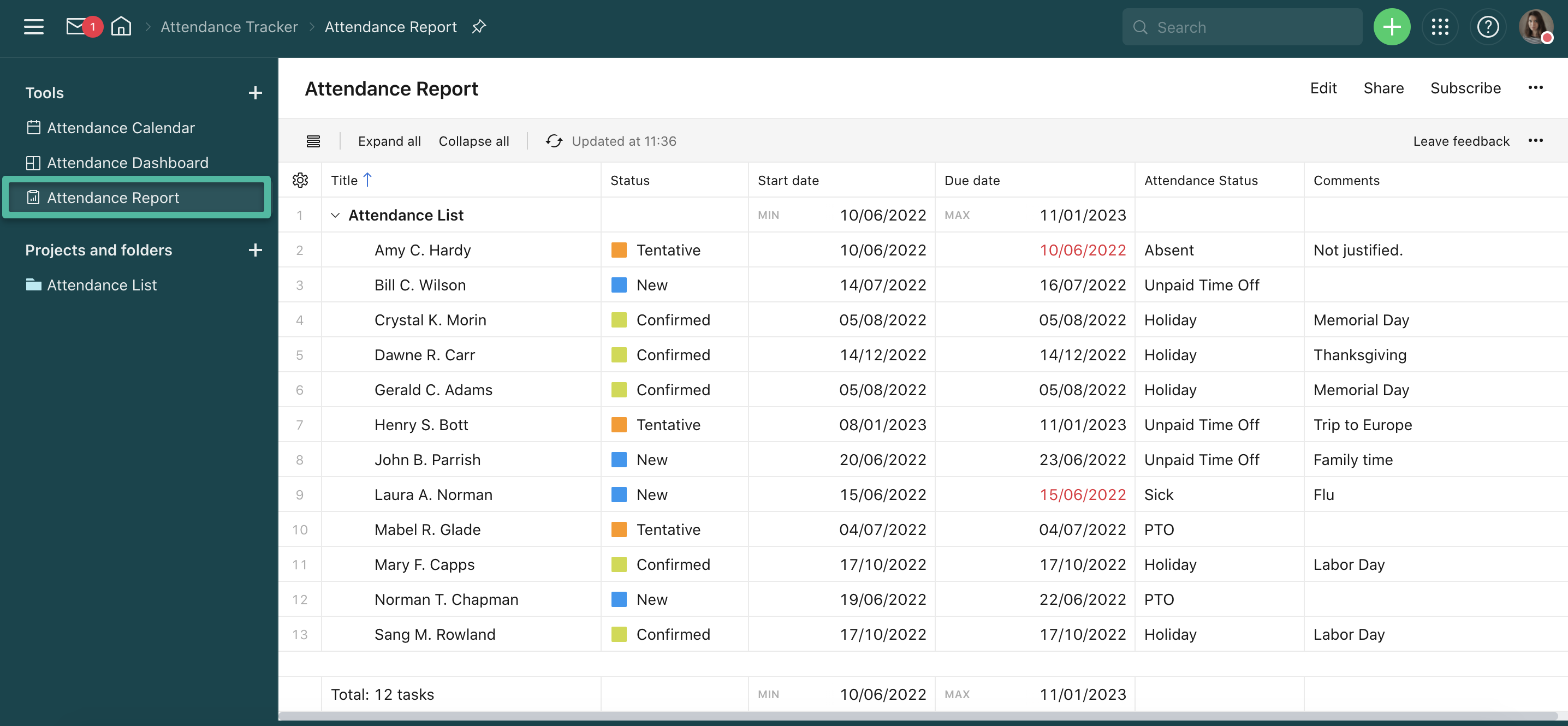
In the tools section, there are several useful apps to help you track and report on the employee's attendance.
Attendance Calendar:
Attendance Dashboard:
Attendance Report:
Please share how employee attendance or PTOs are managed in your organization. Do you have a system similar to this template, or are you using a different setup? Let us know below 👇