Request Forms have proved to be extremely valuable for work in-take across various teams, whether it's requests coming from clients or across various teams internally.
But now *drum roll* 🥁 Request Forms have become even more valuable with the introduction of the newest Wrike Labs feature, Wrike Blueprints.
Before Blueprints were introduced as a Labs feature, there were four options around what items could be created or duplicated on the Request Form submission:
- Create new task
- Duplicate task
- Create new project
- Duplicate project
Now, two new actions have been added to Forms when someone submits a request:
- Create task from Blueprint
- Create project from Blueprint
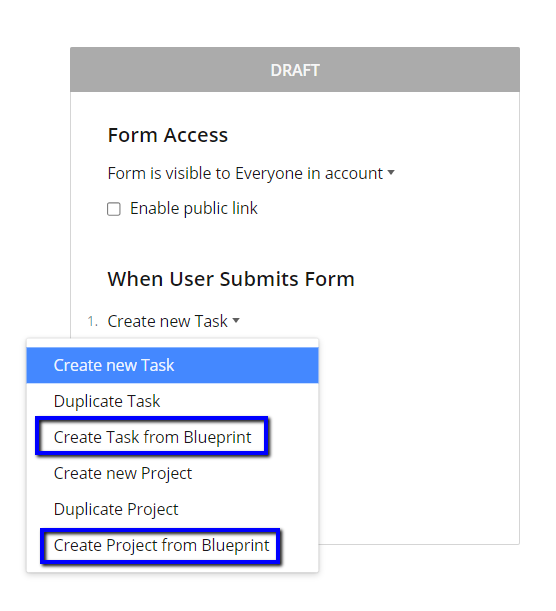
With Blueprints and Request Forms you can further streamline the process of getting requested work completed.
Example:
Let’s look at an example of a Marketing Team who use Request Forms and Blueprints to in-take work from other teams within their company.
- This marketing team receives a lot of requests from different departments for email campaigns, blog posts creation, paid advertising campaigns etc. The team cleverly created a Form for each type of Request.
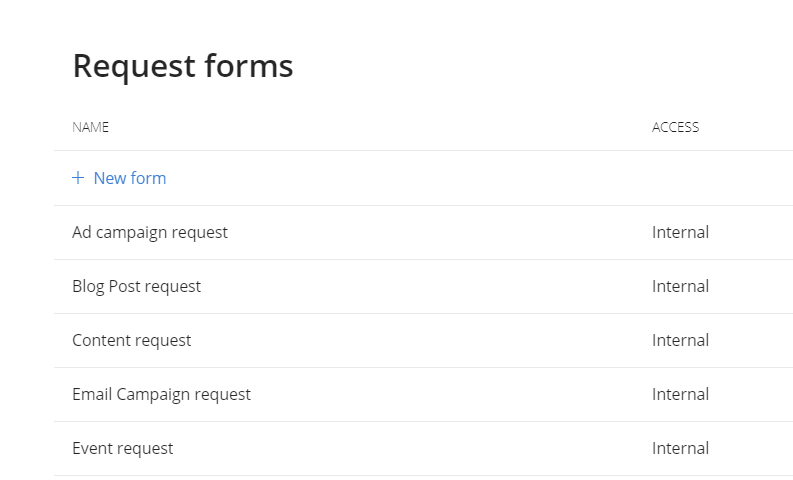
- The team then leverage Blueprints for each type of request. In the Blueprint task, the marketing manager has included descriptions of what steps need to be taken. A huge benefit of Blueprints is that they can also assign the people who need to work on the tasks and assigning people when creating the Blueprint won’t trigger any notifications for the assignee, so they don’t become distracted with Inbox notifications. Statuses and dependencies can also be added when creating a new Blueprint: all of which do not trigger notifications for assignees either!
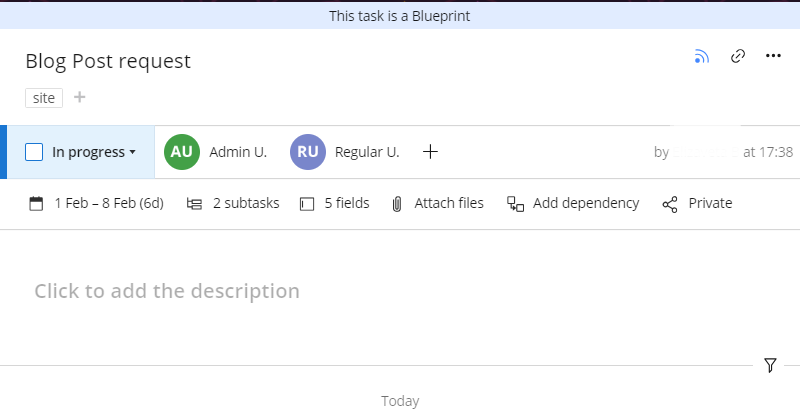
- Now each time someone submits a Request Form for the marketing team, the task that is generated from their Blueprint has all the important information straight away. This results in happy requesters and a happy marketing team, win-win!
- Type of request
- Additional information (what to include etc)
- Assignees who will be responsible for the task
- Other details that can be added when building the Request Form (deadline, attachments, importance etc)
This is just one of many ways to save a lot of time from simply using Blueprints with Request Forms. Comment below with what you like most about Blueprints and a little bit about how you’re using them today.
Need to activate Blueprints for your Workspace? Admins can visit Wrike Labs and activate it for your entire account.
Questions? Comment below.



