[Update 1/2/19]: Effort Allocation is no longer in Labs, please disregard the below. If you're interested in managing workloads, take a look at Wrike Resource.
________________
Effort Allocation is a Wrike Labs feature which is great for indicating how much of an assignee’s day a task should take. Before, it was only possible to enter and view how much effort a task would take as a percentage (i.e. what percent of your day the task would take). We’ve received several requests about adding the option to indicate allocated time in hours, and now it’s here!
Allocation
Once Effort Allocation is enabled, you can use both the percentage-based “Allocation” field, and time-based “Allocated Hours” fields. The Allocation field allows you to enter what percent of a day a task should take (based on an 8 hour workday).
Use Case: Allocation in percentages is useful for indicating the effort required for larger tasks. For example, if a team member should spend half of the workday working on a task, simply enter 50% in the field.
Allocated Hours
Often teams need to work on various tasks throughout the day. When there are multiple brochures to design, blog posts to write, or campaigns to be launched, it can be tricky to calculate what percentage of a day to allocate to a single task. Now you can use the “Allocated hours” field to enter how many hours a task should take (without spending any additional time calculating percentages).
Use Case: Allocation in hours is useful when you want to
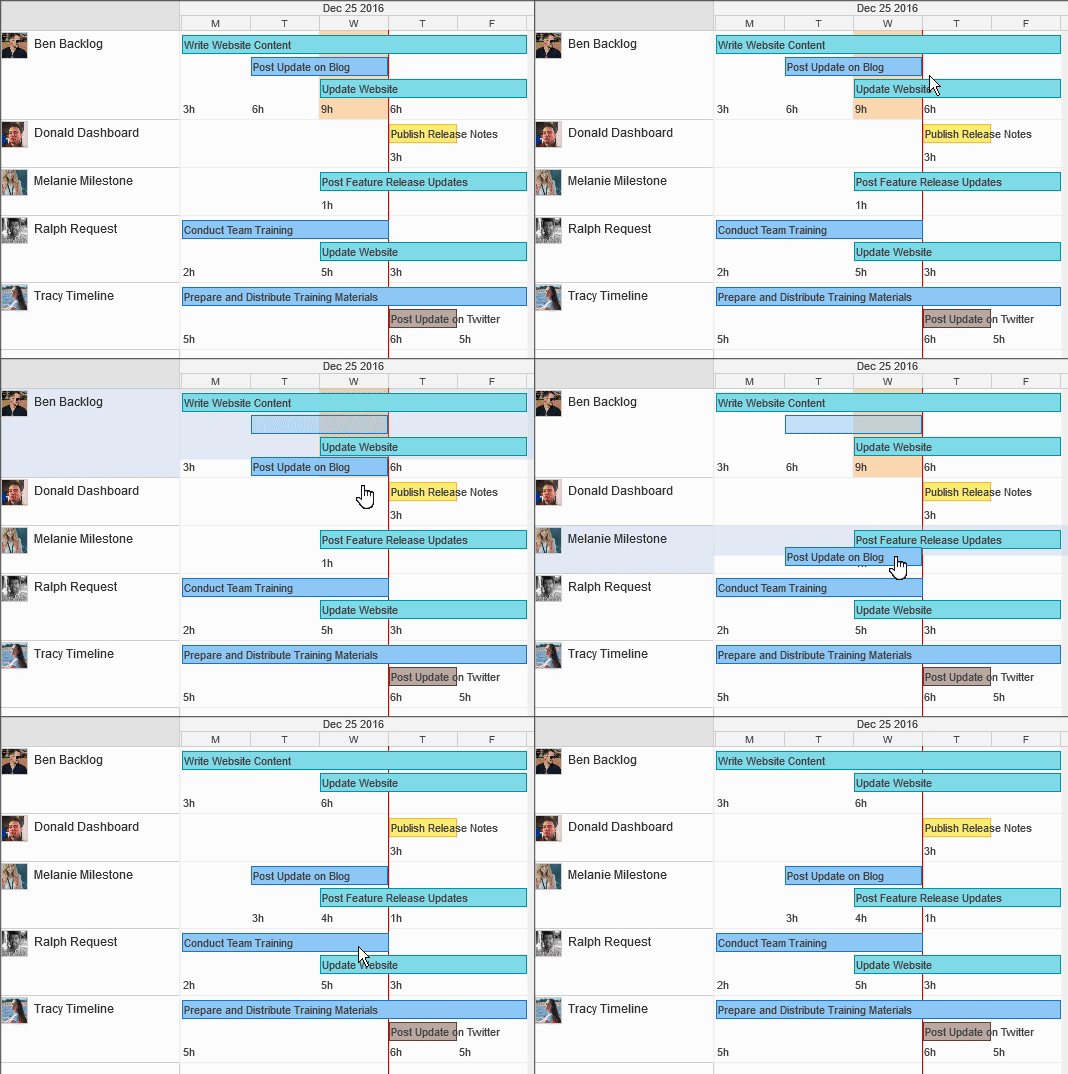
- See how many hours per day each team member has booked for working on tasks.
- Quickly check your team’s availability.
- Balance workloads and reassign tasks from overbooked teammates to those who have an available slot.