Hi everyone! 👋
We have recently discussed some of the functionality that helps you to track project risks in Wrike. Please check out that post here if you haven’t yet.
For many businesses, it is important to be able to track project risks in a more detailed way. We have seen here on the Community that some of you are using the RAID concept and that you create RAID logs in Wrike. We’d like to share some different ways that you can set up a RAID log in Wrike, and we’d also love to hear about how you are doing this, so please don’t hesitate to share your tips like this one from @Trevor Tollefsbol under this post!
But first, let’s take a closer look at what this concept means.
What is a RAID log?
RAID is an acronym for Risks, Actions, Issues, and Decisions and it’s used for tracking and reporting on those four project components.
- Risks are the potential blockers or problems that might come up in your project.
- Actions are what you need to do throughout the project.
- Issues are when something goes wrong in the project. If an issue isn’t managed and resolved it can derail the project or cause the project to fail.
- Decisions are how you decided to act during the execution of a project.
A RAID log, therefore, is a project management tool or technique that helps you track risks, actions, issues, and decisions. It’s a simple way to organize this information and it comes in handy during meetings and project audits 📈
Although there’s no out-of-the-box functionality in Wrike, there are still ways to log risks and create RAID logs using the platform.
Using Custom Fields
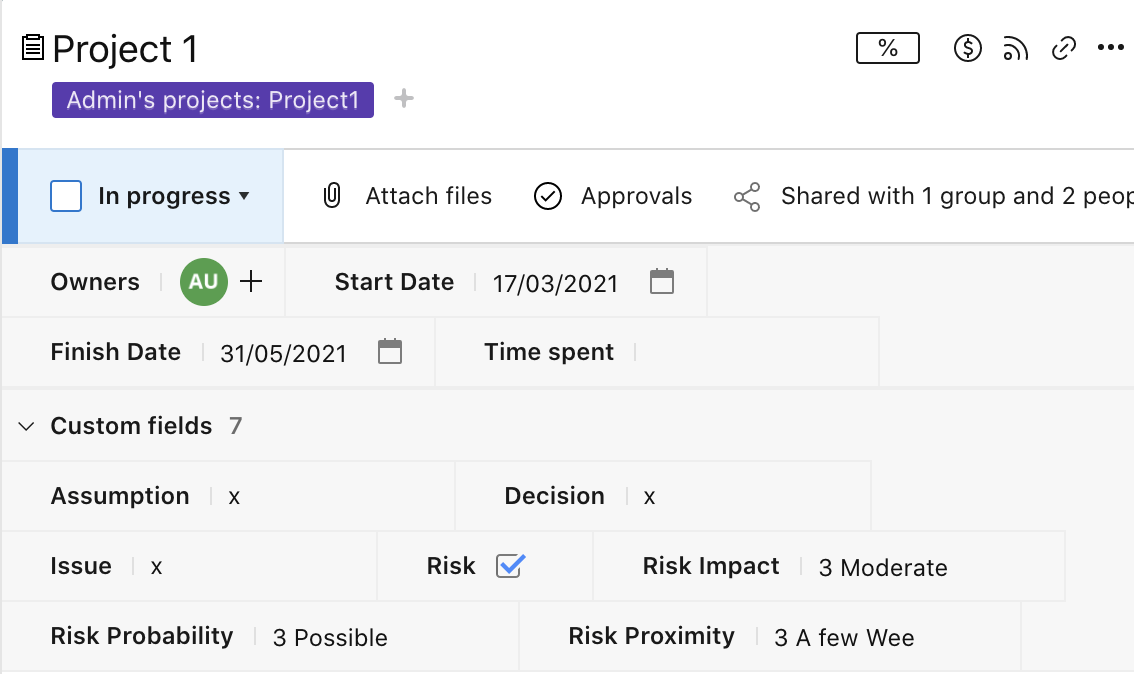
Wrike’s custom fields can be used for logging project risks, assumptions, issues, and decisions. You can create a separate field for each of these elements. It can either be dropdown types of fields with pre-made lists of RAID or text-type fields that you can update weekly.
You can also define risks in more detail and track their impact, probability, and proximity if applicable.
Using Folders for RAID Log
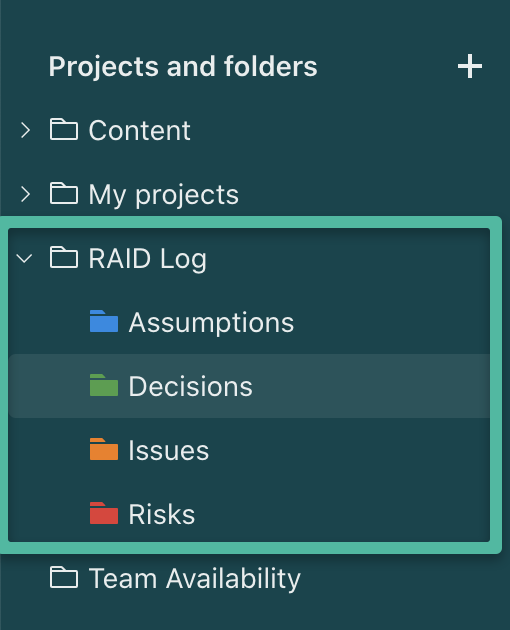
It’s also possible to create a separate folder for RAID log with subfolders for risks, assumptions, issues, and decisions, and tag different elements of your projects with those folders for further tracking and reporting.
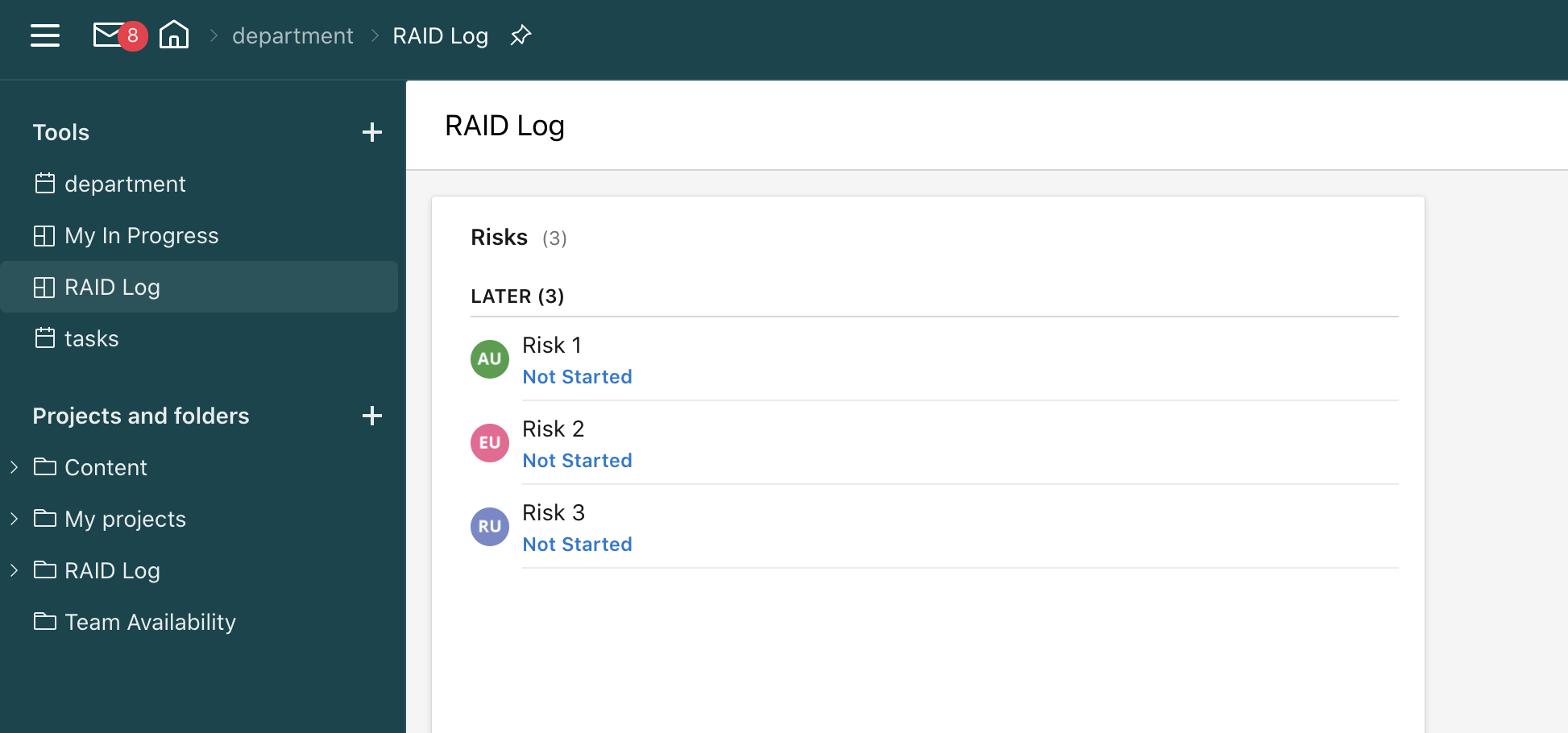
For example, your projects can consist of the action items’ tasks that need to be done for the project to be completed, and also separate tasks for RAID. You can then tag them with the separate RAID subfolders. Project owners can then create dashboards and reports for tracking this information.
Leveraging Request Forms for RAID Log
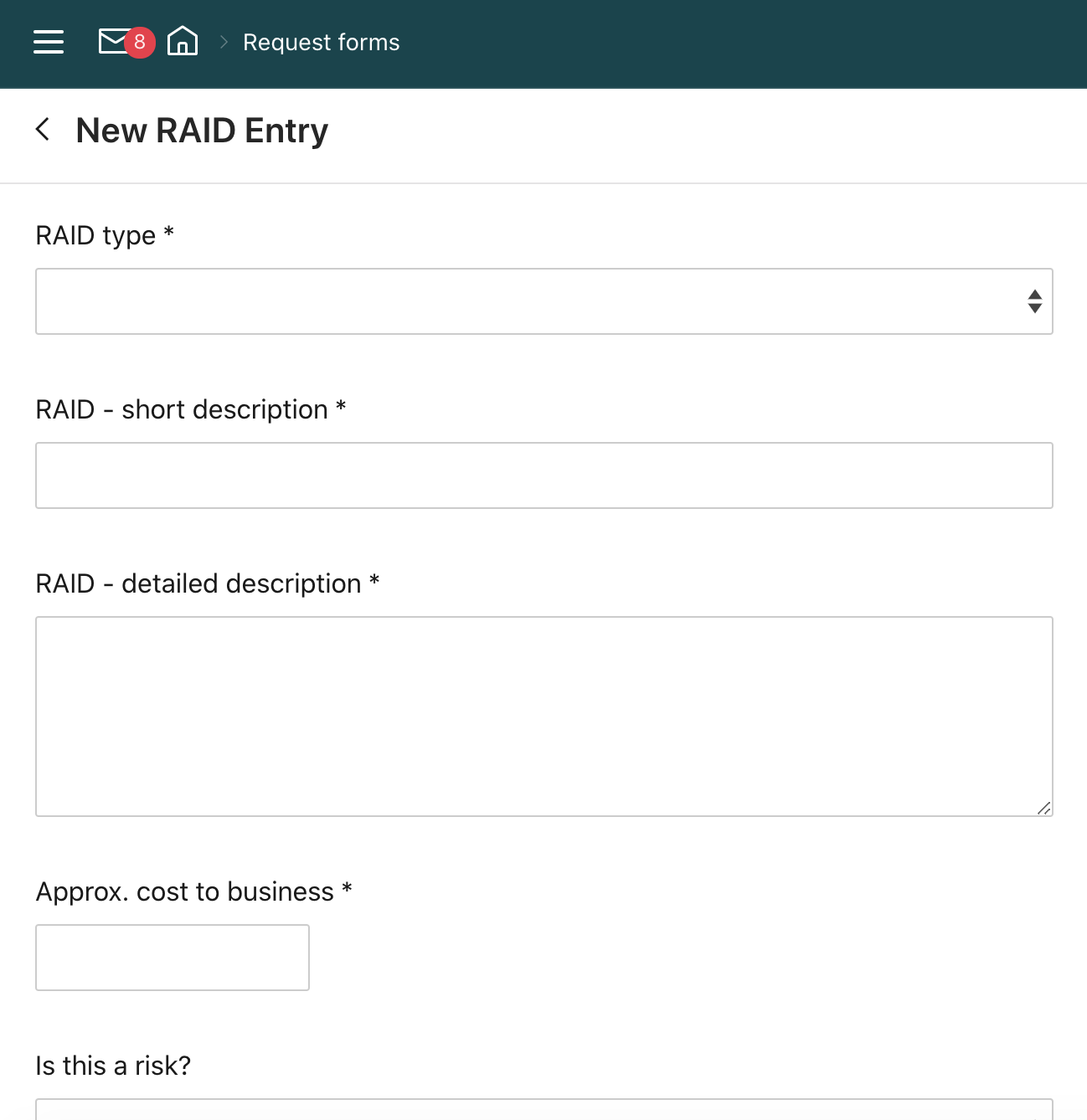
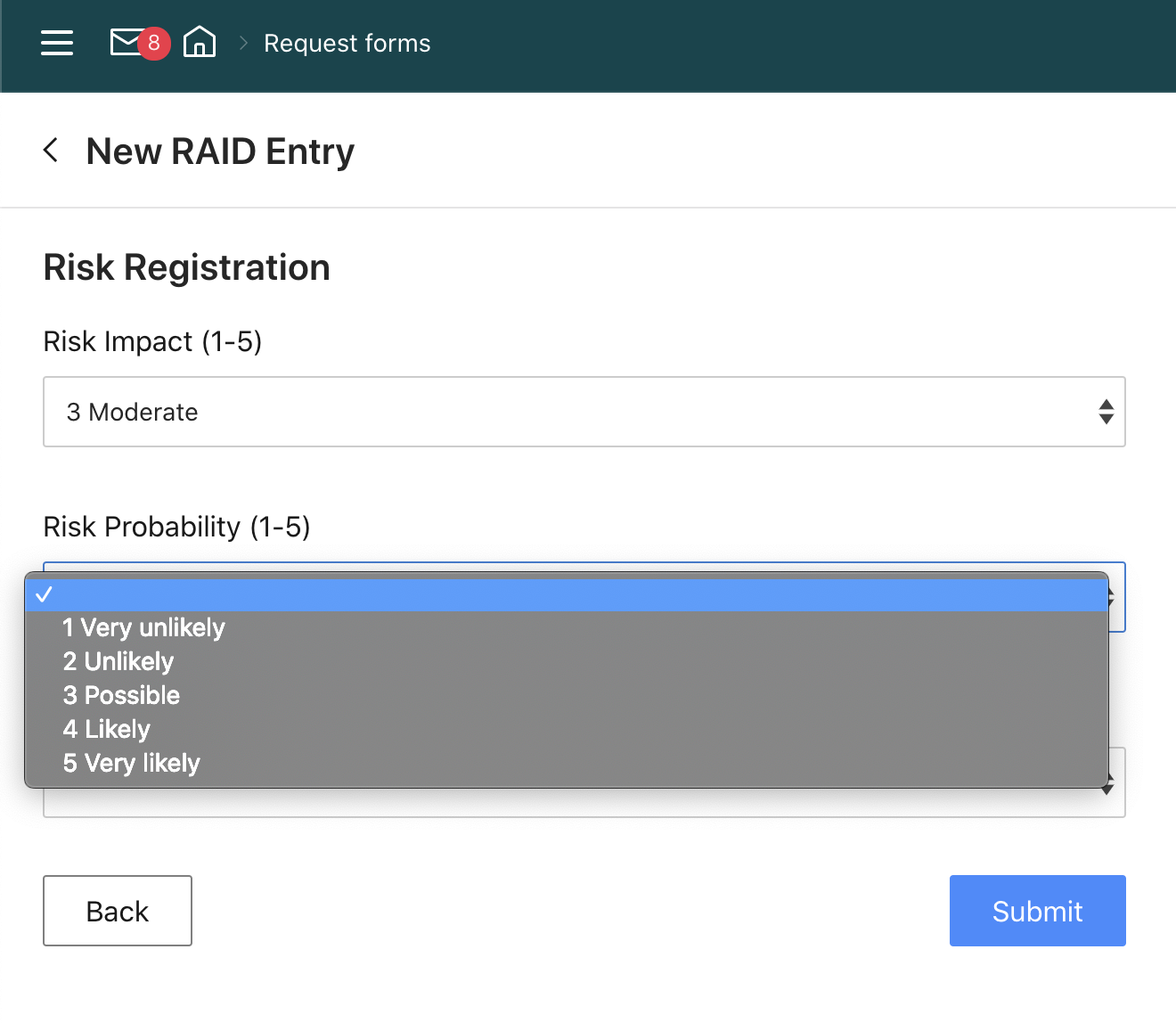
Wrike’s request forms can also be used to log risks, assumptions, issues, and decisions. It could be a practice to submit them upon each project’s roll-out, or only for specific or larger projects. In the request form, you can specify risks and include their definitions and other parameters like probability, impact, and proximity. Upon submitting this RAID entry, you can set it up so that a task or project (or a pre-made blueprint) is created.
Do you usually log RAIDs for your projects? Please share your best practices or let us know if you have any questions below 👇
By the way, our team is currently working on making this setup easier for you - please stay tuned for more info on this topic in the coming months ✅