Hello Community! 👋
As anticipated in our previous post about Automation updates, you can now use any value of almost any custom field type as a trigger in Automation rules! 🚀
Previously, ‘Single-select’ and ‘Checkbox’ custom fields were supported in Automation. Now the list has been expanded to any other custom field type, except for calculated fields. The available options are: ‘Text’, ‘Number’, ‘Duration’, ‘Date’, ‘Multiple select’, ‘Single-select’, ‘Checkbox’, ‘Currency’, ‘Percent’, and ‘People’! 🤩
Combined with conditions, the new triggers allow you to automate your work when a specific value of a custom field is selected.
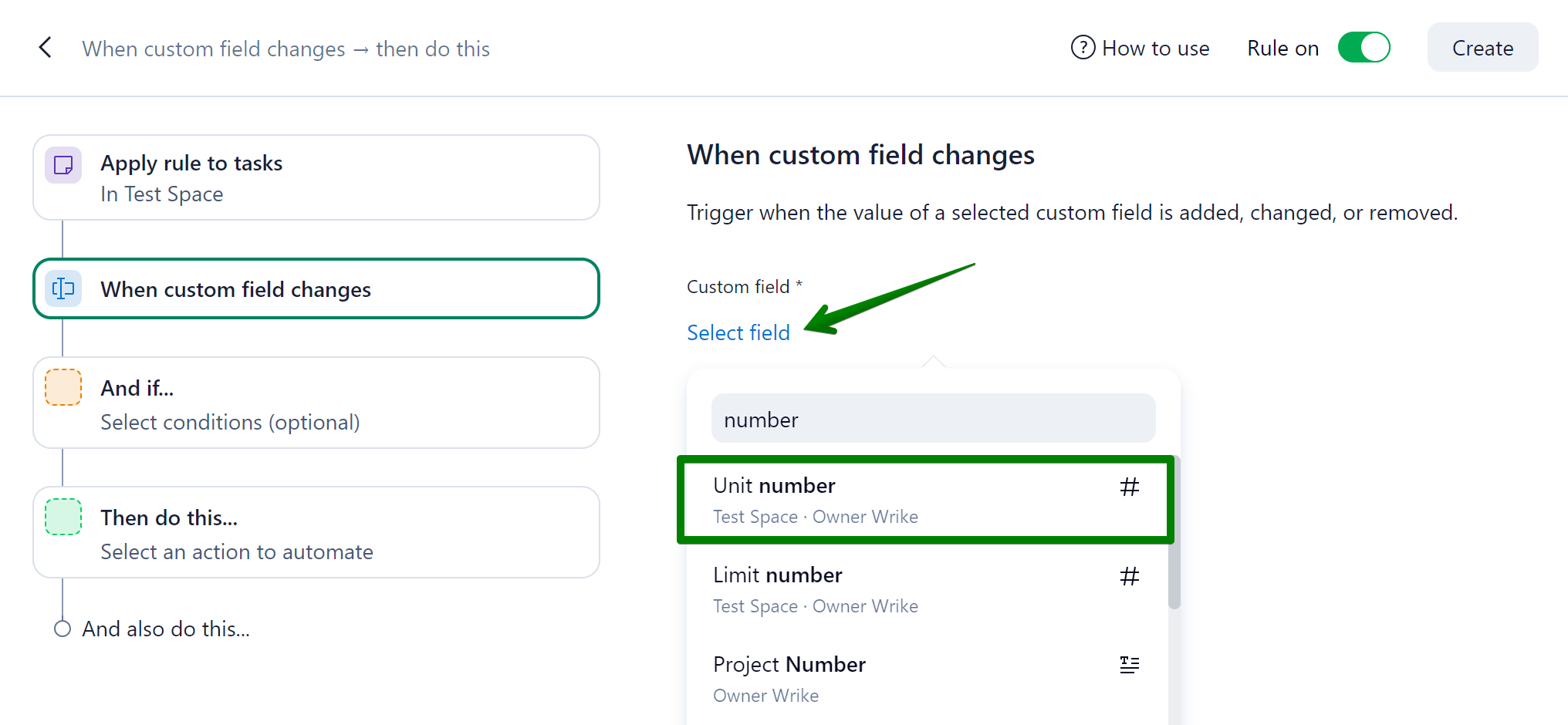
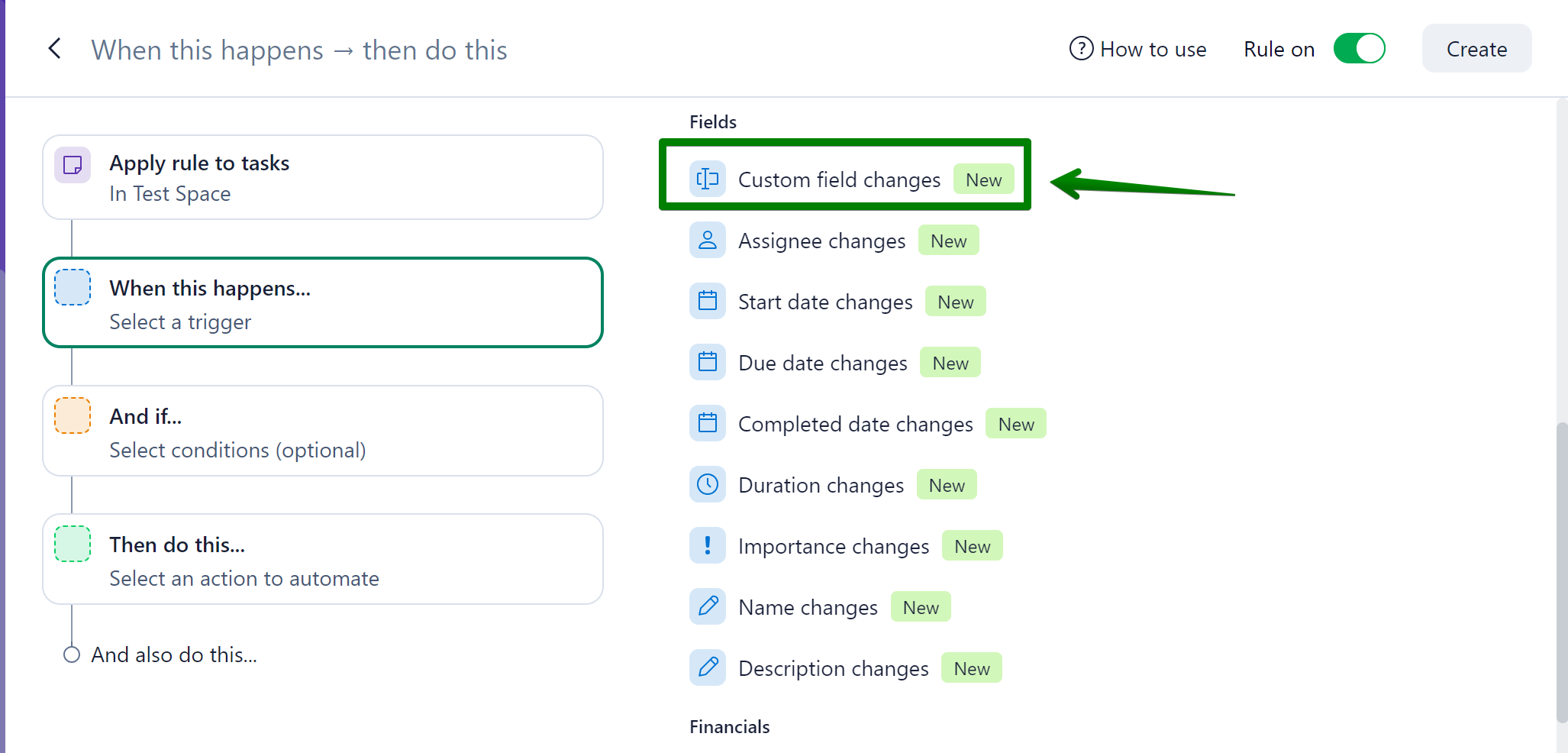
The possibilities are endless! For example, if you need to assign a task to a user when a certain number has been reached, you can simply select the number type custom field in the triggers section:
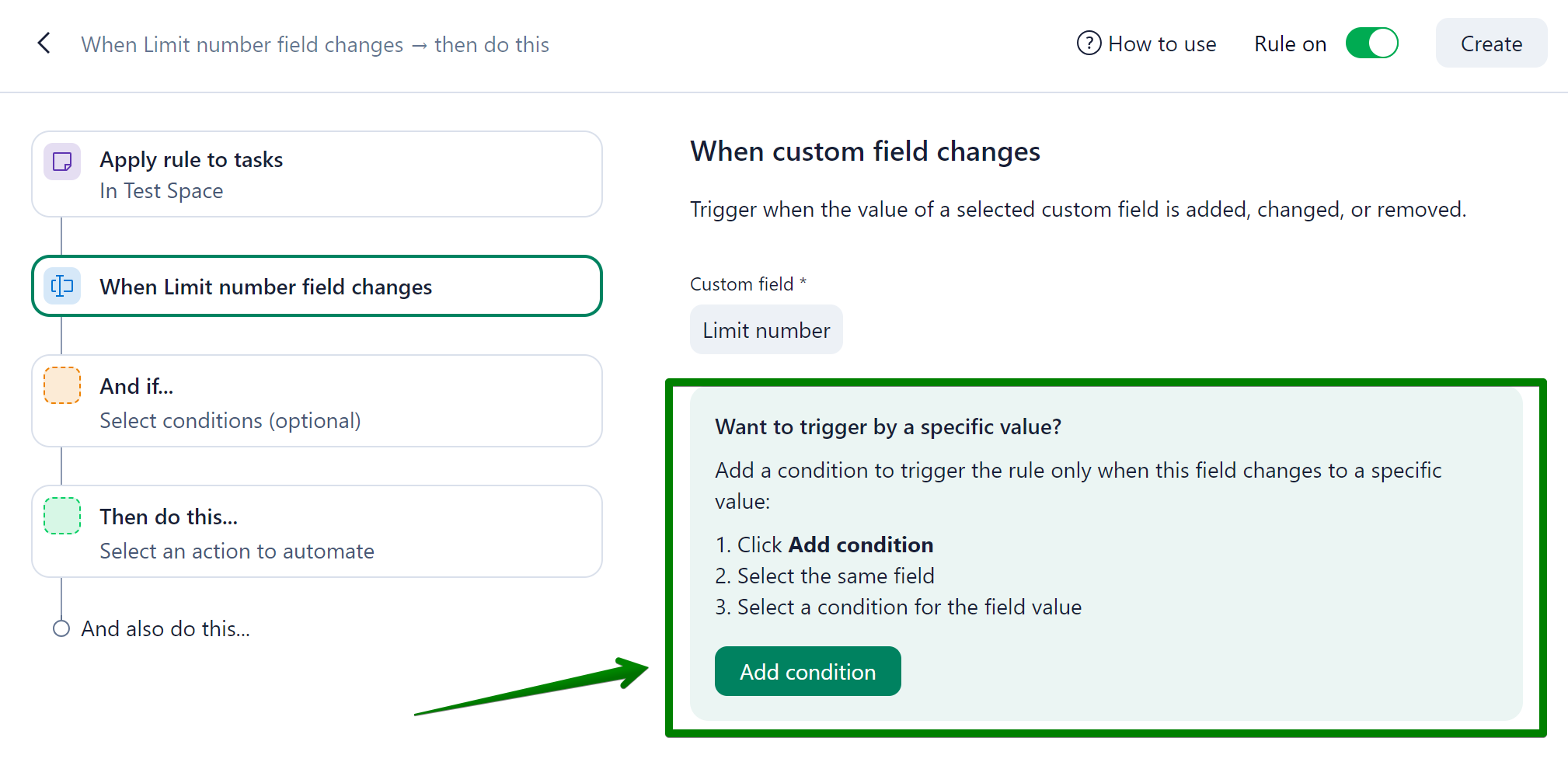
And then specify the value that should trigger the action in the conditions section:
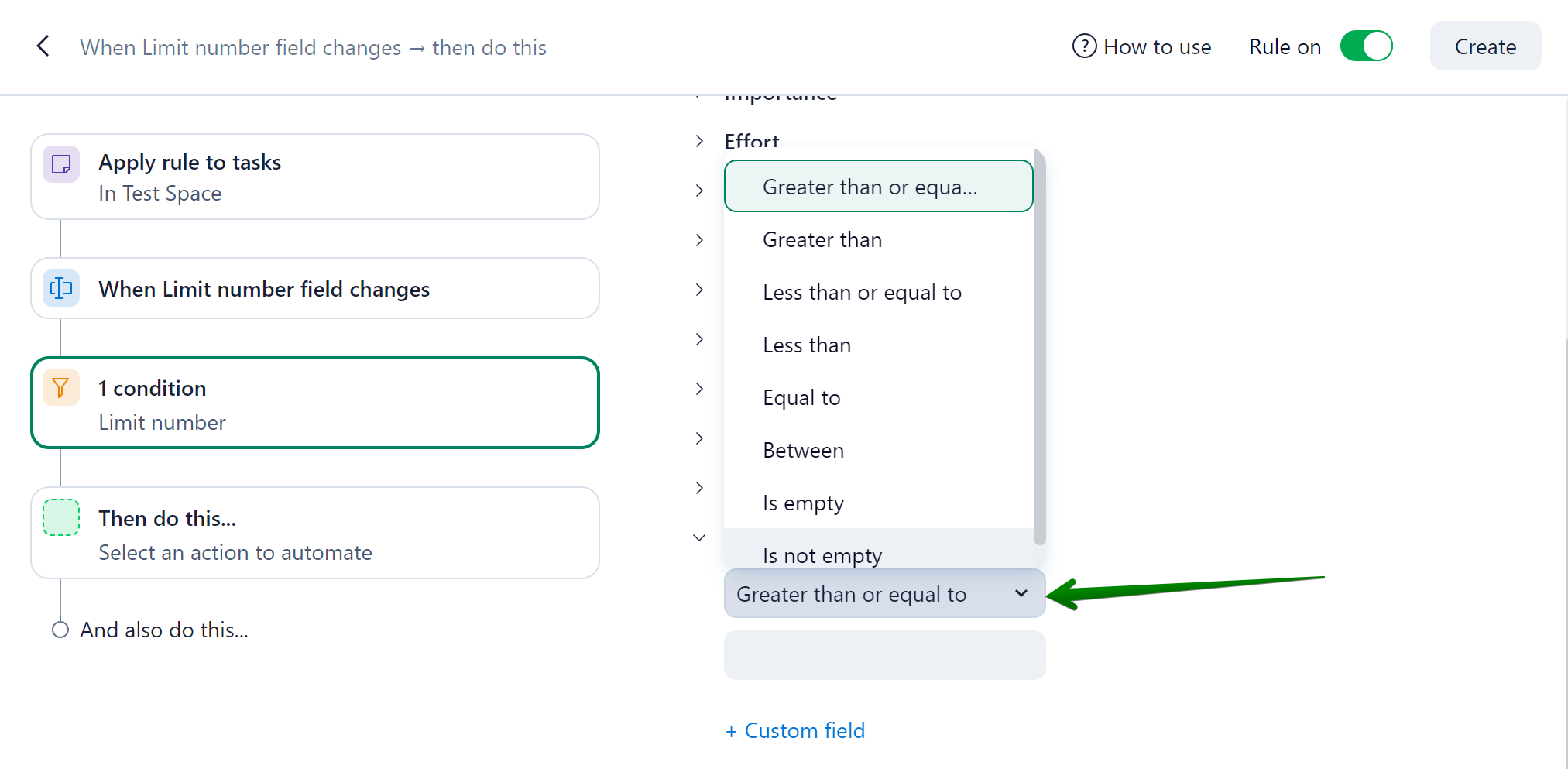
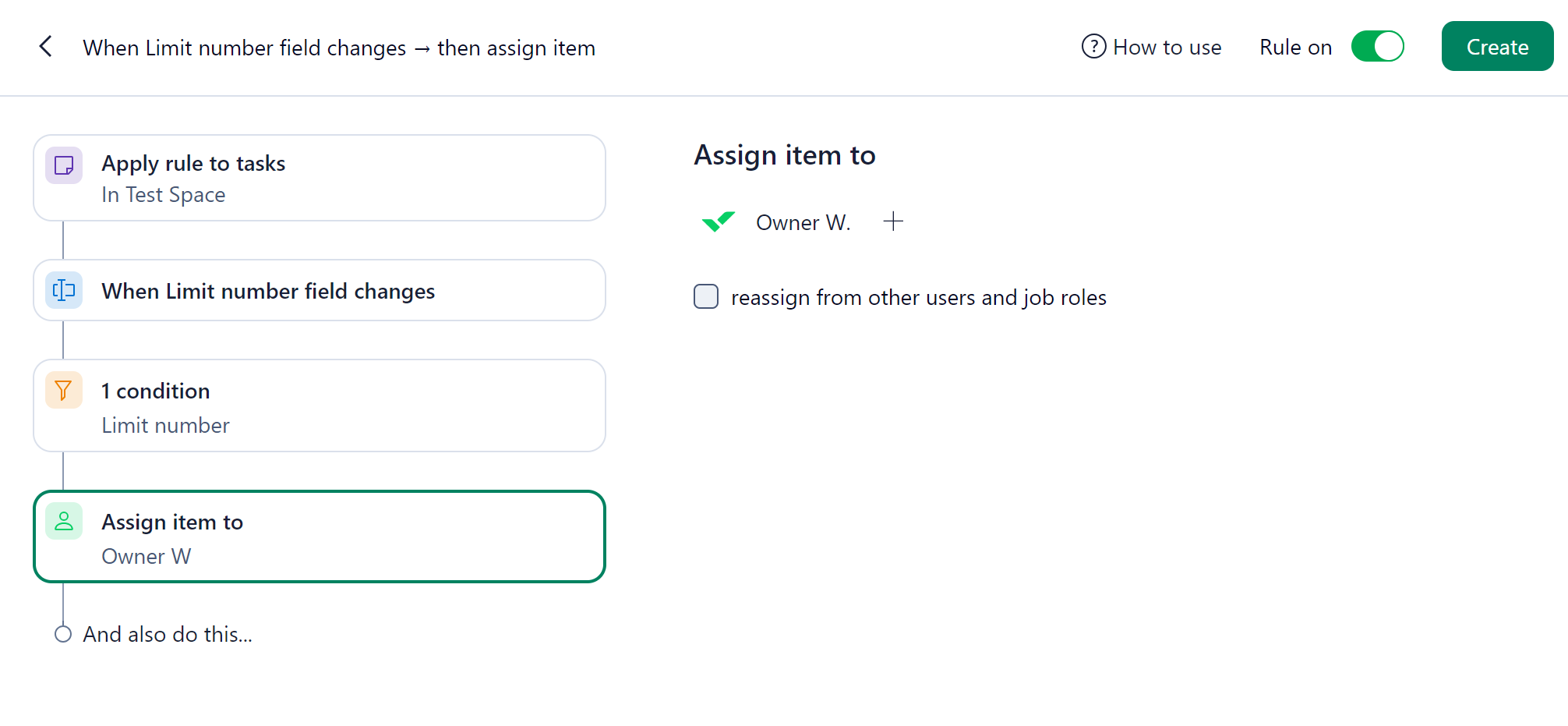
Once you have specified the desired value, you can select the corresponding action:
Another very useful case can be to trigger an action depending on the dates of the items. For instance, you can specify that if the date of your tasks is set to a specific time frame, you can automatically move your tasks to an ‘Urgent’ folder:
1.
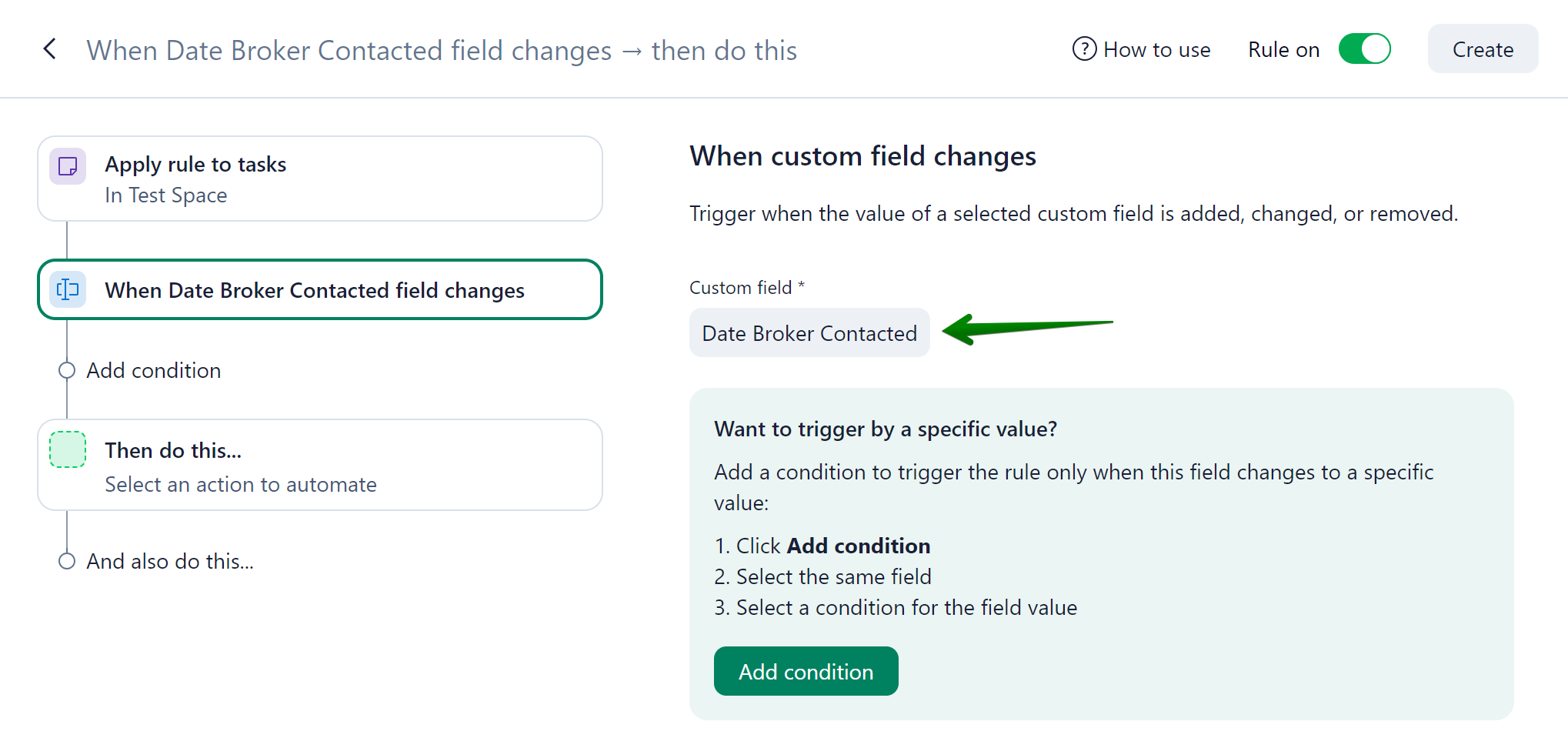
2.
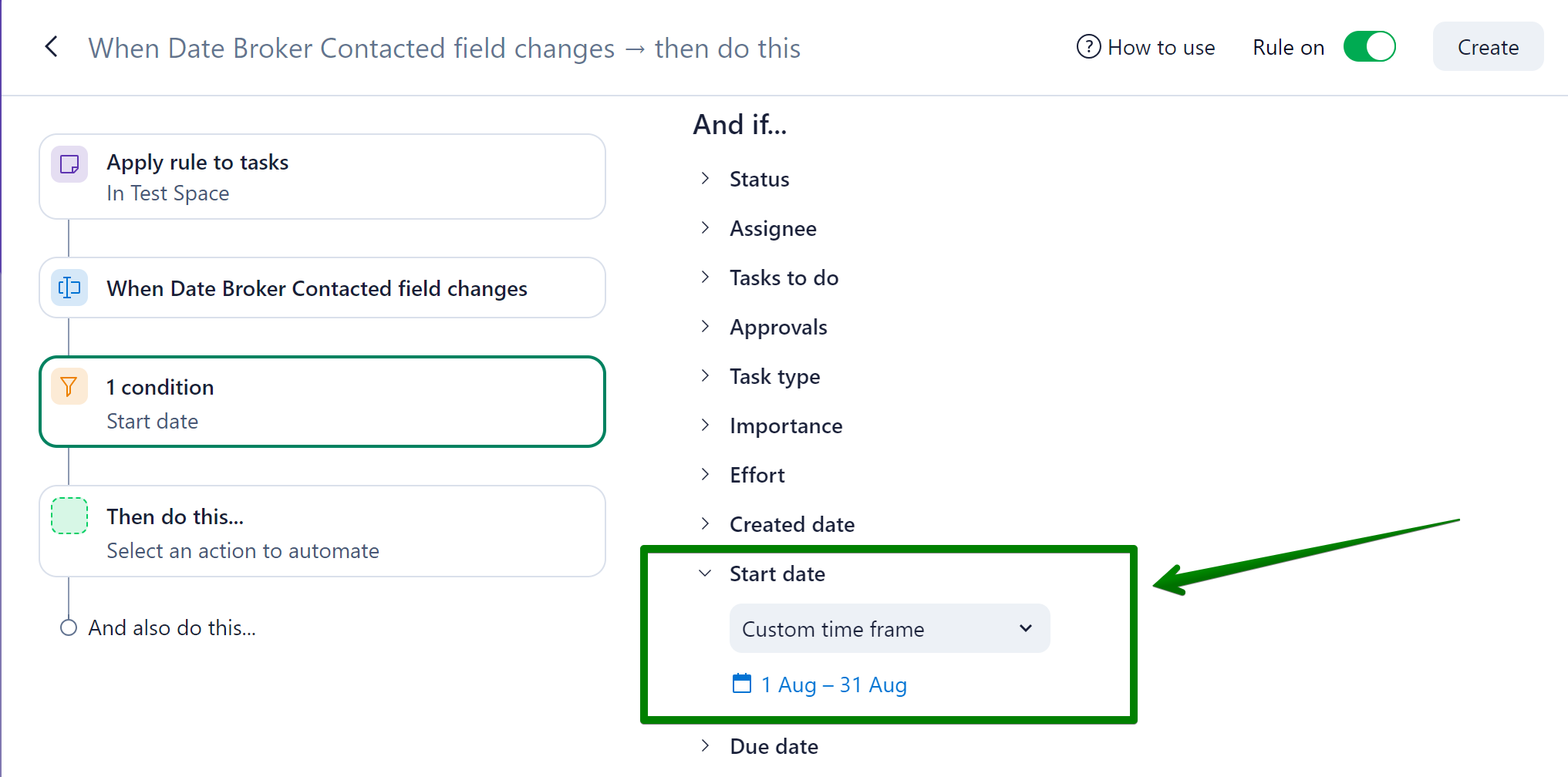
3.
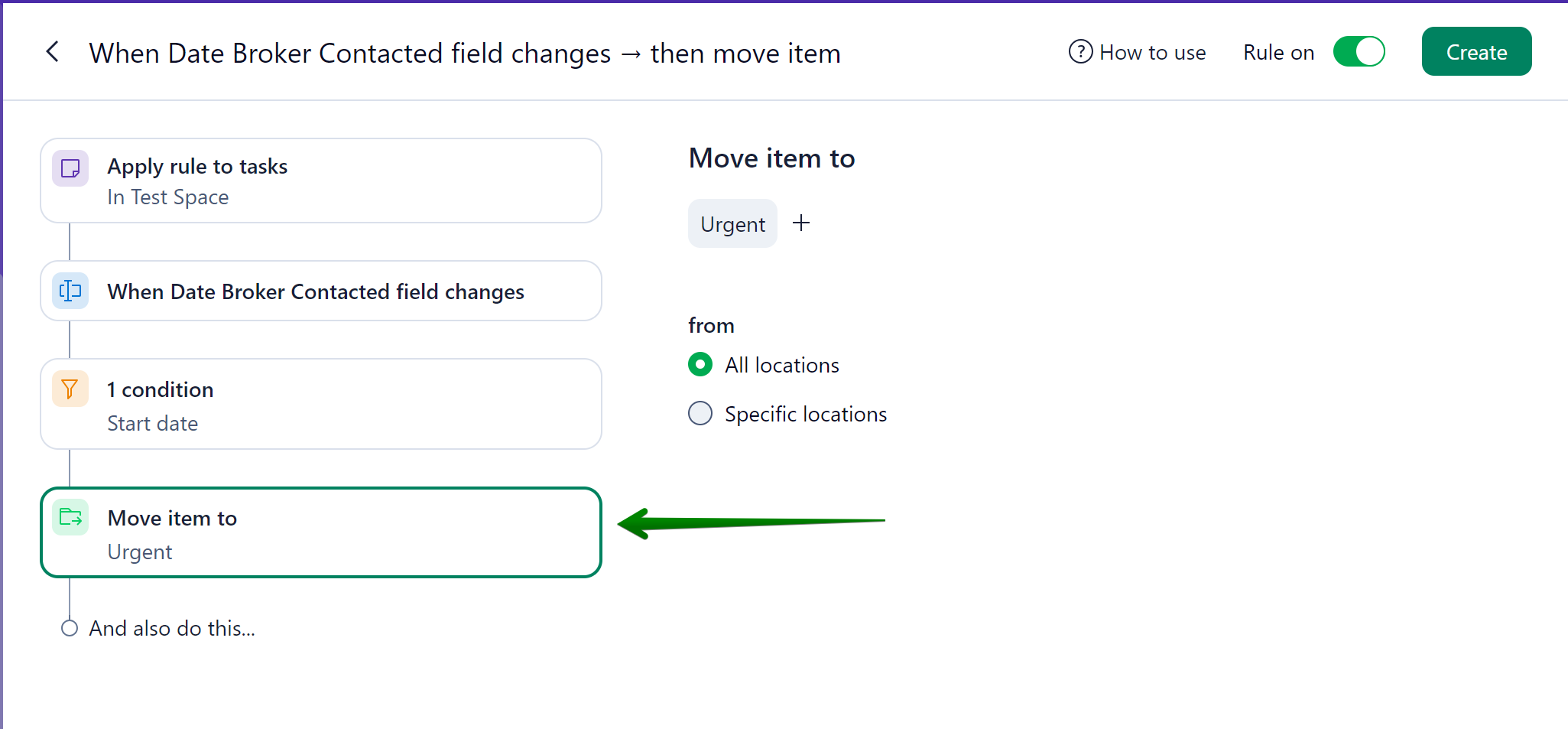
Do you have any ideas on how you’d like to apply these new triggers? 🧐
Looking forward to hearing your feedback! 😃