Hi Community 🙂
We have very exciting news for you!
Starting today, admins on Enterprise Pinnacle accounts can enable Datahub in Wrike Labs 🚀
What is Datahub?
Datahub helps you connect your data stored outside of Wrike with Wrike projects and tasks. You can connect your data sources through API or manually, and what you’ll get is custom fields that are dynamically updated when you make changes in your data stored in Datahub.
Here’s What Datahub Helps You With:
- Portions of work happen outside of Wrike: you have to toggle between platforms to work with data. Cross functional reporting is difficult with siloed data. Datahub helps you connect your data with your work.
- Lack of a single view: no way to create relations between fields & it’s difficult to operate your data. Datahub brings them together into one view.
- Managing changes in bulk is challenging: it takes a lot of effort level to bulk provision changes which leads to delays & inefficiencies. Our new tool makes data and teams aligned.
Popular Use Cases
✅ Actionable Data for all users : Datahub table enables all users within the account to work off real-time data. It makes it easier to collect, organize, analyze, and distribute your data throughout its touchpoints in Wrike.
🏢 Managing Client Service Delivery: Create tables housing all of the data you have for your clients, from brands, sub-products, to locations and everything you need to deliver client value. Leverage this data to power automations and report progress back to your clients with reporting and dashboards.
🧑💻 Operations Management: Centralize product information from SKU names, numbers to code names. Align a single source of information and power your work in Wrike to track inventory and streamline operations.
How to Get Started
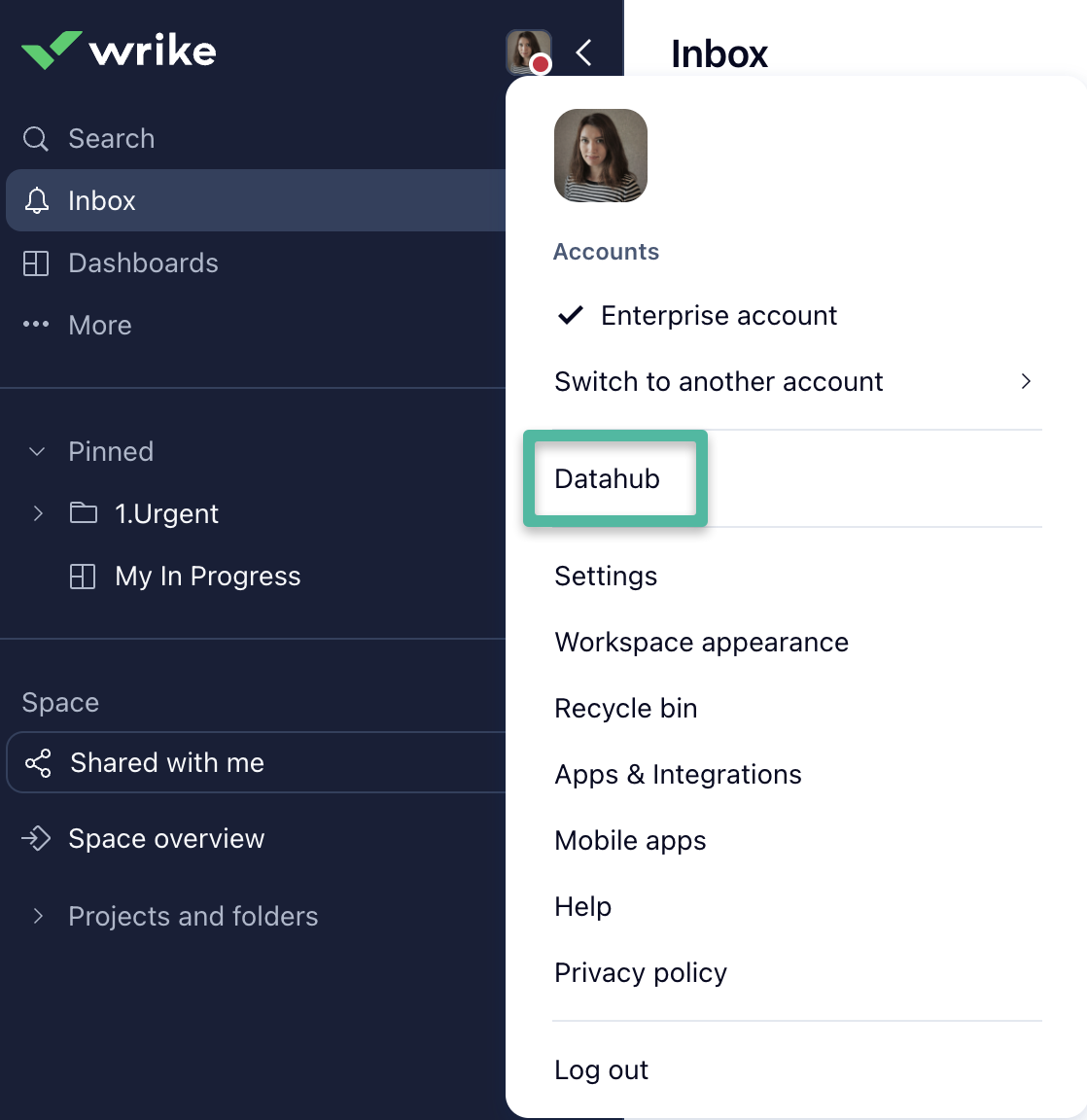
1) You can find Datahub by clicking on your Profile picture menu - it will be opened in a separate window. You can start creating your Datahub tables for different types of data, adding fields and records. You can also import existing csv files, or connect Datahub to an external data management system via the API.
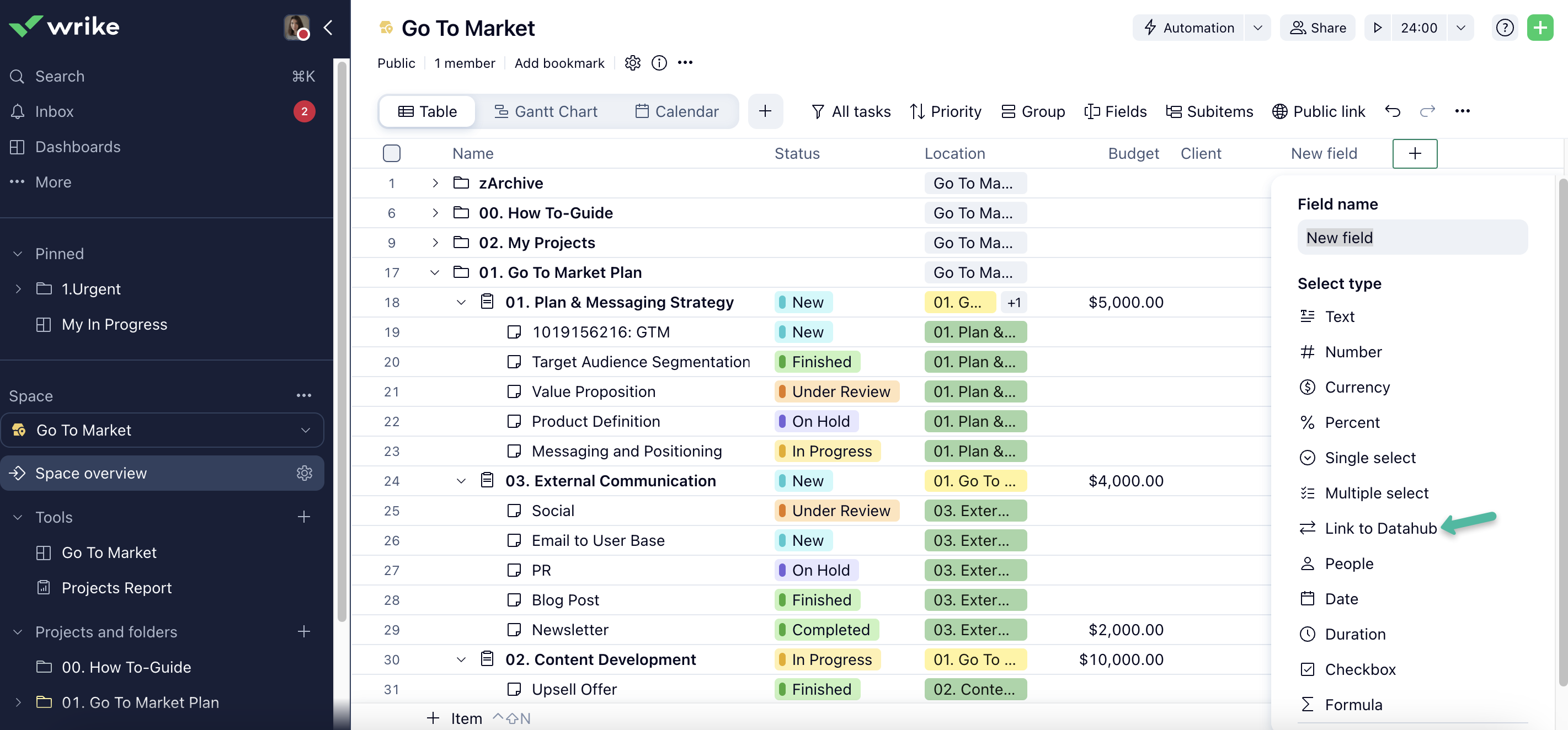
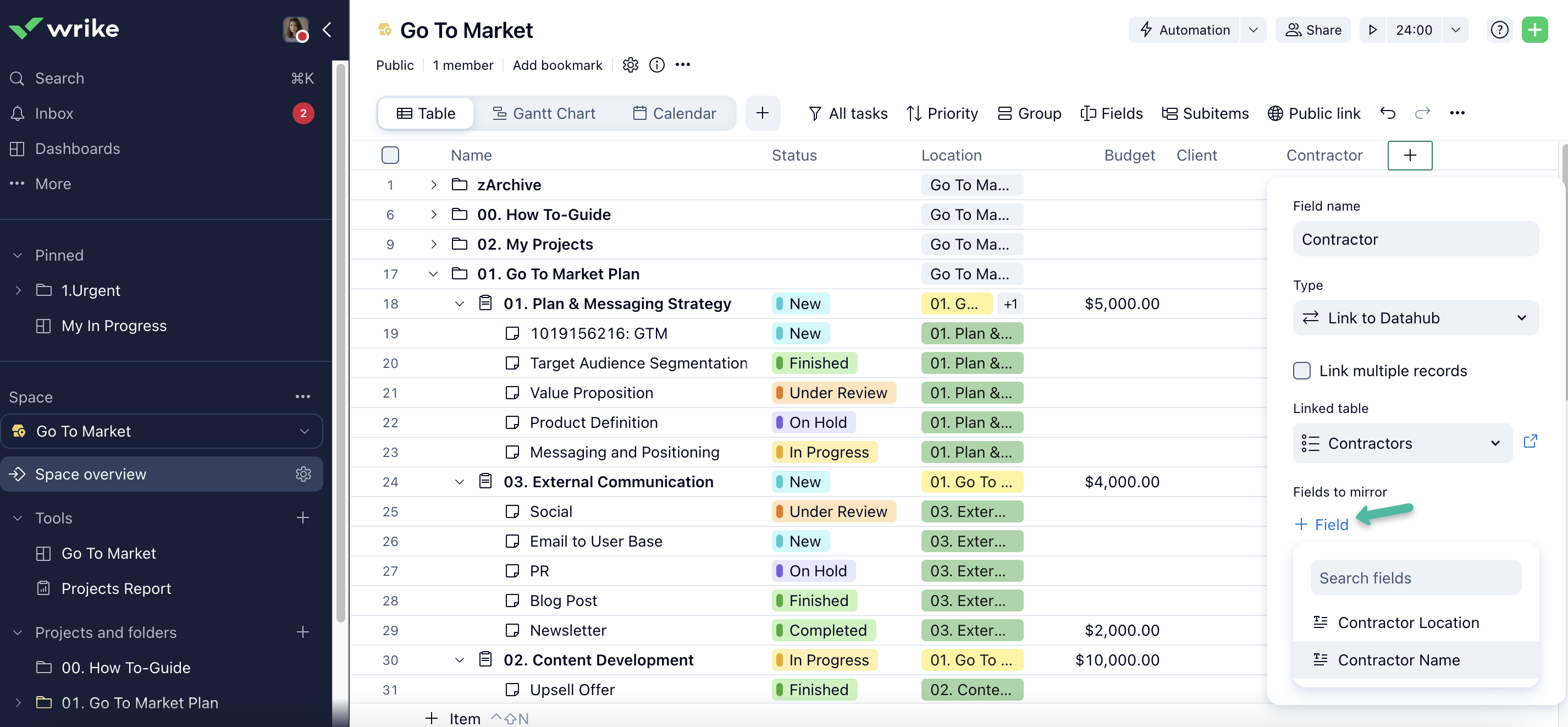
2) To connect the data from Datahub with Wrike, you can create a new Link to Datahub field in Table view and it can then be viewed in Datahub. When creating the field, you’ll be able to name it just like any regular field and choose the Datahub table with which you want to connect these fields. You can also add fields to mirror, bringing attributes from the Datahub directly to Wrike as separate custom fields. The mirror fields can be utilized across Wrike - in different views, filters, reports, dashboards, automation rules, or calculations.
We’re Testing!
Our Datahub development team invites you to provide your feedback! We would like to elaborate on it on the go. You’ll be able to share your feedback with your Wrike Account team or here in the Community thread 👇
The team deploys enhancements and new features weekly, so you can expect changes in the user experience & user interface, as well as additional features coming in frequently.
What’s Next
At the moment, we’re gathering your feedback and continue to add new features. Enterprise Pinnacle accounts can use Datahub for free by enabling it in Wrike Labs. In the future, once both our users and our development team are happy with the feature, it will become a paid add-on. More information on this to follow.
We’re thrilled for you to start using Datahub and we can’t wait for your feedback and questions! Please let us know what you think in the comments below 💚