TL;DR: You can now archive or draft Custom Item Types without losing data, keeping work items editable while hiding unused CITs from creation menus and reactivating them anytime. The new Table widget in Dashboards is now GA, adding multi-level grouping, hierarchies, new filters, editable templates, and cleaner visuals. A new AI Agents Library space in the Community showcases ready-made agents and lets you share your own. The team is gathering input on upcoming governance features like required fields and status restrictions, as well as improvements to reminders and recurring work. Finally, there are new resources on Wrike AI, including an overview/FAQ and a practical guide to writing effective prompts for AI Agents.
Feature Updates
You can now archive or draft unnecessary custom item types without losing any data.
What's new?
- Use the status property to turn a CIT on or off, and use the state to archive it or mark the configuration as draft. Admins continue to see and manage this CIT in their admin lists.
- Keep all existing data when deactivating a CIT. Items already created from a CIT stay in place and editable, while the deactivated CIT no longer appears in menus for creating new items. A visual note shows who deactivated it and when.
- Reactivate a CIT at any time to restore the configuration and bring it back to all places of use.

Read more in this Help Center Article.
The New Table widget in Dashboards is out of Labs and now generally available, making it easier to structure and analyze your work in one place.
What’s new?
- Multi-level grouping and full hierarchies (tasks, projects, folders, and custom item types).
- Expand/collapse controls, including expand to the next level.
- New filters for more precise segmentation.-Editable templates (modify template-based widgets after adding them).
- Parent row support and cleaner, updated visuals.
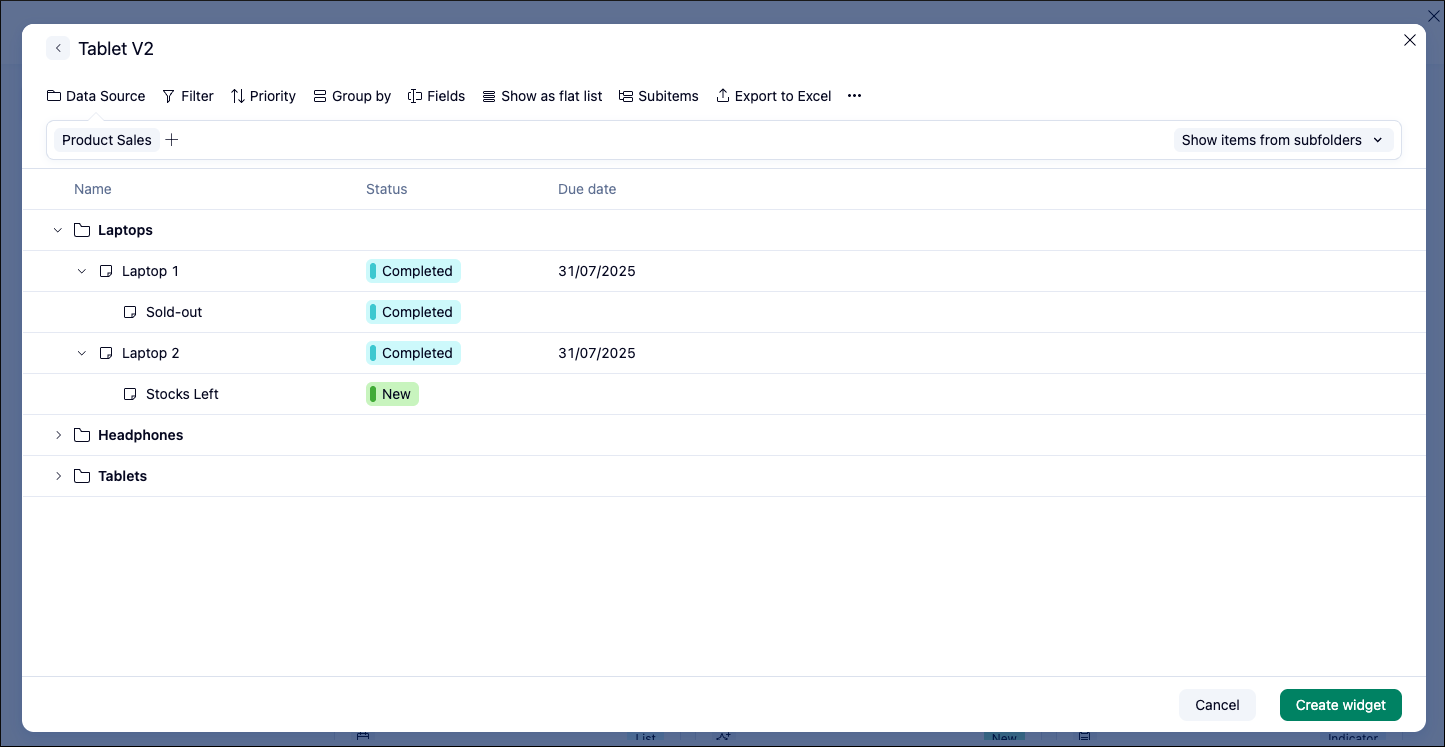
Learn more in the Help Center article.
Community News
- AI Agents Library & Inspiration 💡
We’ve launched a new Community space dedicated to sharing Wrike AI Agents. Explore ready‑made agent configurations from the Wrike team, and share your own agents (goal/use case, prompts, triggers, actions, and tips). Click here to discover the forum.
- Process Guardrails in Wrike 🔐
Our team is exploring new governance capabilities to help you better manage, control, and communicate process guardrails to your teams.
We’d love your input: how do you handle the following needs today, and would you incorporate these improvements into your processes?
- Required fields (“mandatory custom fields”) to improve data collection and reporting, this long‑awaited update is coming to Wrike Labs this quarter.
- Potential enhancements like restricting who can change specific statuses (e.g., only Managers can complete projects), and more.
Check out this Community post for full details and to share your feedback and use cases.
- Reminders & Recurrence in Wrike ⏰
We’re also researching how you manage reminders and recurring work in Wrike so we can improve these experiences. We’re especially interested in:
- How do you use recurrent work items?
- How do you use automations to comment/mention when something needs attention?
- Whether you’d like simple one‑time reminders on specific tasks or projects, and what
you use reminders for today.
Check out this Community post to join the discussion and influence future reminder and recurrence improvements.
- Wrike AI Overview & Prompt Writing Resources ✍️
- Get a clear breakdown of Wrike’s AI features, when to use AI Agents vs. standard automations, and answers to common questions about access, controls, security, and usage. Read the full Wrike AI Overview & FAQ in this Community post.
- Learn how to write effective prompts so AI Agents act like reliable team members, with examples of core prompt patterns, common pitfalls to avoid, testing tips in the Playground, and ready-made templates plus a quick pre‑launch checklist. Read the full AI Agent Prompt Writing Guide in this Community post.