TL;DR: Timesheet reminders now support daily, weekly, monthly, and custom cadences. AI Agents can post notifications to Slack channels. The new Request Forms Prefill API enables programmatic pre-filled form link generation. Plus, register for a live AI Agents session on May 6, explore a Project Health Monitor guide, learn about flexible timesheet timeframes and reminders and share your feedback, and get started with Spaces.
Feature Updates
We are excited to announce a major upgrade to Timesheet Reminders! Users can now set reminders with daily, weekly, monthly, and custom cadences, giving full control over their schedule.
What’s new?
- Flexible reminder cadences that let users configure reminders aligned with their work schedules and time reporting needs, helping them stay on track.
- Available on all Business, Pinnacle, and Apex plans.
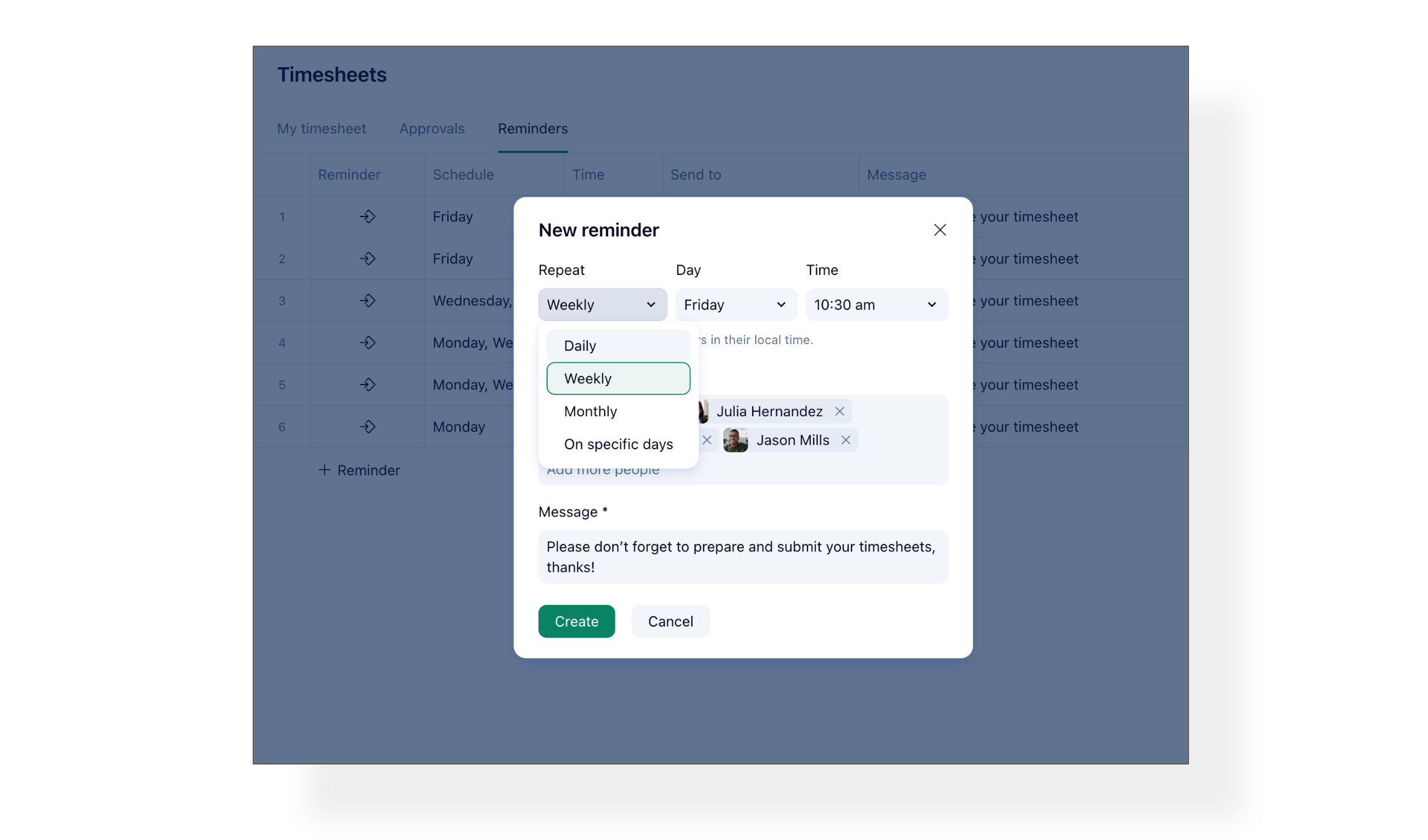
Check out this Community Post for more details.
Agents can now post notifications to Slack channels as an action, enhancing communication beyond Wrike.
Authenticate your Slack workspace once, select a channel, and the agent posts messages automatically based on your instructions.
What’s new?
- Single destination channel per action setup. One action, one channel. For messages in different channel, set up a separate action for each.
- Messages include work item context and links, composed from your action instructions.
- Delivered by the Wrike Slack app with delivery status logged in the activity log.
- Please note: Currently it does not support replies into threads or @mentioning Slack users .
Examples:
- A risk report flags a high-risk project → the agent posts an alert to #pmo-risks
- A blueprint kicks off a new project → the agent announces it in #project-launches
- A task status changes → the agent updates the team channel with the work item link

We're thrilled to introduce a new Forms API capability for generating pre-filled Wrike request form links - reliably and at scale. Integrations, AI agents, or scripts can now pass known data to a form and get back a ready-to-open link with those fields already populated.
What’s new?
- External systems can pass known data to Wrike request forms
- Users receive ready-to-open links with fields already populated
- Eliminates manual copy-pasting and data re-entry
How does it work?
Users click the pre-filled link, review the draft, complete missing fields, and submit. Fully automated backend submissions remain supported.
You can find full technical details here.
Community News
- Live Session: What Can Wrike AI Agents Do for You?
Join us on May 6, 9:00 AM PST for a live Wrike Essentials session on AI Agents. We'll walk through how AI Agents work, build one from scratch live, explore the AI Agent Library with ready-to-copy prompts, preview what's coming next, and answer your questions in real time.
Check out this Community Post for all the details and Register Here to save your spot.
- Project Health Monitor Using Wrike AI Agents
Here's a detailed guide on setting up a Project Health Monitor using a pair of chained Wrike AI agents.
The setup automatically scans your portfolio weekly, classifies each project as Green, Yellow, or Red based on overdue tasks, over-budget subtasks, and at-risk milestones, and notifies project owners when a project turns Red.
The post includes full configuration steps, prompts, setup instructions, and customization ideas. Read the full post here.
- Introducing Flexible Timesheet Timeframes & Upgraded Reminders 🎊
Timesheets now support weekly, monthly, or hybrid submission cadences, improving alignment with billing cycles and reducing duplicate approvals. Reminders support daily, weekly, monthly, and custom cadences.
Check out this announcement post for all the details.
New to Wrike? We've shared a post to help you understand Spaces, the top-level grouping in Wrike. It explains how Spaces organize your folders, projects, and tasks by team, department, or client, the different types of Spaces available, and how to use them to structure your workspace effectively.
Read the full post on Spaces here.